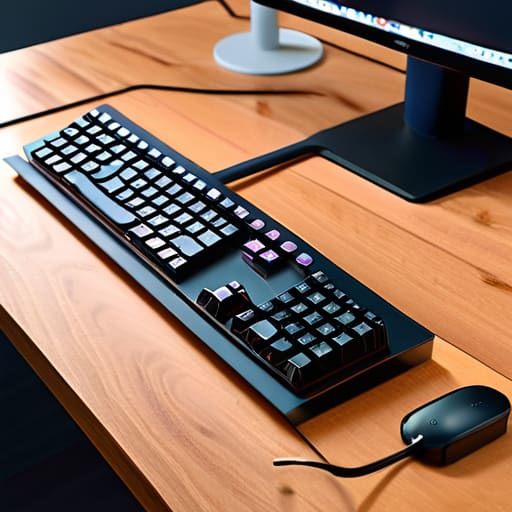
I was sitting in a tiny, overpriced Airbnb in Lisbon last month, trying to deploy a cloud patch on a deadline, when I realized my entire workflow was being sabotaged by a literal bird’s nest of wires under my desk. I’d spent three hours setting up a “minimalist” mobile station, only to have a tangled mess of power bricks and Ethernet cables turn my workspace into a cluttered disaster zone. Most people think desk cable management requires a massive investment in proprietary plastic trays or expensive designer organizers, but that’s just marketing fluff. If your setup isn’t clean, it’s not a workspace—it’s a distraction that keeps you from actually doing the work.
I’m not here to sell you on some overpriced aesthetic kit that falls apart the moment you move your desk. Instead, I’m going to show you how I build frictionless setups that actually travel with me. I’ll share the exact, low-cost tools I use to keep my cables invisible and my mind focused, regardless of whether I’m in a home office or a cramped cafe. This is about functional simplicity, not just looking good for a photo.
Table of Contents
Hidden Wire Routing for an Invisible Workflow

The real trick to a clean setup isn’t just hiding the mess; it’s making sure the wires aren’t even part of your visual field. Most people just tuck a few cords behind their monitor and call it a day, but that’s a temporary fix. If you want a truly invisible workflow, you need to look underneath. I’m a big fan of mounting a dedicated tray or using specialized under desk cable management solutions to house your power strips and bulky bricks. When everything is anchored to the underside of the desk, the surface stays completely clear, leaving you zero mental friction when you sit down to work.
For the cables that actually have to travel from your peripherals to your machine, stop letting them hang like loose spaghetti. I usually grab some high-quality cable management sleeves to bundle those lines into a single, neat cord. It makes the whole rig look intentional rather than accidental. If you’re aiming for a minimalist, wireless desk setup, every single inch of visible wire is a distraction you don’t need. Route them along the legs of the desk using adhesive clips, and suddenly, your tech just disappears.
The Power of Under Desk Cable Management Solutions
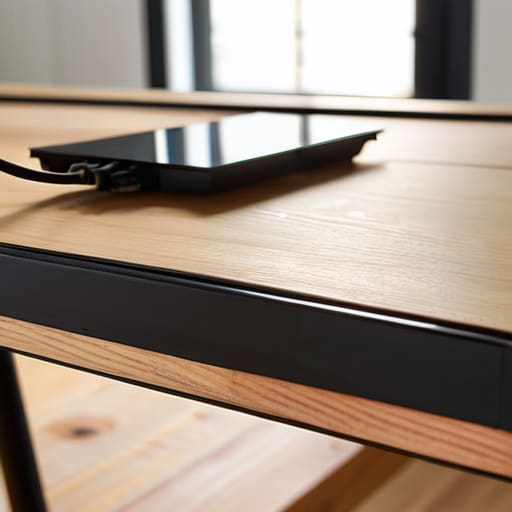
If you’re serious about a clean aesthetic, you have to stop thinking about what sits on top of your desk and start looking at what’s happening underneath it. Most people focus on the peripherals, but the real chaos is usually lurking near your feet. Investing in proper under desk cable management solutions—like heavy-duty trays or mesh hammocks—is the only way to actually clear the floor space. When you get those power bricks and long extension cords off the ground and tucked into a tray, the entire room feels lighter.
It’s not just about looking good for a webcam, either; it’s about mental clarity. A tangled web of wires creates a subconscious sense of friction that pulls you out of your flow state. I like to use a combination of adhesive desk cable clips to guide individual lines along the underside of the frame, ensuring nothing dangles or snags your legs. By securing everything tightly to the structure, you create a stable, ergonomic workstation setup that feels intentional rather than accidental. When the hardware disappears, you can finally just focus on the code.
Small Tweaks for a Zero-Friction Setup
- Label everything at both ends. When you’re troubleshooting a connection in a coffee shop or a temporary rental, you don’t want to be playing a guessing game with a dozen identical black USB-C cables.
- Use adhesive cable clips for your peripherals. Don’t let your mouse or keyboard wires slide off the desk every time you move them; a tiny clip keeps them exactly where they belong.
- Invest in a high-quality power strip with a long cord. If your outlet is three feet away from your desk, don’t use an extension cord—use a dedicated power strip that you can actually mount to the underside of your desk.
- Group your cables with Velcro ties, not plastic zip ties. Zip ties are permanent and aggressive; Velcro is modular, meaning you can actually add or remove a device without needing a pair of scissors and a prayer.
- Keep your “active” cables separate from your “static” ones. Your power bricks and heavy-duty cables should stay tucked away, while your high-frequency devices like your mouse or laptop charger should have a clear, unobstructed path.
Cut the Cordage, Find Your Focus
Stop treating cable management as an afterthought; it’s a core part of your workflow that prevents mental friction.
Aim for an invisible setup by routing everything through under-desk trays or routing channels so your eyes stay on the work, not the mess.
Prioritize portability and modularity—if you can’t pack up your setup or move it to a new spot without a headache, your system is broken.
The Philosophy of the Invisible Setup
If I have to look at a tangle of wires every time I sit down to work, my setup has already failed me. Cable management isn’t about making a desk look pretty for a photo; it’s about removing the visual noise so your brain can actually stay in the zone.
Elias Vandermeer
Final Thoughts on a Frictionless Setup
At the end of the day, managing your cables isn’t just about making your desk look good for a photo; it’s about removing the physical friction that interrupts your flow. Whether you’re routing wires through hidden channels or investing in solid under-desk trays, the goal is the same: to make the hardware disappear. When you stop seeing a tangled mess of black cords every time you sit down, your brain can finally stop processing the clutter and start focusing on the actual task at hand. A clean setup is a functional setup, and once you’ve mastered the basics of routing and containment, you’ll realize how much mental energy you were wasting on a disorganized space.
My philosophy has always been that your tools should serve you, not the other way around. If your workspace feels heavy or chaotic, it’s likely because your environment is fighting against your workflow. Don’t get caught up in buying every expensive gadget on the market; just focus on making your setup seamless and portable. When you build a workspace that is organized, invisible, and adaptable, you aren’t just tidying a desk—you’re engineering an environment where you can actually do your best work, no matter where in the world you happen to be logging in from.
Frequently Asked Questions
How do I manage cables if I'm constantly moving my setup between different locations?
If you’re moving as much as I am, permanent mounting is your enemy. Forget the heavy trays bolted to the desk; you need modularity. Stick to high-quality velcro ties instead of plastic zip ties—you’ll thank me when you’re tearing things down in ten minutes. I always pack a dedicated tech pouch with a portable cable management kit and a few magnetic clips. It keeps everything bundled and ready to plug in the second I find decent Wi-Fi.
What's the best way to handle power strips without having a massive, bulky brick hanging under my desk?
Ditch the bulky plastic bricks. If you’re serious about a clean setup, look into mounting a slim power strip directly to the underside of your desk using heavy-duty command strips or a dedicated mounting bracket. Even better? Switch to a rack-mountable or slimline strip designed for mounting. It keeps the bulk out of sight and stops that heavy “brick” from pulling on your cables. If it’s not tucked away, it’s just visual noise.
How do I keep my cables organized without making them impossible to swap out when I upgrade my gear?
The mistake most people make is over-binding. If you use zip ties for everything, you’re basically building a permanent tomb for your tech. Instead, stick to Velcro wraps. They’re much more forgiving when you decide to swap out a mechanical keyboard or a new monitor. I also recommend using a modular cable tray rather than adhesive clips; it gives you the breathing room to swap gear without ripping everything off your desk.




