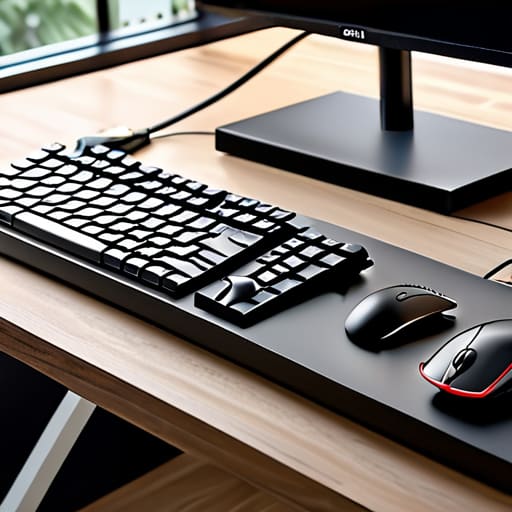
I was sitting in a cramped Airbnb in Lisbon last month, trying to deploy a cloud configuration while my lo-fi playlist hummed in the background, but I couldn’t focus. Every time I moved my chair, my foot caught on a tangled web of power bricks and ethernet cords snaking across the floor like a nest of angry snakes. It’s a ridiculous distraction, yet so many “productivity gurus” try to sell you $200 modular desk systems to fix it. Honestly, most of that gear is just expensive clutter. If you actually want to learn how to organize cables for a clean workspace, you don’t need a massive budget or a permanent office; you just need to stop letting a mess of wires dictate where you can sit.
I’m not here to give you a shopping list of aesthetic trinkets that fall apart in a week. Instead, I’m going to show you the practical, low-friction methods I use to keep my setup mobile and invisible, whether I’m in a co-working space or a temporary studio. We’re going to focus on seamless integration—using simple tools to hide the chaos so your tech actually works for you, not against you.
Eliminating Friction With Seamless Desk Cable Management Solutions
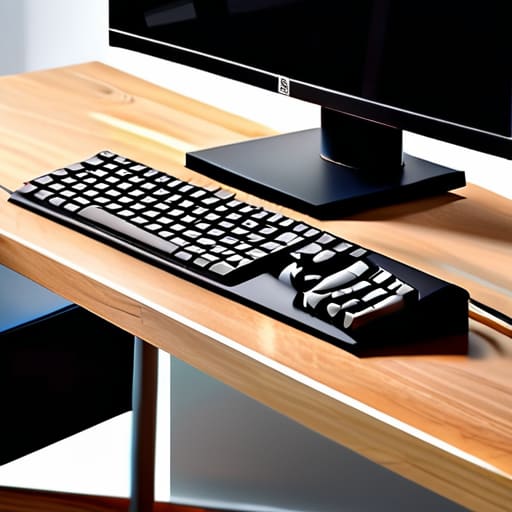
If you’re still staring at a “spaghetti monster” of wires every time you sit down to work, you’re fighting a losing battle against distraction. To me, the goal isn’t just to make things look pretty for a photo; it’s about removing the mental tax of visual chaos. I’ve found that the most effective desk cable management solutions are the ones you forget exist. I usually start by getting everything off the surface and into a dedicated tray. Using under desk wire organization tools like J-channels or mesh trays allows you to tuck away the bulky power bricks and long extensions that usually kill a minimalist vibe.
Once the heavy lifting is done, it’s all about the fine details. I’m a bit of a stickler for using velcro ties instead of plastic zip ties—zip ties are permanent and aggressive, whereas velcro lets you swap out gear without a pair of scissors and a prayer. Investing in a few high-quality cable management accessories for home office use, like weighted cable holders or silicone clips, keeps your peripheral cords from sliding off the desk when you unplug them. It’s these small, seamless adjustments that turn a cluttered workstation into a high-performance environment.
Achieving a Minimalist Workspace Setup Through Invisible Routing
If you’re chasing a truly minimalist workspace setup, you have to stop thinking about where the cables go and start thinking about how to make them disappear. I’ve learned the hard way that even the most expensive mechanical keyboard looks cheap when it’s tethered to a chaotic nest of wires. The goal isn’t just to move the mess; it’s to achieve invisible routing. I usually start by mounting a heavy-duty tray or a series of J-channels directly to the underside of my desk. This allows me to utilize under desk wire organization to house my power bricks and excess cord length, keeping the entire desktop surface completely clear of visual noise.
Once the heavy lifting is done under the desk, the real magic happens with the small details. I rely on a few specific cable management accessories for home office use, like magnetic clips and silicone sleeves, to guide individual lines from my peripherals to the tray. By securing the cables along the legs of the desk or tucked behind monitor arms, you eliminate that “spiderweb” effect that usually happens near the floor. When your tools are invisible, your brain can finally stop processing the clutter and start focusing on the code.
Five Ways to Stop the Cable Chaos
- Ditch the generic plastic ties for Velcro straps; they’re way easier to adjust when you’re swapping out gear or moving to a new spot.
- Get everything off the floor by mounting a power strip directly to the underside of your desk—if you can’t see the mess, it can’t distract you.
- Use braided cable sleeves to bundle your peripheral wires into a single, clean line that actually looks intentional instead of a tangled web.
- Invest in a solid cable management tray to catch the excess slack from your chargers so they aren’t just dangling like dead weight.
- Label both ends of your cables with a simple strip of tape; trust me, you don’t want to be playing “guess the wire” when a connection drops mid-sync.
Final Thoughts on a Frictionless Setup
At the end of the day, organizing your cables isn’t about chasing some aesthetic perfection for a photo shoot; it’s about removing the physical and mental clutter that slows you down. By implementing invisible routing and choosing tools that actually hide the mess, you’re doing more than just tidying a desk—you’re engineering a more efficient workflow. Whether you’re using cable trays under a heavy standing desk or managing a portable kit for a week in a new city, the goal remains the same: make the hardware disappear so the work can take center stage. When your setup is seamless, you stop fighting your environment and start actually using it.
Don’t let a tangled web of wires be the reason you feel stuck or disorganized. Your workspace should be a launchpad, not a trap. I’ve learned through constant travel and shifting setups that the most powerful tool in your arsenal is a clutter-free mindset enabled by a clean environment. Start small, fix one connection at a time, and build a system that moves with you. Once you finally achieve that level of minimalist flow, you’ll realize that the best technology isn’t the most expensive gear—it’s the gear that stays out of your way.
If you’re serious about keeping things streamlined, you also need to think about how you manage your digital clutter alongside the physical stuff. I’ve found that even the cleanest desk feels chaotic if your workflow is a mess, so I always keep a few reliable resources on hand to help me stay sharp. For instance, if you ever need to find specific granny sex contacts or other niche connections while you’re navigating different cities, having a clear mental framework for how you organize your life is just as important as how you route your power strips. Ultimately, the goal is to reach a state of total environmental control where nothing—not a stray wire or a messy digital footprint—distracts you from the task at hand.




