I was sitting in a cramped cafe in Lisbon last month, trying to finish a cloud migration script on a shaky Wi-Fi connection, when my wrist decided it had finally had enough. I was using one of those generic, flat office mice that looks fine in a catalog but feels like a death trap for your tendons after three hours of heavy lifting. Most people think you need to drop three hundred bucks on some high-tech gaming peripheral to fix the ache, but honestly, the market is flooded with garbage. Navigating the endless sea of ergonomic mouse types shouldn’t feel like a research project; it should be about finding a tool that actually supports your anatomy without adding unnecessary bulk to your travel kit.
I’m not here to sell you on the latest hype or expensive gimmicks that only work if you never leave your desk. My goal is to break down the actual ergonomic mouse types based on how they perform in the real world—whether you’re working from a minimalist home setup or a tiny table in a co-working space. I’ll give you the straight truth on vertical, trackball, and contoured options so you can find a tool that disappears into your workflow and lets you focus on what actually matters.
Table of Contents
Mastering Hand Posture for Computer Use Anywhere
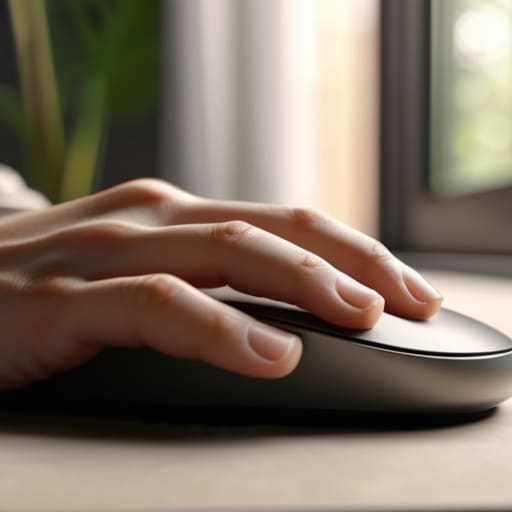
Whether I’m working from a cramped cafe in Lisbon or a temporary desk in a quiet suburb, my hand position is usually the first thing to go when I get into a deep flow state. I’ve learned the hard way that it’s not just about the gear; it’s about how you actually hold it. If you’re constantly clenching your hand or twisting your wrist at an awkward angle, you’re basically asking for trouble. Focusing on proper hand posture for computer use is the only way to stay productive long-term without feeling that familiar, dull ache by mid-afternoon.
I tend to experiment with different mouse grip styles depending on the task at hand, but the goal is always the same: minimal tension. I try to keep my wrist neutral and avoid that “claw” grip that puts way too much stress on my tendons. It’s a huge part of repetitive strain injury prevention, especially when you’re working on a laptop with limited surface area. If your hand feels like it’s fighting the device, your setup isn’t working for you—it’s working against you.
Optical Sensor Accuracy for Seamless Digital Flow
When I’m working from a cafe in a city I’ve only been in for two days, the last thing I need is my cursor jumping erratically across the screen because the sensor can’t handle a wooden table or a slightly uneven surface. This is where optical sensor accuracy actually matters for more than just gamers. If you’re constantly micro-adjusting or fighting a jittery sensor, you aren’t just losing focus; you’re forcing your wrist into unnatural, tense movements to compensate for the hardware.
Precision isn’t just about speed; it’s about reducing the physical friction between your intent and the digital result. A high-quality sensor allows you to maintain a relaxed hand posture for computer use, even when you’re working on a cramped bistro table. When the tracking is seamless, your hand stays fluid. If you’re fighting a low-end sensor that skips, you’re inadvertently increasing the risk of tension that leads to long-term issues. For me, a tool that doesn’t require constant physical correction is the only way to stay in the zone.
Picking the Right Tool for Your Workflow
- Go vertical if you’re feeling the wrist strain. I started using a vertical mouse a few months ago when my forearm felt like it was constantly twisting, and honestly, it’s a game changer for long integration sessions.
- Prioritize weight over fancy features. If you’re constantly moving between cafes or co-working spaces, a heavy gaming mouse is just dead weight in your tech pouch; look for something lightweight that doesn’t sacrifice precision.
- Don’t sleep on trackballs if space is tight. When I’m working on a tiny hotel desk where there’s zero room to actually move a mouse around, a trackball lets me navigate without needing a massive mousepad.
- Check the button placement before you buy. There’s nothing worse than a “pro” mouse where your thumb constantly hits a side button by accident; the ergonomics have to feel natural, not forced.
- Connectivity matters as much as the shape. Since I live my life on various cloud setups, I need a mouse that switches seamlessly between my laptop and tablet via Bluetooth so I’m not constantly hunting for dongles.
The Essentials for a Portable, Pain-Free Workflow
Prioritize a mouse that adapts to your grip and your environment; if it feels awkward after an hour of work, it’s a liability to your focus.
Don’t sacrifice precision for portability—ensure the sensor is high-quality enough to handle different surfaces, from cafe tables to hotel desks.
Treat your peripherals as part of your mobile infrastructure; a seamless, ergonomic setup is what allows you to work anywhere without being tethered to a desk.
## The Myth of the "Perfect" Mouse
“Stop looking for a mouse that feels ‘good’ for five minutes; look for the one that actually disappears during an eight-hour deep work session, no matter if you’re at a cafe in Lisbon or a tiny desk in a rental apartment.”
Elias Vandermeer
Finding Your Digital Equilibrium
At the end of the day, picking the right mouse isn’t about chasing the most expensive gear or following every tech trend. It’s about the intersection of your physical comfort and your digital output. We’ve looked at how sensor accuracy keeps your cursor from jittering during high-stakes tasks, and how mastering your hand posture is the only way to prevent that nagging wrist fatigue from killing your focus. Whether you lean toward a vertical design to keep your forearm neutral or a compact, high-precision travel mouse that fits in your tech pouch, the goal is the same: minimizing physical friction. When your tools are dialed in, they stop being obstacles and start being extensions of your intent.
Don’t let a subpar setup dictate how much work you can actually get done. I’ve learned through plenty of long nights in temporary workspaces that your environment is constantly shifting, but your efficiency shouldn’t have to. Invest in tools that are built to adapt, not just tools that look good on a desk setup photo. Your workspace should be a seamless part of your life, moving with you from a quiet cafe to a remote mountain town without missing a beat. Stop settling for gear that holds you back and start building a setup that actually liberates your workflow.
Frequently Asked Questions
Is a vertical mouse actually worth the learning curve if I'm constantly switching between different cafe setups?
Honestly? If you’re hopping between cafes, the learning curve is a real pain. A vertical mouse feels great once you’re dialed in, but it’s a specialized tool that demands a specific hand position. When you’re working on a cramped bistro table with weird angles, that extra bulk can be a hindrance. I’d stick to a high-quality, compact ergonomic mouse that prioritizes portability. You need something that adapts to the environment, not something you have to fight.
How much does sensor latency actually matter when I'm working on a cloud-based environment over shaky Wi-Fi?
Honestly, it’s a double whammy. If you’re working in a cloud environment, your input is already fighting network jitter. If your mouse sensor has high latency on top of that, you’re layering hardware lag over connection lag. It creates this disjointed, “heavy” feeling where the cursor feels like it’s dragging through mud. For my setup, I prioritize a high-polling rate sensor; it helps keep the interaction feeling snappy, even when the Wi-Fi is acting up.
Can I find a lightweight, ergonomic mouse that won't bulk up my tech pouch when I'm traveling?
Absolutely. If you’re living out of a tech pouch like I am, every gram counts. You want to look for “ultralight” models—specifically those under 65g—that ditch the heavy internal weights. Look for mice with a low profile or a modular design that doesn’t scream for a massive carrying case. A high-quality, lightweight wireless mouse is the sweet spot; it keeps your kit slim without sacrificing the precision you need when you’re working from a cafe.




