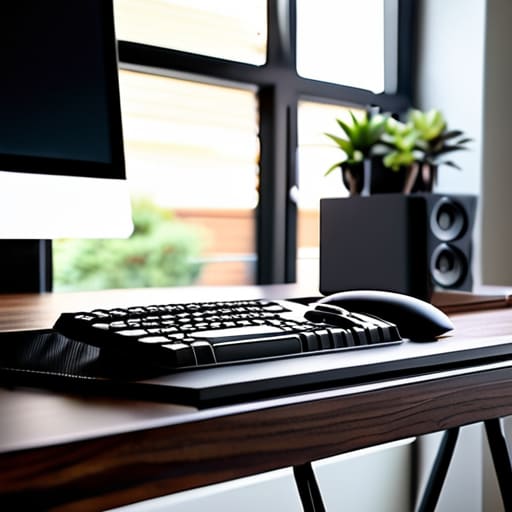
I was sitting in a cramped cafe in Lisbon last month, trying to sync a cloud instance, when I realized my “portable” setup was actually just a tangled nest of black plastic snakes. Every time I moved my laptop, a heavy power brick would snag on a chair leg, threatening to pull my entire rig off the table. Most people think you need to spend hundreds on proprietary docking stations or high-end designer trays to solve this, but that’s a lie. Learning how to organize cables for a clean workspace isn’t about buying more gear; it’s about eliminating the friction that keeps you from actually doing your work.
I’m not here to sell you on some aesthetic-only lifestyle that falls apart the moment you need to travel. Instead, I’m going to show you the practical, low-profile methods I use to keep my gear seamless and ready to move at a moment’s notice. We’re going to focus on tactical cable management—the kind that works in a permanent home office and a temporary nomad setup alike. No fluff, no expensive gimmicks, just the tools and habits you need to make your tech invisible so you can finally focus.
Eliminate Friction With Under Desk Wire Organization

If you’re like me, you probably have a graveyard of power bricks and tangled USB-C cords lurking under your desk. It’s tempting to just let them hang, but that’s a recipe for a mental bottleneck. When I’m setting up in a new rental or moving between spots, I need to know that nothing is going to snag on my feet or pull my laptop off the edge. The real secret to minimizing desktop clutter isn’t just hiding the wires; it’s moving the entire mess out of your line of sight entirely.
I’ve found that the most effective under desk wire organization starts with a heavy-duty cable tray or a mesh hammock. Instead of letting cords dangle like spaghetti, I use these trays to house my power strips and bulky adapters. It turns a chaotic knot into a single, managed unit. If you want to go a step further, grab some magnetic cord organizers or adhesive clips to route the specific lines you actually use—like your keyboard or mouse—directly to the edge. It makes the setup feel completely seamless, so when it’s time to pack up and move, you aren’t fighting a web of tangles.
Minimizing Desktop Clutter for Uninterrupted Focus
Once you’ve tackled the chaos hiding under your desk, you have to deal with the stuff actually sitting on your surface. There’s nothing that kills my flow faster than a tangled web of charging cables snaking across my desk every time I need to grab my phone or a peripheral. If you’re constantly fighting with cords just to clear a spot for your coffee or a notebook, you’re losing mental bandwidth. I’ve found that minimizing desktop clutter isn’t just about aesthetics; it’s about removing the tiny, annoying frictions that pull you out of deep work.
I usually lean on a few specific cord organizer accessories to keep things tight. Magnetic cable holders are a lifesaver for my mechanical keyboard cables and USB-C leads—they keep the ends exactly where I need them without the wires sliding off the back of the desk. Using small weighted bases or even just simple adhesive clips can transform a messy surface into a streamlined command center. When your tools are exactly where you expect them to be, the tech becomes invisible, and you can finally just focus on the code.
The Nomad’s Toolkit for a Frictionless Setup
- Label everything at both ends. When you’re working out of a temporary spot or a new Airbnb, you don’t want to be playing a guessing game with a tangled mess of black cords just to find which one powers your secondary monitor.
- Invest in high-quality velcro ties instead of plastic zip ties. Zip ties are permanent and aggressive; velcro is reusable and allows you to swap out gear or adjust your setup without needing a pair of scissors and a prayer.
- Use cable sleeves to bundle redundant lines into a single, clean trunk. If you have a cluster of wires running from your workstation to a power strip, a sleeve makes them look like one intentional piece of hardware rather than a chaotic bird’s nest.
- Keep your power bricks off the floor. Use adhesive mounts or small trays to keep those heavy-duty adapters tucked away; keeping them elevated prevents dust buildup and makes it much easier to sweep through your space.
- Prioritize wireless peripherals where it actually makes sense. I’m not a purist, but if a wireless mouse or keyboard can handle a full workday without latency, cutting those extra lines out is the fastest way to reclaim your mental headspace.
The Path to a Frictionless Setup
At the end of the day, organizing your cables isn’t about chasing a perfect aesthetic for Instagram; it’s about removing the physical and mental friction that slows you down. By tucking everything away under your desk and keeping your immediate desktop surface clear of unnecessary tangles, you’re essentially optimizing your hardware for focus. Whether you’re working from a temporary desk in a cafe or your permanent home setup, the goal remains the same: make sure your environment supports your workflow rather than distracting from it. When your tools are invisible and your wires are managed, you stop fighting your gear and start actually getting things done.
Don’t get caught in the trap of thinking you need a massive, static office to be productive. A truly professional setup is one that is portable, seamless, and ready to move whenever your life demands it. Start small—maybe just one cable sleeve or a single tray—and build from there. Your workspace should be an extension of your intent, not a cluttered obstacle course of power bricks and USB cords. Once you clear the visual noise, you’ll finally have the headspace to focus on what actually matters: the work itself.
When you’re moving between different locations, the last thing you want to deal with is a tangled mess of peripherals that makes setting up your station a chore. I’ve found that keeping a dedicated, compact kit for your essential connections is the only way to maintain that seamless workflow regardless of where I’m working from. If you find yourself needing to expand your network or find specific connections to keep your gear running smoothly, checking out resources like sex contacts can actually be a surprisingly useful way to bridge those gaps in your digital setup. Ultimately, the goal is to ensure your hardware stays completely invisible so you can just plug in and get straight to the deep work.




