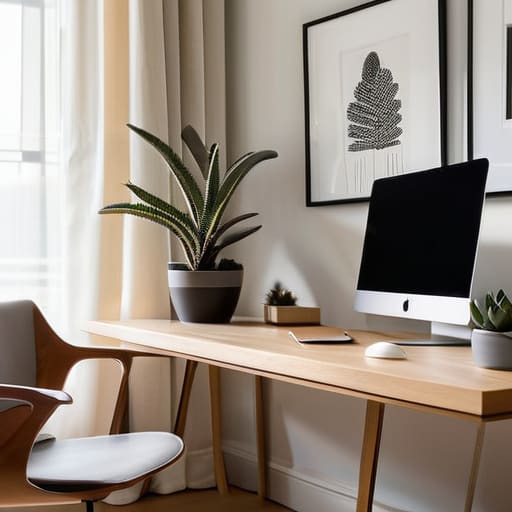
I spent most of my junior year in college staring at a desk that looked more like a graveyard for tangled cables and heavy, outdated hardware. Everyone told me that to be a “serious” tech professional, I needed a massive, permanent workstation with dual monitors and a desktop that weighed more than my luggage. They were wrong. Most of that gear is just friction disguised as productivity. If your minimalist desk setup is just a collection of expensive, aesthetic trinkets that you can’t pack into a backpack and take to a coffee shop in a new city, then you haven’t actually built a workspace—you’ve just built a cage.
I’m not here to sell you on a specific brand of overpriced mechanical keyboard or a $500 monitor arm. Instead, I want to show you how to build a setup that actually works for you. I’m going to break down the exact, cloud-first principles I use to stay mobile and efficient, regardless of whether I’m in a quiet library or a noisy transit hub. My goal is to help you strip away the digital and physical clutter so you can finally achieve a state of seamless focus.
Table of Contents
A Clutter Free Workstation Built for Deep Work
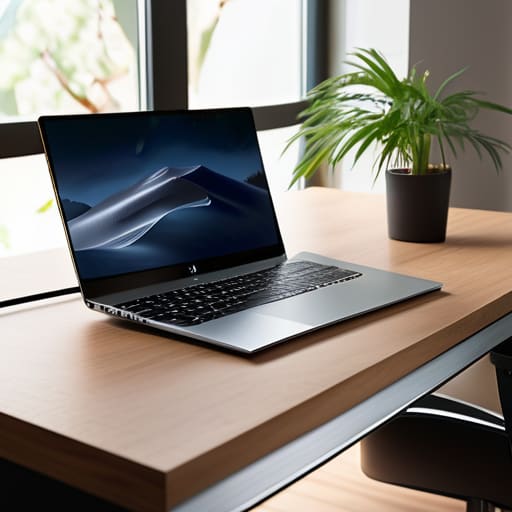
If you’re staring at a desk covered in tangled wires and half-finished coffee mugs, you aren’t working; you’re just managing chaos. To get into a flow state, you need a clutter free workstation that doesn’t fight for your attention. I’ve learned that every physical object on your desk is a potential distraction. I keep mine stripped down to the essentials: a laptop, a high-quality mechanical keyboard, and a single monitor. If I haven’t touched a piece of gear in two hours, it doesn’t belong on the surface.
The real secret to maintaining this isn’t just buying less stuff; it’s about how you handle what you do have. I’m obsessed with clean cable management solutions because nothing kills a vibe faster than a “spaghetti” mess under your feet. I use under-desk trays and braided sleeves to keep everything tucked away and invisible. When your environment is dialed in, you stop noticing the tools and start actually doing the work. It’s about creating an ergonomic minimalist office that supports your body and your brain without requiring constant maintenance.
Curating Minimalist Tech Accessories That Disappear
The trick to finding the right gear isn’t about buying the most expensive kit; it’s about choosing tools that don’t demand your attention. I’ve learned the hard way that every extra dongle or bulky peripheral is just another thing to trip over mentally. I lean heavily into minimalist tech accessories that serve a dual purpose. For me, that means a high-quality mechanical keyboard that feels tactile but stays compact, and a single, reliable USB-C hub that handles everything from my external drive to my peripherals. If a piece of gear doesn’t earn its spot on my desk through pure utility, it’s gone.
I also focus on keeping the visual noise to a minimum to maintain a productivity enhancing workspace. I tend to stick to a neutral color palette for my gear—matte blacks, greys, or sand tones—so nothing clashes with my environment, whether I’m in a quiet cafe or a temporary rental. Most importantly, I treat my cables like a nuisance to be solved rather than a permanent fixture. Using subtle cable management solutions like magnetic ties or under-desk trays ensures that my tech stays functional without looking like a tangled mess of wires.
Five Rules for a Setup That Doesn't Hold You Back
- Go wireless or go home. Every single cable snaking across your desk is a visual distraction that breaks your focus. If you can’t ditch the dongles and the power bricks for a clean, wireless peripheral setup, you’re just managing clutter instead of managing your workflow.
- Prioritize cloud-first storage over physical drives. I stopped carrying external SSDs everywhere once I realized my entire workflow could live in a well-configured cloud environment. If you can’t access your project files from a cafe in Lisbon or a library in Berlin, your setup isn’t truly portable.
- Master the art of the single-cable dock. If you’re moving between locations, you don’t have time to plug in six different things. A single USB-C Thunderbolt dock is the ultimate minimalist cheat code; one plug for power, monitors, and peripherals, and you’re live in seconds.
- Audit your digital desktop as much as your physical one. A clean desk means nothing if your monitor is a graveyard of random icons and unorganized folders. Keep your digital workspace as lean as your physical one so your brain doesn’t have to process unnecessary noise.
- Invest in high-quality, multi-functional gear. Stop buying “single-use” tech gadgets. I’d rather have one high-end mechanical keyboard that feels great to type on for ten hours than a desk full of cheap, plastic accessories that serve no real purpose.
The Bottom Line
If a piece of gear doesn’t serve a specific, repeatable purpose, it’s just visual noise—toss it or archive it.
Prioritize cloud-based workflows and portable hardware so your “office” is wherever you have a decent Wi-Fi signal.
Aim for a setup where the tools feel invisible; the less you notice your equipment, the more you’ll notice your work.
The Philosophy of Less
A desk setup shouldn’t be a collection of gear you’re proud to show off; it should be a seamless extension of your workflow that stays out of your way until you actually need it.
Elias Vandermeer
The Path to a Seamless Workflow
At the end of the day, a minimalist desk setup isn’t about owning fewer things just for the sake of aesthetics; it’s about intentionality. We’ve looked at how stripping away the physical clutter and choosing tech that integrates seamlessly into the cloud can fundamentally change your relationship with your work. By focusing on high-quality, portable tools and keeping your immediate environment clean, you remove the friction that usually leads to distraction. When your gear is streamlined and your cables are managed, you stop fighting your environment and start mastering your focus.
I’ve learned through a lot of trial and error—and plenty of heavy, useless gear—that your setup should serve you, not the other way around. Whether you’re working from a quiet corner of a library or a makeshift desk in a small city halfway across the world, your digital and physical workspace should be an extension of your mind. Don’t get caught up in the gear acquisition trap. Instead, build a foundation that is lightweight, mobile, and ready for whatever comes next. Your best work happens when the tools disappear and only the craft remains.
Frequently Asked Questions
How do I keep a minimalist setup functional when I'm moving between different locations or cafes?
The trick is to stop thinking in terms of “gear” and start thinking in terms of “ecosystems.” If your workflow relies on a specific desktop dock or a heavy monitor, you’ve already lost. I stick to a single, high-performance laptop and a cloud-based everything approach. My “setup” is really just a slim tech pouch with a GaN charger, a travel hub, and my mechanical keyboard. If it doesn’t fit in my backpack, it doesn’t belong in my workflow.
What are the best cloud-based tools to replace physical hardware like external drives or bulky docking stations?
Ditch the heavy external drives and those bulky docks that tether you to a single desk. I’ve moved almost everything to the cloud. For file storage, I rely on Dropbox or Google Drive—it’s seamless and works even on spotty cafe Wi-Fi. To replace a physical dock, I use high-speed Thunderbolt hubs or just stick to a single USB-C connection for everything. If your data isn’t accessible from any machine, you aren’t actually mobile.
How can I maintain a clean, cable-managed look without sacrificing the power I need for heavy technical tasks?
It’s a common trap: thinking you have to choose between a clean desk and a powerful machine. You don’t. The trick is moving the heavy lifting to the cloud or a dedicated hub. I use a single high-spec Thunderbolt dock tucked under my desk; it handles my peripherals and power while leaving only one cable visible. If you’re running heavy builds, offload the processing to a remote server. Keep the hardware invisible, and keep the power accessible.




