
I was sitting in a cramped cafe in Lisbon last month, trying to push through a complex cloud migration, when that familiar, dull ache started blooming in my wrist. I looked down at my standard mouse and realized I was basically forcing my forearm into a permanent, unnatural twist just to click a few buttons. Most people treat ergonomics like a luxury or some expensive hobby, but the truth is that bad vertical mouse usage—or rather, the lack of it—is a massive bottleneck for anyone trying to maintain a high-level flow. You shouldn’t have to fight your own body just to get through a standard workday.
I’m not here to sell you on some overpriced, RGB-lit gaming peripheral that promises to change your life. Instead, I want to talk about how to actually integrate this hardware so it becomes an invisible part of your setup. I’ll be sharing the unfiltered reality of making the switch, from the initial muscle memory struggle to the long-term relief it provides. No hype, no fluff—just a practical guide on how to make your tools disappear so you can actually focus on the work.
Table of Contents
Ending the Tyranny of the Pronated Forearm Position

Most of us spend our lives stuck in that classic, flat-palm grip. It feels natural because it’s what we were taught, but it’s actually a nightmare for your anatomy. When you use a standard mouse, you’re forced into a constant pronated forearm position, where your two bones—the radius and ulna—are crossed over each other. This creates tension in your muscles and puts unnecessary pressure on your nerves. If you’ve ever felt that dull ache creeping up your wrist after a long session of systems integration or deep-work coding, that’s your body telling you the hardware is working against you.
Switching to a vertical design isn’t just a gimmick; it’s about moving toward a more neutral handshake position. This shift allows your forearm muscles to relax, which is a massive step for long-term carpal tunnel prevention. Instead of fighting your own biology to stay productive, you’re letting your hand sit in its most organic state. When the hardware disappears like this, you can actually stay in the flow without having to take constant breaks just to stretch out a cramped wrist.
Seamless Hand and Wrist Ergonomics for Deep Work

When you’re deep in a flow state, you shouldn’t be thinking about your anatomy. But if you’re still using a standard flat mouse, you’re essentially forcing your bones into a twist that isn’t natural. For me, the shift to a vertical design wasn’t just about comfort; it was about making the hardware disappear. When your hand rests in a neutral “handshake” position, you’re prioritizing hand and wrist ergonomics in a way that actually supports long-term focus rather than distracting you with dull aches.
The real goal of a high-level setup is longevity. If you’re constantly fighting minor twinges, you aren’t being productive—you’re just managing pain. Incorporating a vertical mouse into your mobile kit is one of the simplest ways to handle carpal tunnel prevention without needing a massive, stationary desk. It’s about building a workflow that respects your body’s limits so you can stay in the zone longer, whether you’re working from a cafe in Lisbon or a quiet library in Tokyo.
Making the Transition Without the Friction
- Don’t expect instant mastery; your brain and hand muscles need a few days to recalibrate to the new angle, so don’t ditch it just because the first hour feels awkward.
- Match the mouse size to your grip style, because a vertical mouse that’s too small will just trade forearm strain for finger cramping.
- Keep your sensor settings high; since you’re moving with a more natural “handshake” motion, you want a high DPI so you aren’t constantly thrashing your wrist to move the cursor across the screen.
- Revisit your desk height; a vertical mouse changes your arm’s resting position, so make sure your chair and desk are dialed in so your elbow isn’t hovering mid-air.
- Integrate it into a minimalist setup; if you’re switching to a vertical mouse for ergonomics, don’t clutter your space with unnecessary peripherals that break your focus.
The Bottom Line on Making the Switch
Stop treating your hardware as an afterthought; a vertical mouse isn’t a gimmick, it’s a way to remove the physical friction that breaks your focus.
Prioritize a neutral hand position to keep your nervous system calm and your wrist free from the strain that kills long-term productivity.
Invest in tools that disappear into your workflow so you can spend your energy on the actual work, not on managing discomfort.
## The Invisible Hardware Shift
If you’re constantly adjusting your wrist or feeling that dull ache halfway through a deep work session, your gear is failing you. A vertical mouse isn’t some niche ergonomic luxury; it’s about making the hardware disappear so you can actually stay in the flow without your own body getting in the way.
Elias Vandermeer
The Invisible Shift
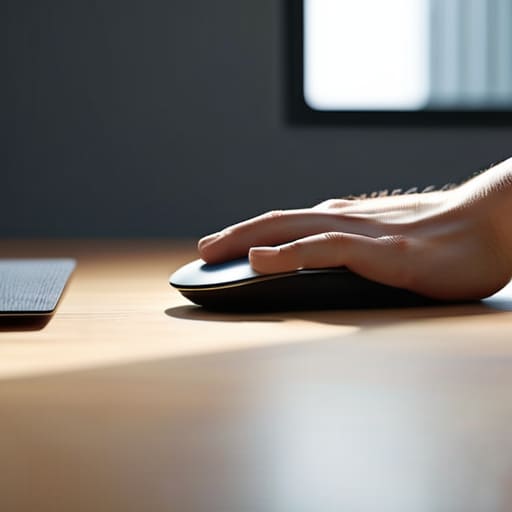
At the end of the day, switching to a vertical mouse isn’t about chasing some niche ergonomic trend or buying more gear for the sake of it. It’s about removing the physical friction that interrupts your focus. By moving away from that awkward, twisted forearm position and letting your hand rest in a natural handshake grip, you’re essentially deleting the discomfort that usually creeps in halfway through a deep work session. You’ve seen how a bad setup acts as a constant, nagging distraction; a vertical mouse ensures that your hardware stays out of your way so you can stay in the zone.
My philosophy has always been that your tools should be invisible. If you’re constantly adjusting your wrist or dealing with dull aches, your setup isn’t working for you—it’s working against you. Investing in better ergonomics is a way of prioritizing your long-term output and your physical health, especially if you’re living a nomadic lifestyle where you can’t always control your environment. Stop letting your hardware dictate your comfort. Make the switch, find your flow, and let the tools disappear so you can actually do the work you came here to do.
Frequently Asked Questions
Is there a steep learning curve, or can I actually get my flow back by the end of the day?
Honestly? You’ll feel weird for the first hour. Your hand will try to default back to that old, cramped grip, and your brain will flag the new angle as “wrong.” But don’t overthink it. By the time I finish my afternoon lo-fi loop, the muscle memory usually kicks in. It’s not a massive overhaul; it’s just a calibration. You’ll find your flow again once the hardware stops feeling like an obstacle.
How do I pick a model that doesn't feel like a bulky, awkward brick on a cramped cafe table?
Look, if you’re working from a cafe, the last thing you need is a heavy gaming mouse taking up half your espresso tray. Skip the “pro-gamer” bricks with massive RGB lighting. I look for something low-profile with a high-quality sensor that tracks on wood or marble. Aim for a smaller footprint and a wireless connection that doesn’t require a dongle cluttering up your USB-C hub. If it feels heavy in your bag, leave it.
Will switching to a vertical mouse mess with my muscle memory for precision tasks like photo editing or CAD?
Look, I get it. The idea of losing that pixel-perfect control is nerve-wracking. Honestly? Yeah, there’s a learning curve. For the first few days, your precision will feel a bit “mushy” while your brain recalibrates. But don’t let that scare you off. Once you bridge that gap, the muscle memory settles in, and the physical strain disappears. It’s a small trade-off to stop your wrist from screaming halfway through a project.




