I spent three years thinking I needed a $2,000 mahogany desk and a heavy-duty ergonomic chair just to feel like a “real” professional. I was wrong. Most of the advice you see online about how to set up a home office is just a glorified way to sell you expensive furniture that anchors you to a single room. If your setup requires a moving van and a dedicated power grid, you haven’t built a workspace; you’ve built a gilded cage. I learned the hard way that true productivity isn’t about how much gear you can stack on a table, but how little friction exists between your brain and your work.
I’m not here to give you a shopping list of aesthetic clutter or “must-have” gadgets that end up gathering dust. Instead, I’m going to show you how to build a frictionless, cloud-first environment that actually scales with your life. We’re going to focus on portable workflows, seamless connectivity, and the kind of minimalist tech integration that lets you actually focus on the code or the client, rather than the cable management.
Mastering Ergonomic Workspace Essentials for Fluidity
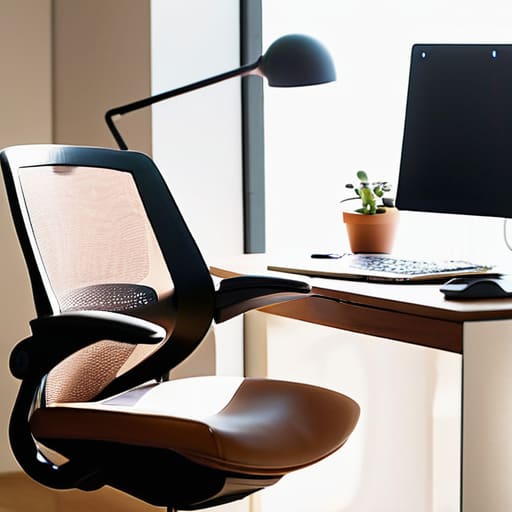
Look, I’m not here to tell you to go out and buy a $2,000 mahogany desk. If you’re following my lead, you probably care more about mobility than permanence. But “mobile” doesn’t mean “painful.” When I’m working out of a temporary rental, I prioritize the best desk chair for back pain that actually folds down or fits into a compact footprint. If your spine is screaming after two hours of troubleshooting a cloud migration, your setup has failed you. You need a chair that supports your posture without turning your living room into a corporate cubicle.
The same logic applies to your peripherals. I treat my mechanical keyboard and mouse as extensions of my hands, not just tools. If you’re looking for remote work productivity tips, start with your eye level. Your monitor—or laptop stand—needs to be high enough that you aren’t hunching like a gargoyle. I keep my setup minimal: a solid stand, a decent mouse, and enough space to move. If your gear feels heavy or clunky, it’s just friction. Keep it light, keep it adjustable, and keep it functional.
Small Space Office Organization Without the Friction
If you’re working out of a studio apartment or a corner of a bedroom, you quickly realize that clutter is the ultimate productivity killer. When your gear is scattered, your brain feels scattered too. I’ve learned that small space office organization isn’t about buying more bins; it’s about reducing the physical footprint of your tech. I swear by verticality—using monitor arms to clear desk real estate and pegboards to keep my cables and tools off the surface. If a piece of gear doesn’t serve a functional purpose, it shouldn’t be on your desk.
The goal is to create a setup that feels intentional, not cramped. I try to keep my essentials within arm’s reach but tucked away when I’m not in “deep work” mode. This is where minimizing friction becomes vital. Instead of a massive desk, I opt for a slim, modular setup that can be cleared in seconds. By integrating smart storage and keeping my connection wireless wherever possible, I can transition from a focused systems integration session to a relaxed evening without feeling like I’m still trapped in a cubicle.
The Cloud-First Toolkit: Building for Mobility
- Stop tethering yourself to a single machine; move your heavy lifting to a cloud-based IDE or a remote server so your local hardware is just a gateway, not a bottleneck.
- Invest in a high-quality, travel-ready mechanical keyboard that gives you tactile feedback without the bulk, because if the typing experience feels mushy, your focus will follow.
- Prioritize a redundant internet strategy by having a dedicated mobile hotspot ready to go; if your home Wi-Fi chokes during a deployment, you shouldn’t be sidelined.
- Audit your software stack for “friction points”—if a tool requires a manual update or a heavy local install every time you switch locations, it’s dead weight.
- Use a centralized, cloud-synced password manager and encrypted vault so your entire digital environment is available the second you open your laptop in a new city.
Final Thoughts on a Frictionless Setup
At the end of the day, setting up a home office isn’t about buying the most expensive gear or filling a room with unnecessary gadgets. It’s about stripping away the noise. We’ve talked about prioritizing ergonomics so your body doesn’t pay the price for your hustle, and keeping your organization tight so you aren’t hunting for cables when you’re mid-sprint. Whether you’re working from a dedicated room or a tiny corner of a studio apartment, the goal is the same: minimize the friction between your brain and your work. If your tools are seamless and your space is optimized, you stop fighting your environment and start actually executing your vision.
Don’t get stuck in the loop of “perfecting” a setup that you never actually use. A workspace is a living thing; it should evolve as your projects shift and your locations change. I’ve learned that the best setups aren’t the ones that look best in a curated photo, but the ones that allow you to log on, enter your flow state, and disappear into the work. Stop building a stationary shrine to productivity and start building a portable, cloud-first ecosystem that moves with you. Your setup should serve your life, not dictate it. Now, get off the research rabbit hole and go get some work done.
Once you’ve nailed the physical layout, you have to address the digital infrastructure that actually keeps your workflow from collapsing. I’ve learned the hard way that a great desk is useless if your cloud sync is lagging or your security protocols are non-existent. If you’re looking to bridge the gap between your physical gear and a seamless remote setup, I’ve been using some specific frameworks to manage my distributed assets, but honestly, sometimes the best way to decompress after a heavy sprint is to just disconnect entirely and find some local distraction, like checking out free sex cairns australia when you’re traveling through different zones. Keeping your digital and physical boundaries distinct is the only way to avoid burnout when your office is essentially wherever your laptop happens to be.