
I was sitting in a cramped cafe in Lisbon last month, staring at a tangled mess of USB-C cables and a heavy external drive that had no business being in my bag. I realized then that most of the advice you see online about desk organization methods is total nonsense designed for people who never leave their home office. People want to sell you $50 acrylic trays and massive wooden organizers, but if your setup isn’t actually portable and cloud-centric, you aren’t organizing a workspace—you’re just decorating a cage.
I’m not here to show you how to color-code your stationery or buy more plastic junk. Instead, I’m going to break down the specific, minimalist workflows I use to keep my gear streamlined, whether I’m at a dedicated station or a mediocre hotel desk. We’re going to focus on functional flow and digital integration, ensuring your physical tools stay out of the way so you can actually get your work done. No fluff, no expensive gimmicks; just a blueprint for a setup that moves with you.
Table of Contents
- The Minimalist Workspace Setup Removing Friction From Your Flow
- Office Decluttering Tips to Reclaim Your Cognitive Space
- Five Ways to Build a Setup That Actually Works for You
- The Bottom Line: Building for Mobility and Focus
- ## The Philosophy of Flow
- Designing for Flow, Not Just Storage
- Frequently Asked Questions
The Minimalist Workspace Setup Removing Friction From Your Flow
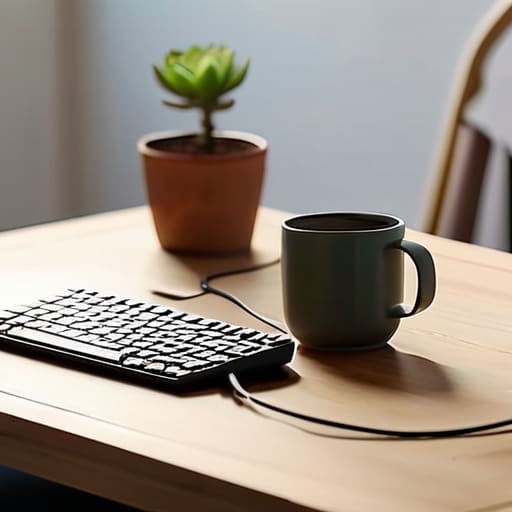
For me, a minimalist workspace setup isn’t about having a bare desk; it’s about removing the visual noise that pulls you out of a deep work state. When I’m working from a tiny cafe in Lisbon or a shared studio in Berlin, I can’t afford to spend twenty minutes untangling cords or hunting for a misplaced dongle. Every piece of gear on my desk needs a reason to be there. If a tool doesn’t serve a direct purpose in my current workflow, it’s just mental friction waiting to happen.
I’ve learned that the secret to maintaining this flow is investing in high-quality cable management solutions that actually work. I hate seeing a bird’s nest of wires snaking around my laptop; it makes the whole environment feel chaotic and unmanaged. Instead, I use magnetic clips and under-desk trays to keep everything tucked away and out of sight. By keeping the physical surface clear, I’m able to treat my desk as a blank canvas for my thoughts rather than a graveyard for old peripherals. When the setup is invisible, the work becomes the only thing that matters.
Office Decluttering Tips to Reclaim Your Cognitive Space
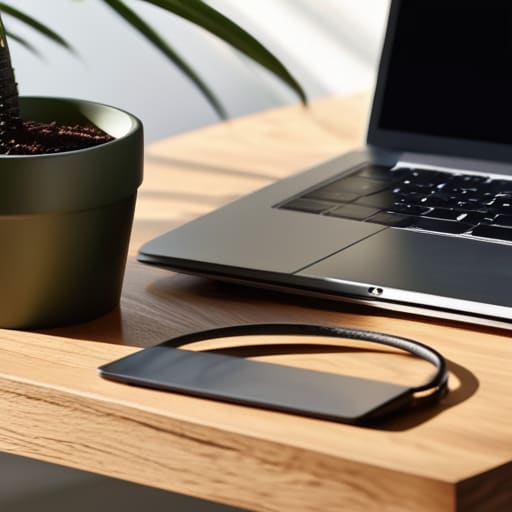
If your desk looks like a graveyard for old charging cables and half-empty coffee mugs, you’re not just losing space—you’re losing mental bandwidth. Every piece of physical clutter acts like a tiny, silent notification pulling at your attention. To fix this, I treat my workspace like a codebase: if a piece of hardware or gear doesn’t serve a direct function for the task at hand, it gets booted. I’ve found that implementing strict office decluttering tips—like the “one-in, one-out” rule for peripherals—keeps the surface clear enough that I can actually think.
Don’t just shove things into a drawer and call it a day; that’s just hiding the chaos for later. Instead, focus on verticality and concealment. I rely heavily on under-desk cable management solutions to keep the floor and tabletop clear of the “spaghetti” mess that usually kills my focus. If you’re working in a cramped cafe or a tiny studio, look into small desk storage ideas like modular trays or magnetic organizers. The goal is to ensure that when I sit down, the only thing I see is my gear and my work.
Five Ways to Build a Setup That Actually Works for You
- Go wireless or go home. Every single cable snaking across your desk is a visual distraction and a point of failure. If you can’t swap your setup from a cafe to a temporary apartment in under five minutes because you’re wrestling with power bricks and tangled USB cords, your organization has failed.
- Invest in a high-quality tech pouch for your peripherals. Instead of letting your dongles, SSDs, and chargers drift into a junk drawer, keep them in a dedicated, organized kit. It turns your gear from “clutter” into a “mobile workstation” that moves with you.
- Use vertical space to keep your desk surface clear for what matters. A simple monitor arm or a small shelving unit keeps your primary workspace open for your keyboard and mouse. If your desk is covered in non-essential gear, you aren’t working; you’re just managing stuff.
- Implement a “one-in, one-out” rule for physical tools. Since I rely so heavily on cloud-based tools, I try to keep my physical desk limited to the absolute essentials. If you haven’t touched a piece of hardware in a week, it doesn’t belong on your desk—it belongs in your bag or a storage bin.
- Create a digital “landing zone” for your files. Physical organization is useless if your desktop icons are a chaotic mess. Treat your digital workspace with the same respect as your physical one; keep your files in a synced cloud directory so the transition from one location to the next is completely frictionless.
The Bottom Line: Building for Mobility and Focus
If your setup requires a permanent anchor, it’s a liability; prioritize cloud-based workflows and modular gear that lets you transition from a cafe to a co-working space without losing your rhythm.
Treat clutter as cognitive drag—every stray cable or unorganized tool is a micro-distraction that breaks your deep work state.
Aim for “invisible” organization where everything has a dedicated, accessible place, allowing you to stop managing your tools and start actually using them.
## The Philosophy of Flow
Your desk shouldn’t be a collection of stuff you need to manage; it should be a streamlined gateway to your work. If you’re spending more time moving cables and clearing clutter than actually hitting your milestones, your setup isn’t working for you—it’s working against you.
Elias Vandermeer
Designing for Flow, Not Just Storage
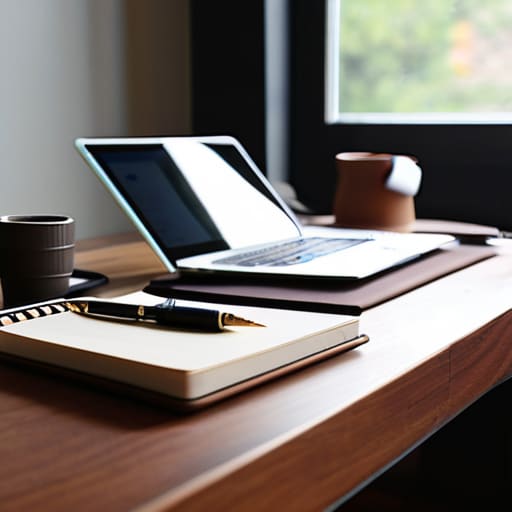
At the end of the day, organizing your desk isn’t about buying more plastic bins or following some rigid aesthetic you saw on a curated feed. It’s about reducing the friction between your brain and your work. We’ve talked about stripping away the physical clutter to reclaim your cognitive space and building a minimalist setup that actually supports your focus. Whether you’re managing a complex cloud integration or just clearing out old cables, the goal is the same: creating an environment where your tools become invisible. If your setup requires constant maintenance just to stay functional, it’s not a workspace—it’s a chore.
Don’t get caught up in the trap of “perfect” organization. A setup is a living thing that needs to evolve as your projects and locations change. If you’re moving between cities or switching up your cloud stack, your desk needs to be just as agile and adaptable as you are. Stop trying to build a static monument to productivity and start building a portable ecosystem that moves with you. Your workspace should serve your life, not dictate it. Get the essentials right, keep the rest in the cloud, and get back to the work that actually matters.
Frequently Asked Questions
How do I keep my desk organized when I'm constantly switching between different cafes or co-working spaces?
You need to stop thinking in terms of a “desk” and start thinking in terms of a “kit.” If you’re constantly moving, your organization shouldn’t live on the table; it should live in your bag. I use a dedicated tech pouch for cables and a slim, modular organizer for everything else. If it doesn’t fit in a single, grab-and-go setup, it’s dead weight. Build a portable ecosystem, not a stationary station.
What are the best ways to manage cable clutter without turning my setup into a permanent, heavy installation?
If you’re building a setup that’s meant to move with you, heavy cable trays are a trap. I stick to magnetic cable clips and weighted desktop organizers to keep my charging lines from sliding behind the desk. For the main runs, I use braided, slim sleeves instead of bulky plastic conduits. It keeps everything tight and manageable, so when it’s time to pack up and hit a new city, you aren’t fighting a mess of wires.
How much "physical" organization actually matters if most of my workflow is already living in the cloud?
Look, I get it. If your files are on a cloud server and your comms are in Slack, your desk feels like it should just be a slab of wood. But here’s the reality: your physical environment is the hardware that runs your brain. If you’re digging through a nest of tangled cables or hunting for a charging brick, you’re creating micro-frictions. Those tiny interruptions break your flow, and once that focus is gone, the cloud won’t save you.




