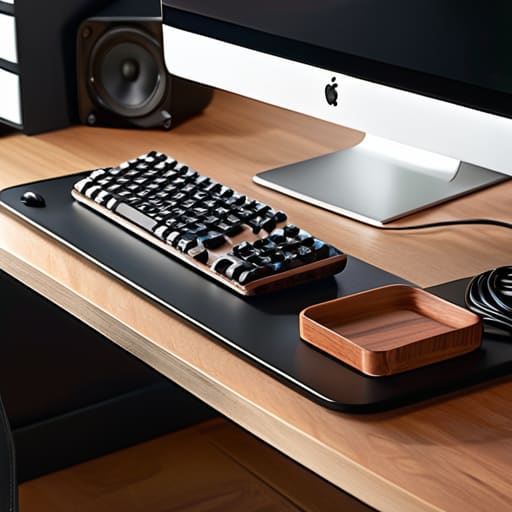
I’ve spent way too many nights in cramped cafes and tiny Airbnbs staring at a chaotic nest of wires, trying to focus while my brain was actually just processing the visual clutter. It’s hard to feel like a professional when your workspace looks like a hardware store exploded under your desk. If you’re serious about a remote setup, you have to realize that messy cords aren’t just an eyesore; they are a constant cognitive drain that breaks your flow. Finding effective cable management ideas isn’t about making things look pretty for Instagram—it’s about removing the friction between you and your work so you can actually stay in the zone.
In this post, I’m breaking down five specific ways I keep my gear organized and, more importantly, completely portable. I’m going to show you how to hide the chaos and streamline your setup so it stays seamless, whether you’re at a permanent desk or working from a temporary spot halfway across the world. By the time you finish reading, you’ll have the tools to turn your workstation into an invisible, high-performance environment that adapts to your life instead of cluttering it up.
Table of Contents
Under-Desk Trays are Non-Negotiable
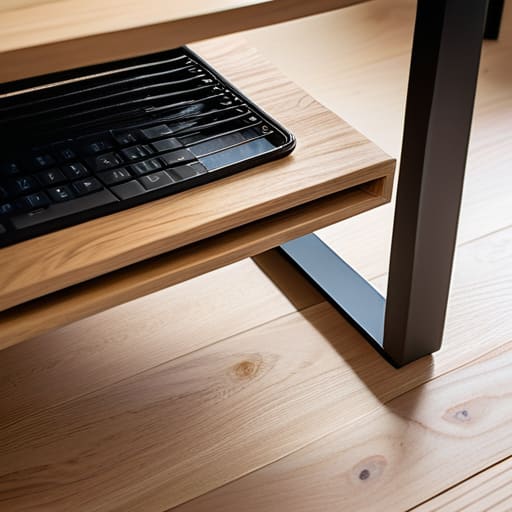
If you’re still letting your power strips sit on the floor, you’ve already lost the battle. I started using a heavy-duty steel mesh tray mounted to the underside of my desk, and it changed everything. Instead of a “rat’s nest” of wires tangling around your feet, everything stays completely out of sight and elevated. It gives you that clean, floating look that makes a setup feel premium rather than cluttered.
The Magic of Braided Sleeving

When you have multiple cables running from your PC or dock to your peripherals, they tend to look like a chaotic mess of plastic. I swear by using expandable braided sleeving to bundle those individual lines into a single, cohesive “trunk.” It turns a visual nightmare into a single, organized cable run that looks intentional and professional.
Magnetic Cable Organizers

There is nothing more frustrating than reaching for your phone charger or your mechanical keyboard cable only to have it slide off the desk and vanish into the abyss behind your furniture. I use small magnetic clips attached to the edge of my desk to keep my most-used cables exactly where I need them. It’s about making your tools invisible but accessible.
Label Everything (Yes, Really)
When you’re working with complex cloud setups or multiple external drives, troubleshooting a connection issue becomes a nightmare if you don’t know which plug does what. I use a small, handheld label maker to mark both ends of every single cable. It might seem like overkill, but when you’re trying to swap a monitor or a docking station in a rush, it’s a total lifesaver.
Use Wireless Where It Actually Matters
I’m a big believer in using wires for things that require high bandwidth or zero latency, like my primary monitor or my mechanical keyboard. However, for everything else—mice, headsets, or even some lighting—going wireless is a game changer for desk aesthetics. It eliminates the visual noise that usually clutters up a workspace and makes the whole environment feel much more open.
The Bottom Line
Stop viewing cable management as just “cleaning up”; treat it as a way to remove the mental friction that keeps you from actually working.
Build for mobility—if your cable setup is so rigid that you can’t pack up and move to a new city or a different cafe, you’ve built a cage, not a workspace.
Aim for invisibility. The best gear and the cleanest cables are the ones you forget are even there, leaving you free to focus entirely on the task at hand.
The Philosophy of a Clean Setup
A tangled mess of cables isn’t just an eyesore; it’s a bottleneck. If you’re constantly fighting your hardware just to move your desk or pack a bag, your setup isn’t working for you—it’s working against you. True efficiency is when your tech feels invisible.
Elias Vandermeer
The Invisible Edge
At the end of the day, cleaning up your desk isn’t about being a perfectionist or chasing some aesthetic trend you saw on Instagram. It’s about reducing the mental friction that comes with a cluttered environment. Whether you’re using under-desk trays to hide the power bricks, employing velcro ties to bundle your peripherals, or finally investing in a high-quality cable sleeve, the goal is the same: making the hardware disappear. When you stop seeing a tangle of black wires every time you sit down to work, you stop thinking about the gear and start focusing on the actual output. A clean setup is a functional setup, and once you’ve streamlined your connections, you’ll realize how much more headspace you actually have.
I’ve learned through a lot of different temporary setups—from cramped cafes to minimalist studio apartments—that your environment dictates your flow. If your cables are a mess, your workflow will eventually follow suit. Don’t let a disorganized desk become a permanent anchor that keeps you stuck in one place. Build your setup with the intention of total mobility and seamlessness. Your tools should serve your lifestyle, not complicate it. Once you strip away the visual noise, you’re left with nothing but the work and the clarity needed to do it well. Now, go clear the clutter and get back to it.
Frequently Asked Questions
How do I manage cables if I'm constantly switching between different cafes or co-working spaces?
If you’re jumping from a cafe in Lisbon to a co-working hub in Tokyo, you can’t rely on heavy desk trays or permanent mounts. My rule is: if it isn’t in your tech pouch, it doesn’t exist. Stick to high-quality, braided cables that don’t tangle easily, and invest in a solid multi-port GaN charger to minimize the number of bricks you’re carrying. Keep your setup modular so you can deploy and vanish in seconds.
Is it worth investing in expensive cable trays, or can I DIY a solution that actually looks clean?
Honestly, don’t overthink the price tag. I’ve seen $100 trays that just collect dust, and I’ve seen DIY setups that look better because they actually fit the desk. If you’re handy, a simple J-channel or even some heavy-duty Velcro strips and mounting tape can do the job. The goal isn’t to buy the most expensive hardware; it’s to get those wires out of your line of sight so you can actually focus.
What’s the best way to handle power bricks and heavy adapters without them cluttering up my floor space?
Honestly, floor clutter is the quickest way to kill a clean setup. I stopped letting those heavy power bricks sit on the ground ages ago. The move is to get an under-desk cable tray or a mounting bracket. If you’re traveling or in a temporary spot, just use heavy-duty Velcro strips to slap them directly to the underside of your desk. Keep the weight off the floor and the cables out of sight.




