
I was sitting in a cramped cafe in Lisbon last month, staring at a massive, mahogany executive desk in a nearby co-working space, and I couldn’t help but laugh. People think a “minimalist desk” means buying a $1,200 slab of walnut and a designer lamp just to look aesthetic on Instagram. That’s not minimalism; that’s just expensive clutter. If your setup is so heavy and permanent that you can’t pack it into a suitcase or move it to a new corner when your workflow changes, it’s not a tool—it’s an anchor.
I’m not here to sell you on a specific brand or a lifestyle aesthetic that requires a massive bank account. Instead, I’m going to show you how to build a functional, high-performance minimalist desk setup that actually works for a digital life. I’ll be sharing the exact, no-nonsense principles I use to keep my gear lean, my cables invisible, and my focus completely uninterrupted. We’re going to strip away the hype and focus on what actually matters: a workspace that disappears so you can actually get the work done.
Table of Contents
Mastering Scandinavian Desk Design for Seamless Flow
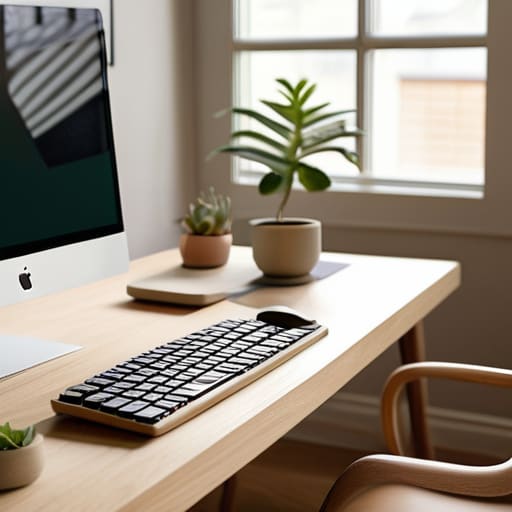
When people talk about scandinavian desk design, they usually focus on the aesthetics—the light woods and the clean lines. But for me, it’s less about looking like a Pinterest board and more about the psychological impact of a clutter-free environment. If your workspace is visually noisy, your brain is going to be noisy too. I lean heavily into a neutral color palette office setup because it keeps the focus on the screen and my code, rather than a bunch of distracting knick-knacks. By stripping away the excess, you create a mental runway that lets you actually hit a flow state without constant visual interruptions.
The real magic happens when you integrate functionality into that simplicity. I’m a big believer in keeping the surface area as clear as possible, which means your tech needs to be tucked away. I don’t just hide my peripherals; I prioritize cable management for desks as a fundamental part of the design process. If you have a web of black wires tangling around a light oak surface, you’ve already lost the battle. A truly seamless setup uses hidden trays or under-desk routing so that the only thing you see is your gear and your work.
Cable Management for Desks That Wont Hold You Back

If you’re anything like me, a single stray USB-C cable can ruin the entire vibe of a clean setup. When you’re working from a temporary spot or trying to maintain a streamlined ergonomic home office setup, visual clutter is your biggest enemy. It’s not just about aesthetics; it’s about mental bandwidth. If I see a tangled mess of power bricks under my feet, my focus shifts from the code I’m writing to the mess I haven’t fixed yet.
To keep things seamless, I treat cable management for desks as a core part of my system architecture, not an afterthought. I swear by using under-desk cable trays and magnetic sleeves to keep everything off the floor and tucked out of sight. The goal is to make the hardware completely invisible. I try to stick to a few high-quality, braided cables that match my gear, ensuring that even when I have to plug something in, it feels intentional rather than chaotic. If your setup relies on a hundred different wires snaking across your surface, it isn’t helping you work—it’s just holding you back.
The Lean Setup: 5 Ways to Strip the Friction from Your Workspace
- Go wireless or go home. Every single cable trailing across your desk is a mental distraction waiting to happen. If a peripheral doesn’t have a low-latency wireless option, it shouldn’t be on your desk.
- Prioritize a single, high-quality monitor over a multi-screen sprawl. Dual monitors look cool in setup tours, but they eat up surface area and kill your focus. One large, ultra-wide screen keeps your peripheral vision clear and your mind centered.
- Use vertical space to keep your horizontal space empty. I’m a big believer in monitor arms and small wall-mounted shelves. If it’s not sitting directly under your hands, it shouldn’t be taking up real estate on the desk surface.
- Invest in a high-quality desk mat. It defines your workspace, protects the surface, and dampens the sound of your mechanical keyboard. It’s a small touch that makes the whole setup feel intentional rather than cluttered.
- Audit your “just in case” items. We all have that drawer or corner filled with things we might need “one day.” If you aren’t using it every single session, move it to a cloud-based digital note or a storage bin in another room. If it’s not in your immediate line of sight, it’s not part of your workflow.
The Minimalist Workflow Blueprint
Stop treating your desk like a permanent monument; design it to be modular and portable so your productivity isn’t tethered to one zip code.
Prioritize “invisible” tech—if a cable is visible or a tool feels clunky, it’s creating mental friction that breaks your deep work state.
Focus on the essentials that support your focus, like high-quality tactile input and cloud-synced setups, rather than collecting gear just for the aesthetic.
## The Philosophy of Less
A minimalist desk isn’t about having an empty surface; it’s about removing the friction between your brain and your screen so you can actually do the work without the clutter fighting for your attention.
Elias Vandermeer
The Final Setup
At the end of the day, building a minimalist desk setup isn’t about following a specific aesthetic or buying every overpriced piece of walnut furniture on Instagram. It’s about the intersection of Scandinavian flow, disciplined cable management, and a setup that actually serves your workflow. Whether you’re optimizing for a permanent home office or a highly portable cloud-integrated station that moves with you, the goal remains the same: eliminate the friction. When your tools are organized and your cables are tucked away, you stop fighting your environment and start actually performing.
Don’t get caught in the trap of “perfectionism paralysis.” You don’t need a thousand-dollar custom desk to start reclaiming your focus; you just need to start stripping away the excess. Your workspace should be a seamless extension of your mind, not a cluttered obstacle course that drains your mental energy before you even open your laptop. Build it lean, keep it cloud-ready, and make sure it’s ready to adapt whenever your life decides to move. If your setup disappears when you start working, you’ve finally done it right.
Frequently Asked Questions
How do I keep a minimalist desk from becoming a workspace where I can't actually fit my gear?
The trick is to stop thinking about surface area and start thinking about verticality and cloud integration. If your gear is physically sitting on the desk, it’s taking up mental bandwidth too. I move my heavy peripherals to under-desk mounts and use a high-quality monitor arm to reclaim that footprint. If it doesn’t need to be physical—like an extra hub or a storage drive—move it to a cloud instance. Keep the desk for tactile tools only.
Is it possible to maintain a clean, cable-free look if I'm constantly switching between a laptop and external monitors?
It’s definitely possible, but you have to stop thinking about individual cables and start thinking about a single point of entry. If you’re constantly plugging and unplugging, you’ve already lost the battle. I rely heavily on a Thunderbolt dock or a high-end USB-C monitor that handles power delivery and data in one go. One cable to the laptop, and everything else—monitors, peripherals, even my external SSD—stays tucked away and invisible.
What are the best ways to integrate cloud-based hardware so my physical setup stays small but my processing power stays high?
Stop trying to lug a heavy workstation around. The goal is to treat your physical desk as just a terminal. I lean heavily on thin clients or even a high-end tablet paired with a cloud-based IDE or a remote desktop setup like Tailscale and Moonlight. By offloading the heavy lifting to a beefy home server or a cloud instance, your local hardware stays light, silent, and portable, while your actual processing power stays limitless.




