I was sitting in a tiny cafe in Lisbon last month, trying to push through a heavy systems integration project, when I looked down at my makeshift setup and felt that familiar, sharp spike of irritation. My laptop was tethered to a power bank by a tangled mess of white rubber, and my external drive was trailing a cord that looked like a bird’s nest. It’s funny how people think you need a $5,000 standing desk to be productive, when in reality, a chaotic web of wires is what actually kills your flow. Most people treat cable management like it’s some aesthetic hobby for Instagram influencers, but for those of us actually working remotely, it’s about eliminating friction.
I’m not here to sell you on expensive, proprietary desk trays or complicated DIY projects that take three hours to install. I want to show you how to build an invisible infrastructure that moves with you, whether you’re in a permanent home office or a temporary workspace with mediocre Wi-Fi. I’ll be sharing the practical, low-cost tactics I use to keep my gear streamlined and my mind clear. Let’s get your setup to a point where the hardware just disappears, leaving you with nothing but the work.
Table of Contents
- Decluttering Your Workstation to Reclaim Mental Bandwidth
- Power Strip Management Eliminating the Static Anchors
- The Minimalist’s Toolkit: Five Moves for a Seamless Setup
- The Bottom Line for a Mobile, High-Performance Setup
- The Philosophy of Invisible Infrastructure
- The Invisible Setup
- Frequently Asked Questions
Decluttering Your Workstation to Reclaim Mental Bandwidth
When I sit down to dive into a complex cloud integration, the last thing I need is a visual reminder of chaos sitting right next to my keyboard. It’s not just about looking good for a desk setup photo; it’s about cognitive load. Every stray wire snaking across your desk acts like a tiny, subconscious distraction, pulling your focus away from the code and toward the mess. Decluttering your workstation is essentially a way to clear the mental fog that accumulates when your physical environment feels out of control.
I’ve learned that the key to maintaining a minimalist desk aesthetic while staying mobile is deciding what stays visible and what goes hidden. I usually opt for a mix of cord organizer solutions to keep things tight. For the cables running down the back of my desk, I prefer using cable sleeves vs raceways depending on how much I plan on moving my gear next week. If you’re looking for home office setup ideas that actually scale, stop treating your wires like an afterthought. Treat them like part of your infrastructure—if they aren’t managed, they’re just noise.
Power Strip Management Eliminating the Static Anchors
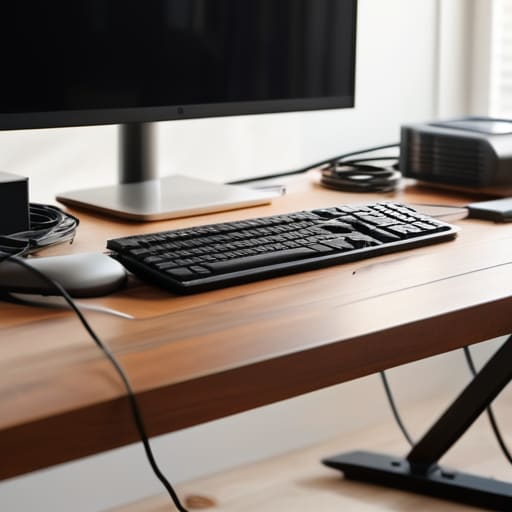
The biggest mistake I see with most home office setup ideas is treating the power strip like a permanent fixture on the floor. That bulky plastic brick, tangled in a nest of white and black cords, is essentially a static anchor. It keeps you tethered to one specific spot and makes it a nightmare if you ever need to move your gear or pivot your desk. If you want a truly mobile, cloud-focused workflow, you have to stop letting your power source dictate your floor plan.
I’ve found that the best approach is to get that mess off the ground entirely. I usually mount my strips to the underside of my desk using heavy-duty command strips or a dedicated mounting bracket. This is where you decide between cable sleeves vs raceways depending on how much of the underside is visible; I personally prefer a clean raceway to hide the excess slack. By tucking the power strip out of sight, you achieve that minimalist desk aesthetic without sacrificing access to your plugs. It turns a chaotic cluster of wires into invisible infrastructure.
The Minimalist’s Toolkit: Five Moves for a Seamless Setup
- Label everything at both ends. When I’m working from a cafe or a temporary rental, I don’t have time to play “guess the cord” every time a connection drops; a tiny piece of tape with a handwritten label saves ten minutes of frustration.
- Invest in high-quality braided cables. Plastic-coated wires feel cheap and tangle easily, but braided ones stay flexible and look intentional—part of a clean aesthetic rather than an afterthought.
- Use magnetic cable organizers for your desk surface. I hate seeing my charging cables sliding off the desk every time I move my laptop, so a few small magnets keep everything exactly where I need it without the clutter.
- Go wireless for anything non-essential. If it doesn’t need a data connection, it shouldn’t have a wire; switching to a wireless mouse and keyboard is the fastest way to make your workspace feel lighter and more portable.
- Route your cables through the underside of your desk. Use adhesive clips or J-channels to keep the wires tucked away out of your line of sight; if you can’t see the mess, it can’t distract you from the task at hand.
The Bottom Line for a Mobile, High-Performance Setup
Treat your cables like infrastructure, not decor; if they aren’t tucked away or easily rerouted, they’re just friction slowing down your ability to move.
Prioritize modularity over permanence so that your workspace can transition from a cafe table to a dedicated desk without a massive cable-management headache.
Aim for an invisible setup where the hardware disappears, leaving you with nothing but the tools you need to actually get the work done.
The Philosophy of Invisible Infrastructure
If your setup is a spiderweb of tangled wires, you aren’t just fighting a mess—you’re fighting your own ability to move. A truly professional workspace should be invisible; the tech should just work, leaving you free to focus on the code, not the clutter.
Elias Vandermeer
The Invisible Setup
At the end of the day, managing your cables isn’t about chasing some aesthetic perfection you saw on a curated Instagram feed; it’s about reducing the friction between your brain and your work. We’ve talked about clearing the visual noise from your desk and liberating yourself from those heavy, static power strips that turn a portable setup into a permanent installation. When you streamline your physical infrastructure—whether it’s through clever routing or switching to more efficient, low-profile power solutions—you’re essentially optimizing your hardware for deep work. You’re making sure that when you sit down to tackle a complex integration or a heavy coding session, the last thing on your mind is a tangled mess of black wires tripping you up.
My goal has always been to prove that professional-grade output doesn’t require being tethered to a specific corner of a room. A truly great setup is one that feels invisible because it simply works, allowing you to move from a cafe in a small coastal town to a quiet apartment in a new city without missing a beat. Stop letting your gear dictate your lifestyle. Build a workspace that is as fluid and adaptable as the digital world we live in, and you’ll find that once the clutter is gone, the focus follows naturally.
Frequently Asked Questions
How do I manage cables if I'm constantly switching between different cafes or temporary workspaces?
If you’re moving as much as I am, “cable management” isn’t about velcro ties; it’s about minimizing your footprint. I swear by a single, high-wattage GaN charger. It handles my laptop, phone, and peripherals through one compact brick, cutting three cables down to one. Use a small tech pouch to keep everything modular. If you can’t pack your entire power setup into a pocket in under thirty seconds, your workflow is too heavy.
What are the best ways to hide cables without spending a fortune on expensive desk accessories?
Look, you don’t need a $100 designer cable tray to fix this. I’ve learned that the best solutions are usually the cheapest. Grab some heavy-duty Velcro ties—skip the plastic zip ties, they’re a pain to change later—and bundle your cables along the desk legs. If you have a gap under your desk, a simple mesh net or even some industrial-strength adhesive clips can keep everything off the floor. Keep it functional, not fancy.
Is it worth investing in high-end braided cables, or does that just add more bulk to my tech bag?
Honestly? If you’re traveling like I do, skip the high-end braided cables. They look great in a static desk setup photo, but they’re a nightmare in a tech bag. They’re stiff, they don’t coil well, and they add unnecessary bulk that makes packing a chore. Stick to high-quality, flexible silicone cables instead. They’re lightweight, tangle-resistant, and won’t fight you when you’re trying to set up in a cramped cafe. Keep it light.




