I was sitting in a cramped cafe in Lisbon last month, staring at a guy trying to unbox a massive, dual-monitor desktop setup just to answer a few emails. It was painful to watch. There’s this massive misconception that to be a “professional” remotely, you need a heavy, static fortress of gear that anchors you to a single desk. Honestly, most of that high-end, bulky junk is just dead weight. If your remote work hardware isn’t streamlined enough to survive a flight or a spotty hotel Wi-Fi connection, it’s not an asset—it’s a liability that’s keeping you stuck in one place.
I’m not here to sell you on the latest overpriced aesthetic gadgets that look good on Instagram but fail in the real world. Instead, I’m going to show you how to build a kit that actually works with your life. I’ll be sharing the exact, battle-tested tools I use to stay productive while moving between cities, focusing on gear that is portable, cloud-ready, and invisible. We’re going to cut through the marketing hype and focus on what actually matters: tools that get out of your way so you can get the job done.
Table of Contents
- Portable Workstation Essentials for the Boundless Professional
- High Speed Connectivity Tools to Eliminate Digital Friction
- Small Tweaks for a High-Performance Mobile Setup
- The Bottom Line: Keep It Lean and Cloud-First
- ## The Philosophy of Frictionless Gear
- The Setup is Only the Beginning
- Frequently Asked Questions
Portable Workstation Essentials for the Boundless Professional
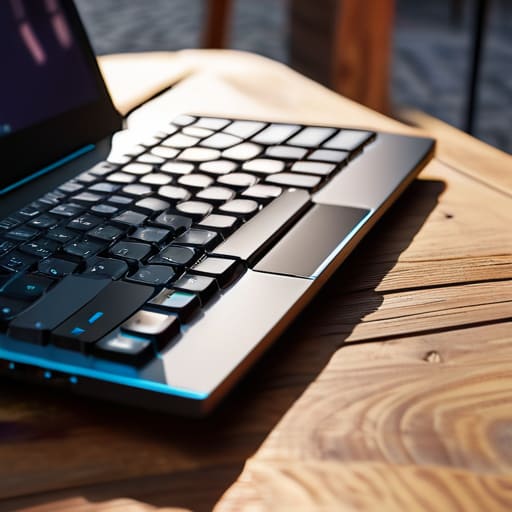
If you’re anything like me, your “office” might be a corner of a cafe in Lisbon one week and a cramped studio apartment in Tokyo the next. Because of that, I’ve learned that portable workstation essentials aren’t just luxuries—they’re survival gear. The centerpiece of my mobile rig is always a high-performance ultrabook paired with a lightweight, mechanical 65% keyboard. I can’t stand the mushy feeling of laptop keys when I’m deep in a systems integration sprint; it breaks my flow instantly.
Beyond the computing power, I prioritize gear that manages the chaos of public spaces. I never travel without high-quality noise-canceling audio equipment to drown out the espresso machines and chatter. It’s the only way I can maintain that focused, lo-fi headspace I need to actually get things done. I also keep a compact, high-capacity power bank in my bag. When you’re relying on unpredictable outlets in shared spaces, having that extra buffer isn’t just a convenience—it’s the difference between finishing a deployment and staring helplessly at a black screen.
High Speed Connectivity Tools to Eliminate Digital Friction

There is nothing that kills my flow faster than a spinning loading icon when I’m mid-deployment. If you’re moving between cafes or Airbnbs, you can’t just rely on whatever mediocre Wi-Fi the landlord provides. I’ve learned the hard way that investing in high-speed connectivity tools like a dedicated travel router or a high-gain USB Wi-Fi adapter is non-negotiable. It’s about creating a stable bridge between your gear and the cloud, ensuring that your connection remains a silent partner rather than a constant obstacle.
When I do settle into a more permanent spot for a few weeks, I look for ways to minimize digital friction through redundancy. This might mean having a high-speed mobile hotspot ready to go the second my primary line flickers. For those of us building a more serious ergonomic home office setup, I also recommend looking into a small, reliable UPS. It sounds overkill until a sudden power surge drops your connection right in the middle of a critical sync. Keeping your uptime consistent is the only way to actually stay in the zone without constantly looking over your shoulder at your router.
Small Tweaks for a High-Performance Mobile Setup
- Prioritize power delivery over raw specs. If your laptop can’t charge via USB-C, you’re going to end up carrying a brick of a power adapter that ruins your minimalist vibe.
- Invest in a high-quality mechanical keyboard with a compact form factor. A 65% or 75% layout gives you the tactile feedback you need for deep work without eating up your limited desk real estate.
- Don’t sleep on a dedicated travel router. Relying on hotel or cafe Wi-Fi is a recipe for frustration; having your own gateway lets you control your local network and security.
- Keep your peripherals wireless but low-latency. Bluetooth is fine for mice, but for anything critical, use a dedicated 2.4GHz dongle so you don’t deal with input lag during a sprint.
- Build a “tech pouch” system for your cables and dongles. If you’re digging through a messy backpack every time you need a USB-C to Ethernet adapter, you’re losing focus and wasting time.
The Bottom Line: Keep It Lean and Cloud-First
Prioritize portability and power over sheer bulk; if your gear can’t survive a day in a coffee shop or a train ride, it’s just dead weight.
Invest in seamless connectivity and cloud-based workflows to ensure your tools remain invisible, allowing you to focus on the output rather than the friction.
Build a setup that adapts to your environment, not one that dictates where you’re allowed to work.
## The Philosophy of Frictionless Gear
“If you have to spend twenty minutes fighting your cables or hunting for a stable signal every time you move, you aren’t working—you’re just managing your own inefficiency. Your gear should be so seamless that you forget it’s even there.”
Elias Vandermeer
The Setup is Only the Beginning
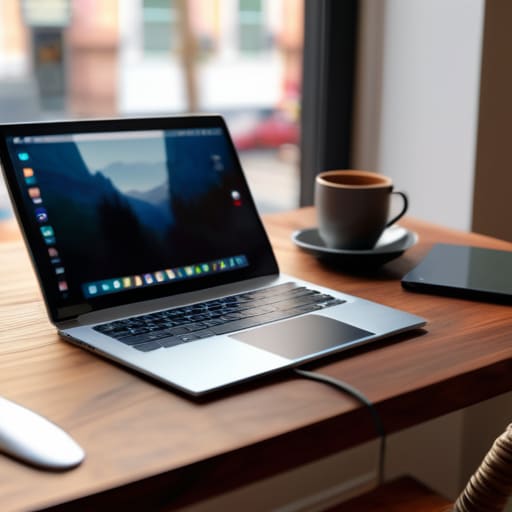
At the end of the day, building a remote workflow isn’t about collecting the most expensive gadgets or having the flashiest RGB lighting. It’s about the integration of everything—ensuring your portable workstation, your cloud-based tools, and your connectivity solutions work together without you even noticing they’re there. If you find yourself fighting your hardware or troubleshooting a connection for twenty minutes every morning, your setup has failed you. The goal is to reach a point where your gear becomes invisible, leaving you with nothing but the mental space required to actually execute your best work, regardless of whether you’re in a high-rise or a tiny cafe in a city you can barely pronounce.
Don’t get caught in the trap of thinking you need a permanent, heavy-duty office to be taken seriously. The world is moving toward a more fluid, decentralized model, and your hardware should reflect that freedom. Invest in tools that prioritize portability and resilience so that your productivity isn’t tethered to a single desk or a specific zip code. Build a setup that moves with you, adapts to your environment, and stays out of your way. Once you’ve mastered the art of the seamless, mobile workspace, you’ll realize that true professional autonomy isn’t about where you sit, but how prepared you are to work from anywhere.
Frequently Asked Questions
How do I balance needing high-performance hardware with the need to keep my setup lightweight enough for travel?
You can’t carry a desktop in your backpack, so stop trying. The trick is offloading the heavy lifting to the cloud. I use a high-spec, lightweight ultrabook for the physical interface, but I run my heavy computations and dev environments on remote instances. If you need raw power, don’t buy a heavier laptop; just upgrade your cloud subscription. Keep your local gear lean and let the server farms do the sweating.
What are the best ways to maintain a secure, stable connection when I'm stuck working on sketchy public or cafe Wi-Fi?
Honestly, cafe Wi-Fi is a minefield. I never trust a public network to keep my data private, so a solid VPN is non-negotiable—it’s the first thing I toggle on. If the connection is just straight-up garbage, I stop fighting it and switch to a dedicated mobile hotspot. It’s more expensive than free Wi-Fi, but the stability is worth it. I’d rather pay for a reliable LTE signal than lose an hour to a spinning loading icon.
Is it actually worth investing in specialized peripherals like mechanical keyboards and external monitors, or should I just stick to a laptop for maximum mobility?
Look, if you’re strictly chasing mobility, a laptop is fine. But if you actually want to do deep work, you need better tactile feedback and screen real estate. I never travel without my custom mechanical keyboard; the typing experience alone keeps me from burning out. If you can swing a portable monitor, do it. It’s the difference between struggling through a cramped window and actually having a workspace that lets you focus.




