I was sitting in a cramped cafe in Lisbon last month, staring at a $400 “ergonomic” laptop stand that was currently doing nothing but taking up space in my tech pouch. It felt like a joke. Most advice you see about remote worker wellness is just a way to sell you more gear you don’t need or suggest “mindfulness” when your real problem is a cluttered digital workflow and a setup that feels like a cage. If your wellness routine requires you to be tethered to a specific desk or a mountain of expensive peripherals, it’s not wellness—it’s just another obligation holding you back from actually living.
I’m not here to pitch you on overpriced standing desks or complicated meditation apps. Instead, I want to talk about how to build a lifestyle where your tools are invisible and your setup is actually adaptable. I’m going to share the practical, cloud-first strategies I use to stay sharp while moving between cities, focusing on how to maintain your mental clarity without sacrificing your mobility. We’re going to strip away the fluff and focus on what actually works for a seamless, high-performance life.
Table of Contents
- Optimizing Your Ergonomic Home Office Setup for Fluid Focus
- Preventing Sedentary Lifestyle With a Truly Adaptive Workspace
- Digital Hygiene: Keeping Your Brain as Clean as Your Cable Management
- The Bottom Line: Build for Mobility, Not Just Comfort
- ## Digital Wellness Isn't a Luxury
- The Final Sync
- Frequently Asked Questions
Optimizing Your Ergonomic Home Office Setup for Fluid Focus
Most people think an ergonomic home office setup is just about buying a fancy chair and calling it a day. I used to think that too, back when I was still tethered to a single desk in a cramped apartment. But after months of moving between Airbnbs and co-working spaces, I’ve realized that true ergonomics is about adaptability. If your gear is too heavy to move or your monitor height is fixed, you’re essentially building your own cage. I aim for a setup that supports my posture whether I’m in a cafe in Lisbon or a library in Tokyo, focusing on modularity that keeps my spine aligned without sacrificing portability.
Beyond the hardware, you have to be intentional about movement to avoid the physical toll of being glued to a screen. I’ve found that preventing a sedentary lifestyle isn’t about a scheduled hour at the gym; it’s about integrating micro-movements into your workflow. I use a standing desk converter that I can pack into a backpack, allowing me to switch positions whenever I feel my focus dipping. If you stay static for four hours straight, your brain is going to fog up long before your back starts hurting.
Preventing Sedentary Lifestyle With a Truly Adaptive Workspace
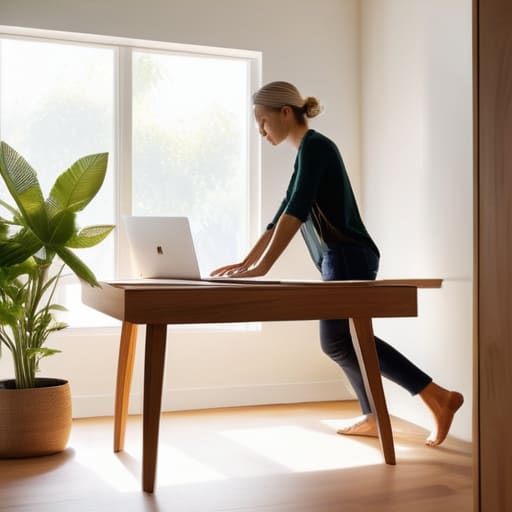
The problem with a “perfect” setup is that it can easily become a trap. When you finally dial in your gear and find that sweet spot of comfort, the temptation is to stay anchored there for eight hours straight. But sitting still is a slow drain on your cognitive load. I’ve learned that preventing a sedentary lifestyle isn’t about buying a $1,500 standing desk; it’s about building movement into your actual workflow. If your gear is too heavy or too static to move, you’ll end up stuck in one position, and that’s when the brain fog sets in.
I try to treat my workspace like a modular system. If I’m stuck on a complex integration task, I might move to a standing counter for twenty minutes just to shift my perspective. It’s a small tweak, but it’s essential for maintaining long-term work-life balance for remote employees. You have to break the loop of constant sitting. Think of your physical movement as a way to clear the cache in your brain—sometimes you need to step away from the screen to actually solve the problem sitting right in front of you.
Digital Hygiene: Keeping Your Brain as Clean as Your Cable Management
- Audit your notification stack. If your phone is pinging every time a random Slack channel breathes, you aren’t working; you’re just reacting. Turn off everything that isn’t mission-critical to protect your deep work state.
- Implement a hard “analog” cutoff. When I’m done for the day, the laptop goes in the bag and stays there. You need a physical ritual to signal to your brain that the digital world is officially closed.
- Stop treating your eyes like they’re invincible. Use blue light filters or high-quality glasses, and actually follow the 20-20-20 rule. Staring at a screen for ten hours straight without a break is a fast track to burnout and headaches.
- Sync your tasks with your energy, not just your clock. If your brain is fried by 3 PM, don’t force complex systems integration. Use that low-energy window for mindless admin or cleaning your mechanical switches instead.
- Build a cloud-first documentation habit. Don’t let vital info live on a single physical machine. If you can’t access your workflow from a tablet in a cafe, your system is too rigid and will eventually cause unnecessary stress.
The Bottom Line: Build for Mobility, Not Just Comfort
Stop building a static monument to your job; if your gear isn’t cloud-synced and portable enough to move from a desk to a cafe, you’re building a cage, not a workspace.
Physical health isn’t just about an expensive chair—it’s about creating a setup that forces you to move and adapt rather than staying locked in one position for eight hours.
Prioritize seamless tool integration so your tech fades into the background, allowing your focus to stay on the task instead of fighting your environment.
## Digital Wellness Isn't a Luxury
“Wellness isn’t about buying a fancy standing desk or a subscription to a meditation app; it’s about building a workflow that doesn’t drain your battery before you’ve even finished your first sprint. If your tech setup is constantly fighting you, your brain is going to pay the price.”
Elias Vandermeer
The Final Sync
At the end of the day, wellness isn’t about buying the most expensive ergonomic chair or following a rigid 9-to-5 schedule that doesn’t exist anymore. It’s about the intersection of your physical space and your digital workflow. We’ve talked about how a properly tuned desk setup prevents physical burnout and how an adaptive, cloud-first routine keeps you from feeling tethered to a single spot. If you can’t move your setup, or if your tools are constantly fighting your environment, you aren’t working—you’re just managing friction. Real productivity happens when your gear and your habits become invisible, leaving you with nothing to do but actually execute the work.
Don’t let your workspace become a cage that dictates how you live. Whether you’re working from a tiny apartment or a cafe with spotty Wi-Fi, your priority should always be maintaining a setup that serves your mobility. Stop trying to fit your life into a static office model and start building a system that evolves with you. When you finally bridge the gap between a seamless digital stack and a healthy physical routine, you realize that professional freedom isn’t just about where you work, but how much control you actually have over your own focus. Now, go fix your cables, grab your headphones, and get back to it.
Frequently Asked Questions
How do I maintain a high-performance cloud workflow when I'm working from locations with unreliable or spotty Wi-Fi?
The key is to stop relying on a continuous stream and start building for latency. I never trust local Wi-Fi; I always run a local Git repo and work offline as much as possible, syncing to the cloud only when the connection stabilizes. I also keep a dedicated mobile hotspot as a failover. If your workflow breaks the second your ping spikes, your setup isn’t resilient—it’s fragile. Build for the worst-case connection.
What are some minimalist, portable gear recommendations that won't compromise my ergonomics when I'm traveling?
If you’re moving between cafes or Airbnbs, don’t settle for a laptop sitting flat on a table—that’s a recipe for neck pain. I always pack a Roost or Nexstand; they’re lightweight, foldable, and save my posture. Pair that with a Logitech MX Anywhere mouse and a compact mechanical keyboard like the NuPhy Air75. It keeps my setup tactile and ergonomic without adding bulk to my tech pouch. Keep it slim, keep it mobile.
How can I set digital boundaries to prevent my "always-on" remote setup from leading to burnout?
The problem with a cloud-based setup is that your office is literally in your pocket. If you’re checking Slack on your phone while grabbing coffee, you aren’t “remote”—you’re just tethered. I had to implement a hard digital sunset. Once my lo-fi playlist stops, the work tabs close, and notifications go dark. If your tools are invisible, your work hours need to be, too. Don’t let your setup bleed into your life.




