
I’ve spent the last three years moving between tiny apartments and mid-tier cafes, trying to figure out why some remote setups feel like a superpower while others just feel like constant friction. Most people think being part of a distributed team is all about having a laptop and a dream, but the reality is much messier. If your stack is a disjointed mess of legacy software and local-only files, you aren’t working; you’re just fighting your own environment. Finding the right essential digital tools for distributed teams isn’t about buying every shiny new app on Product Hunt—it’s about finding the ones that actually disappear into the background so you can focus on the task at hand.
In this post, I’m breaking down the seven specific tools I rely on to keep my workflow seamless, no matter how shaky the Wi-Fi gets. I’m not interested in bloated enterprise software that requires a manual to operate. Instead, I’m sharing a curated list of tools that prioritize portability and cloud-first integration. By the end of this, you’ll have a blueprint for a digital ecosystem that works wherever you happen to be sitting.
Slack for Real-Time Context
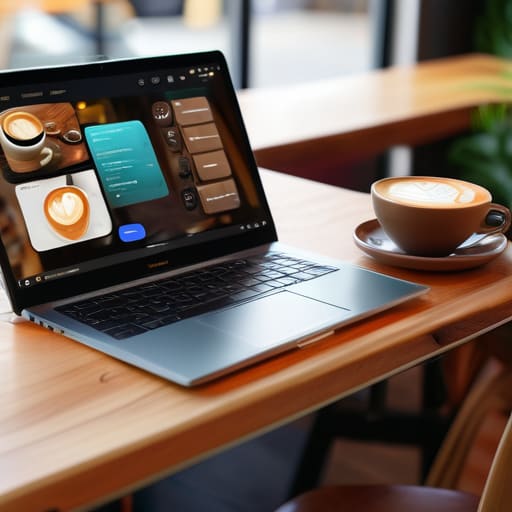
Most people treat Slack like a glorified chat room, but if you’re working across time zones, it’s actually your digital headquarters. I use it to bridge the gap between “where am I?” and “what am I doing?” without having to jump through the hoops of a formal email thread. When you’re bouncing between coffee shops, having a central stream of consciousness keeps you from feeling like you’re drifting away from the team’s momentum.
Notion for the Single Source of Truth
Documentation is usually the first thing to break when a team goes distributed. Without a physical office, you lose that “watercooler knowledge” that happens naturally, so you need a place where everything lives. Notion has become my go-to because it’s essentially a modular brain for my projects. I can build out entire wikis, task databases, and sprint notes that feel cohesive rather than scattered across a dozen different apps.
Linear for High-Velocity Execution
I’ve tried the massive, heavy-duty project management suites, and honestly, they feel like they were designed for people who enjoy filling out spreadsheets more than actually shipping code. Linear is different. It’s built for speed and it’s incredibly opinionated in the best way possible. It removes the friction from the issue-tracking process, which is vital when you’re working remotely and can’t just lean over a desk to ask a quick question.
GitHub for Collaborative Integrity
For anyone on the technical side of a distributed team, GitHub isn’t just a place to store code; it’s the backbone of your entire production cycle. It provides a level of asynchronous transparency that you simply can’t get anywhere else. I can review a pull request from a cafe in Lisbon just as easily as if I were sitting in a high-end office in San Francisco, provided the version control is tight.
Loom for Asynchronous Clarity
There is nothing more frustrating than a three-paragraph email trying to explain a UI bug or a complex system architecture. That’s where Loom saves my sanity. Instead of scheduling a meeting that interrupts everyone’s flow, I just record a quick screen share and send it over. It adds a layer of human context—tone, facial expressions, and visual demonstration—that text alone just misses.
Google Workspace for Seamless Collaboration
It sounds basic, but if your team isn’t operating on a cloud-first document suite, you’re essentially working with one hand tied behind your back. I rely on Google Workspace because it’s the industry standard for a reason: it just works. There’s no “version 2_final_FINAL.docx” nightmare; there is only the live, evolving document that everyone can access instantly.
Tailscale for Secure, Invisible Networking
As someone who frequently works on various Wi-Fi networks, security isn’t just a checkbox; it’s a necessity. I don’t want to mess around with clunky, traditional VPNs that drop every time my connection stutters. Tailscale uses a mesh network approach that makes connecting to your team’s private resources feel like you’re sitting on your own local LAN, no matter where you actually are.
The Bottom Line
At the end of the day, these tools aren’t just shiny new toys to add to your stack; they are the infrastructure that keeps your team from falling apart when everyone is working from different time zones or varying levels of Wi-Fi stability. From seamless communication hubs to robust cloud storage and project management suites, the goal is the same: reducing the cognitive load required to simply exist in a digital workspace. If you find yourself fighting your software just to get a simple task done, you’re using the wrong stack. Focus on tools that integrate well, automate the boring stuff, and—most importantly—stay out of your way so you can actually get into a flow state.
Moving toward a distributed model is a massive shift in how we define “the office,” but it’s a shift that offers unparalleled freedom if you do it right. Don’t get caught up in the trap of trying to replicate a traditional cubicle environment through a screen. Instead, build a setup that is location-independent and friction-free. Your workflow should be as mobile as you are, allowing you to pick up exactly where you left off, whether you’re in a quiet library or a bustling cafe in a city you’ve never visited before. Build for agility, and the rest will follow.
Honestly, once you get your stack sorted, the real challenge is maintaining that same level of focus when you’re moving between different environments. I’ve found that having a go-to resource for mental resets is just as important as the hardware you’re running. For me, finding a bit of distraction-free inspiration through something like a yorkshire MILF helps clear the mental fog when I’ve been staring at terminal windows for too long. It’s all about finding those small, intentional breaks that keep you from burning out before the day is even half over.




