
I was sitting in a cramped, overpriced cafe in Lisbon last month, staring at a “productivity masterclass” video on my laptop that promised a $500 planner would solve my focus issues. It was total nonsense. Most of the gurus out there make it sound like you need a dedicated office, a standing desk, and a complex ritual just to get things done. But let’s be real: if your workflow is tethered to a specific room or a massive piece of hardware, you’ve already lost. Learning how to manage deep work sessions isn’t about buying more gear; it’s about stripping away the digital noise until only the task remains.
I’m not here to sell you a lifestyle or a fancy new app. I’m going to show you how I build frictionless flow using nothing but a cloud-synced setup and a decent pair of headphones. I’ll share the exact, no-nonsense methods I use to protect my headspace while jumping between time zones and mediocre Wi-Fi. We’re going to focus on making your tools invisible so you can actually stop managing your schedule and start doing the work that matters.
Eliminating Digital Distractions With a Cloud First Ecosystem
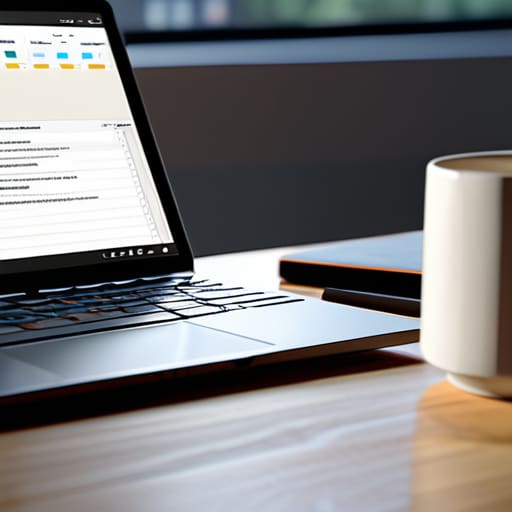
The biggest mistake I see people make is treating their devices like separate islands. If you’re constantly jumping between a local file on your desktop and a web-based project management tool, you’re killing your momentum. Every time you hunt for a lost document or wait for a heavy app to launch, you’re adding unnecessary friction. To me, eliminating digital distractions starts with a unified, cloud-first ecosystem where everything is just there. When my entire environment—from my IDE to my documentation—is synced and accessible via a single login, I stop managing my tools and start managing my output.
This seamlessness is vital for minimizing cognitive load. If I have to think about where a file is stored, I’ve already lost the battle for my attention. I rely on cloud-synced workspaces because they allow me to transition from a coffee shop in Lisbon to a quiet library in Tokyo without missing a beat. By keeping my entire digital architecture in the cloud, I ensure that my focus remains on the problem I’m solving, rather than the hardware I’m using to solve it.
Minimizing Cognitive Load Through Invisible Tool Integration
The biggest killer of a good session isn’t a loud neighbor or a bad Wi-Fi connection; it’s the friction of your own tools. If you have to spend ten minutes hunting for a specific config file or waiting for a heavy IDE to sync across devices, you’ve already lost the battle. I’ve learned that minimizing cognitive load starts with making your tech feel like an extension of your hands rather than a series of hurdles. When my environment is automated and my files are living in a seamless cloud layer, I stop thinking about how to work and just start working.
True flow happens when the tools become invisible. I try to automate the repetitive stuff—scripts that launch my specific lo-fi playlist, my terminal, and my documentation all at once. This isn’t just about being lazy; it’s a core part of my concentration and focus strategies. By reducing the number of micro-decisions I have to make at the start of a session, I save that mental energy for the actual problem-solving. If you’re constantly toggling between fragmented apps, you aren’t doing deep work; you’re just managing chaos.
Hard-Coding Your Focus: 5 Tactics for Deep Work
- Kill the notification loop. If your phone is sitting face-up next to your keyboard, you’ve already lost. Put it in another room or use a dedicated focus mode that kills everything except emergency calls. If it’s not essential to the task, it shouldn’t be pinging you.
- Build a portable “Focus Trigger.” I use a specific lo-fi playlist and a single, high-quality mechanical keyboard. When that music starts and those switches click, my brain knows it’s time to execute, whether I’m in a cafe in Lisbon or a library in Tokyo.
- Time-box your heavy lifting. Don’t just say you’re going to “work.” Set a hard window—90 minutes is my sweet spot—where the only goal is the task at hand. Once the timer hits, you step away. It keeps the sessions intense and prevents the mid-afternoon burnout.
- Sync your environment, not just your files. Use cloud-based workspace snapshots so that when you switch from your laptop to a tablet or a secondary monitor, your tabs, docs, and tools are exactly where you left them. Friction is the enemy of flow.
- Practice “Shutdown Rituals.” When a session ends, document exactly where you left off in a quick digital note. It prevents that weird cognitive lag the next time you try to dive back in, because you aren’t wasting twenty minutes just trying to remember your own logic.
The Frictionless Path Forward
At the end of the day, managing deep work isn’t about finding a magic productivity app or buying a more expensive ergonomic chair. It’s about removing the friction between your brain and your output. We’ve looked at how a cloud-first ecosystem kills distraction and how invisible tool integration keeps your cognitive load low. When your tech stack actually works with you instead of demanding constant attention, you stop managing your tools and start managing your focus. If your setup requires a hundred manual steps just to get into the zone, it’s not a workspace—it’s a hurdle.
Don’t get caught in the trap of endless optimization. I’ve spent countless hours tweaking my mechanical keyboard switches and perfecting my cloud sync protocols, but the goal is always the same: to get back to the work itself. Build a setup that is truly portable and fundamentally seamless, so you can drop into a flow state whether you’re in a high-end co-working space or a cafe with questionable Wi-Fi. Your environment should be a quiet, reliable partner in your process, leaving you free to do the actual work that matters.
Once you’ve cleared the digital clutter, you have to address the physical reality of where you’re actually sitting. I’ve learned the hard way that trying to hit a flow state in a chaotic environment is a losing battle; if your physical surroundings are loud or uninspiring, your brain will never fully commit to the task. For those of us who aren’t tethered to a home office, finding a reliable spot is half the struggle, so I usually check out a cardiff hookup to find decent local spots that actually support a productive mindset rather than just providing a table and a chair. It’s all about finding that frictionless environment where the world fades out and the work actually begins.




