
I was sitting in a cramped co-working space in Lisbon last month, trying to push through a complex systems integration task, when the guy at the next table started typing on a board that sounded like a bag of gravel in a blender. It wasn’t just loud; it was distracting, clunky, and completely disconnected from the flow I was trying to build. Most people think picking out mechanical keyboard switches is some high-stakes hobby reserved for enthusiasts with bottomless bank accounts, but that’s total nonsense. It’s not about finding the most expensive “boutique” option; it’s about finding the specific tactile feedback that actually lets you disappear into your work.
I’m not here to sell you on some overpriced, gold-plated enthusiast dream. Instead, I’m going to break down the reality of how different switches actually feel when you’re deep in a coding session or managing cloud deployments on a deadline. I’ll give you the straight truth on linear, tactile, and clicky options based on what actually works for a mobile, high-performance setup. No hype, no fluff—just practical advice to help you find the input method that stays completely out of your way.
Table of Contents
- Decoding Mechanical Keyboard Switch Types for Seamless Flow
- Optimizing Switch Actuation Force for Effortless Input
- Fine-Tuning Your Setup: 5 Ways to Make Your Switches Work for You
- Final Thoughts: Building a Setup That Works With You
- The Invisible Interface
- Finding Your Flow
- Frequently Asked Questions
Decoding Mechanical Keyboard Switch Types for Seamless Flow
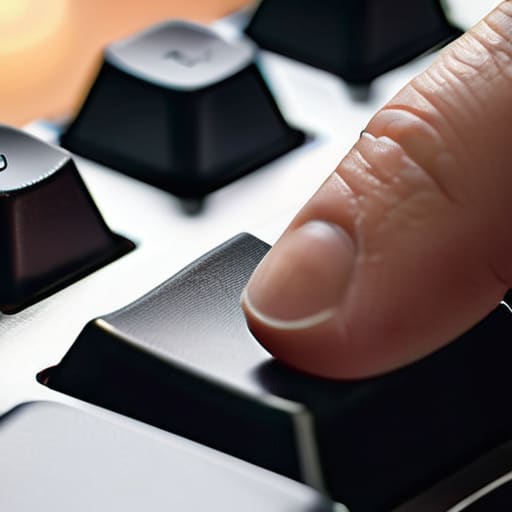
When you’re deep in a deployment cycle or just trying to clear a backlog of tickets, the last thing you need is tactile interference. Most people think all clicks are created equal, but the real magic lies in how the mechanical keyboard switch types align with your mental state. If you’re working in a noisy cafe, linear switches are usually my go-to; they offer a smooth, uninterrupted travel that feels almost invisible. On the other hand, if you’re like me and need that physical confirmation to stay focused, tactile switches provide just enough feedback to let you know the command actually registered without feeling like you’re smashing stones together.
It’s also worth looking closely at the keyboard switch spring weight if you find yourself getting fatigued during long sessions. A switch that’s too heavy will turn a productive afternoon into a hand cramp nightmare, while something too light might lead to accidental keystrokes when you’re moving your laptop between locations. I’ve found that finding that “Goldilocks” zone of actuation is the secret to a setup that actually disappears, leaving you with nothing but the code or the configuration in front of you.
Optimizing Switch Actuation Force for Effortless Input

When you’re deep in a coding session or configuring a cloud architecture, the last thing you want is your fingers feeling like they’ve been through a marathon. This is where switch actuation force becomes the deciding factor between a flow state and total fatigue. If the spring weight is too heavy, you’ll find yourself fighting the board all day; if it’s too light, you’ll end up with a trail of typos that eat into your productivity. I’ve learned the hard way that there is no “one size fits all” here—it’s all about finding that sweet spot where the keys respond to your intent without requiring extra effort.
For those of us who frequently move between different setups, I highly recommend leaning into hot-swappable keyboard builds. It gives you the freedom to experiment with different keyboard switch spring weights without committing to a permanent, soldered setup. If you find a particular switch feels a bit scratchy or inconsistent, a quick session lubing keyboard switches can do wonders for smoothing out the travel. It’s those small, tactile refinements that turn a piece of hardware into a seamless extension of your hands.
Fine-Tuning Your Setup: 5 Ways to Make Your Switches Work for You
- Don’t just chase the hype; test the tactile bump. If you’re deep in a coding session or a complex system integration, a switch that’s too heavy will fatigue your fingers by noon. Aim for a weight that feels intentional but doesn’t make your hands ache.
- Mind the noise floor. Since I move around a lot, I’ve learned that “clicky” switches are a nightmare in quiet cafes or co-working spaces. If you want to stay under the radar while you work, stick to linear or dampened tactile switches that won’t make everyone in the room stare.
- Lubing is non-negotiable for a premium feel. If you want that “invisible” tool sensation I’m always talking about, a little bit of Krytox goes a long way. It kills the scratchiness and makes the keystroke feel like it’s gliding on air rather than grinding through plastic.
- Match your switch to your environment. If you’re working from a hostel with shaky Wi-Fi and constant background noise, you don’t need a loud, distracting keyboard. A quiet, smooth linear setup helps you maintain that mental flow state regardless of the chaos around you.
- Consider the travel factor. If you’re building a portable rig, avoid overly heavy or massive switch profiles that require a chunky, non-portable board. You want a setup that fits in a tech pouch and feels just as responsive on a plane as it does at your home desk.
Final Thoughts: Building a Setup That Works With You
Stop chasing the hype and focus on the feel; the “best” switch is the one that doesn’t make you think twice about the keystroke.
Prioritize a balance between actuation force and fatigue to ensure your hands can keep up with your brain during long integration sessions.
View your keyboard as a critical piece of your mobile infrastructure—if it’s too heavy or loud for your current environment, it’s a bottleneck, not a tool.
The Invisible Interface
At the end of the day, the best switch isn’t the one that sounds the coolest or looks the most impressive on a spec sheet; it’s the one you completely forget is even there because it lets you stay in the zone without fighting your own hardware.
Elias Vandermeer
Finding Your Flow

At the end of the day, choosing the right switch isn’t about chasing the loudest click or the most expensive brand; it’s about removing the friction between your thoughts and the screen. We’ve looked at how different switch types dictate your typing rhythm, how actuation force can either fatigue your fingers or keep you in a flow state, and why that tactile feedback matters when you’re deep in a coding session. If your hardware is fighting you, you’ve already lost the battle for focus. You need a setup where the input feels like an extension of your hands, rather than a mechanical obstacle you have to push through.
My advice? Don’t get paralyzed by the endless sea of options. Start with something versatile, experiment with different weights, and listen to what your hands are telling you after a long day of work. Your setup is a living thing that should evolve as your workflow changes. Whether you’re working from a cafe in Lisbon or a quiet corner of a library, your tools should be invisible and seamless. Build a keyboard that doesn’t just sit on your desk, but actually helps you disappear into your work.
Frequently Asked Questions
How do I balance switch responsiveness with the need for a quiet environment when I'm working from a cafe or a shared space?
If you’re working out of a cafe, you can’t exactly rock a loud, clicky blue switch without looking like the person ruining everyone’s vibe. I usually lean toward tactile switches with a lighter actuation force—think Browns or even some custom silent tactiles. You get that satisfying physical feedback so you know the key registered, but without the acoustic chaos. It’s all about finding that sweet spot where the hardware stays invisible to the people around you.
Are there specific switch types that handle heavy-duty coding or long system integration sessions without causing finger fatigue?
Honestly, for those marathon integration sessions where you’re deep in a terminal, I usually lean toward tactile switches with a moderate actuation force—think Boba U4Ts or something similar. You want that physical bump to confirm the keystroke so you aren’t bottoming out every single time. Pure linears can actually lead to more fatigue because you end up “slamming” the keys to be sure they registered. Find that sweet spot where the feedback is clear but the resistance is low.
If I'm traveling frequently, is it worth investing in high-end switches, or should I stick to something more standard and easier to replace?
Look, if you’re living out of a backpack, don’t overcomplicate it. I’ve learned the hard way that carrying a specialized, boutique switch set is a headache if one fails in a remote cafe. Stick to high-quality, reliable standards like Cherry MX or Gateron. They’re consistent, easy to swap, and won’t leave you stranded. Invest your money in a solid, portable chassis instead—switches are replaceable; a broken workflow isn’t.




