
I was sitting in a cramped cafe in Porto last month, staring at a $3,000 “pro” workstation setup that someone had posted on LinkedIn, and I couldn’t help but laugh. The guy was preaching about the ultimate gear for remote work productivity, but he was tethered to a single desk by a mountain of proprietary cables and hardware that wouldn’t work if he moved ten feet away. To me, that isn’t a setup; it’s a digital anchor. If your ability to get things done depends on a specific chair or a heavy desktop tower, you aren’t actually working remotely—you’re just working from a different building.
I’m not here to sell you on more expensive gadgets or “hacks” that take more time to manage than the actual work itself. I want to show you how to build a workflow that actually breathes. I’m going to share the exact, no-nonsense systems I use to keep my cloud integrations seamless and my hardware minimal, even when I’m running on mediocre hotel Wi-Fi. We’re going to focus on making your tools invisible, so you can stop managing your environment and start actually finishing your projects.
Table of Contents
The Invisible Office Home Office Ergonomics That Scale
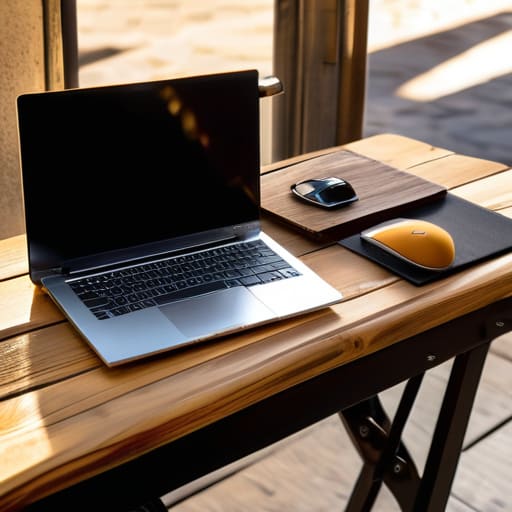
The problem with most advice on home office ergonomics is that it assumes you’re staying in one chair for the next decade. If you’re like me, your “office” might be a cafe in Lisbon one week and a cramped studio in Berlin the next. You can’t rely on a $1,200 ergonomic chair when your life is mobile. Instead, focus on the gear that travels with you—a lightweight, foldable laptop stand and a decent external keyboard. Your goal is to recreate a functional posture anywhere, rather than waiting for a perfect setup that might never arrive.
When your physical environment is constantly shifting, your mental environment needs to be even more stable. This is where a solid digital nomad workflow comes in. If you’re constantly adjusting to new desks and mediocre Wi-Fi, you’re burning mental cycles that should be going toward your actual projects. I’ve found that treating my gear as a modular kit helps with preventing remote work burnout; when the tools are easy to deploy, the friction of starting work disappears. If your setup feels like a chore to unpack, it’s already failing you.
The Digital Nomad Workflow Tools That Travel With You
If your entire professional existence is tethered to a specific desk, you aren’t working remotely; you’re just working from a different room. A true digital nomad workflow relies on the ability to transition from a coffee shop in Lisbon to a quiet rental in Chiang Mai without missing a beat. For me, that means everything lives in the cloud. If I can’t access my entire environment—from my custom scripts to my documentation—via a browser or a lightweight client, the setup is broken. I don’t carry heavy hardware; I carry a streamlined ecosystem that treats connectivity as a variable, not a constant.
The secret isn’t just about having a fast laptop; it’s about choosing tools that handle the friction of travel for you. I rely heavily on asynchronous communication strategies to manage client expectations across different time zones. Instead of getting stuck in a loop of endless Zoom calls that drain my battery and my sanity, I use tools that allow for deep work and structured updates. This approach keeps the momentum going even when the local Wi-Fi decides to tank, ensuring that my output stays consistent regardless of my GPS coordinates.
The Frictionless Stack: 5 Ways to Stop Fighting Your Tech
- Audit your cloud sync regularly. If you’re still manually moving files or relying on a physical drive to get from your home desk to a cafe in Lisbon, you’re creating friction. Everything—from your documentation to your heavy assets—needs to live in a seamless cloud environment so your “office” is wherever your laptop opens.
- Optimize for “mediocre Wi-Fi” survival. I’ve learned the hard way that relying on perfect fiber optics is a rookie mistake. Use lightweight, browser-based tools whenever possible and keep a dedicated mobile hotspot ready. Your productivity shouldn’t tank just because the local coffee shop’s router is struggling.
- Build a “context-switching” ritual. Since I don’t have a commute to separate my life from my work, I use my lo-fi playlist as a mental trigger. When the music starts, the brain knows it’s time to deep-work. If you don’t have a sensory cue to signal the start of your shift, your focus will stay scattered.
- Automate the boring stuff. If you’re doing the same repetitive task three times a day, find a way to script it or use a tool to automate it. I’d rather spend an hour setting up a workflow that saves me ten minutes every day than waste my mental energy on manual data entry.
- Prioritize hardware portability over raw power. It’s tempting to carry a massive workstation, but if it’s too heavy to move comfortably, you’re tethered to one spot. Aim for a high-performance, lightweight setup that doesn’t force you to choose between a powerful machine and the freedom to actually move around.
The Bottom Line: Build for Mobility, Not Just Comfort
Stop investing in heavy, stationary gear that anchors you to a single room; if your setup doesn’t fit in a backpack and sync perfectly via the cloud, it’s a liability, not an asset.
Prioritize “invisible” tech—tools and workflows that work so seamlessly in the background that you actually forget they’re there, leaving you with nothing but pure focus.
Your environment should be a variable, not a constant; design a modular workflow that stays consistent whether you’re at a dedicated desk or catching a signal on mediocre hotel Wi-Fi.
The Frictionless Mindset
Productivity isn’t about how many hours you grind; it’s about how little you have to fight your environment to get things done. If you’re spending more time troubleshooting your connection or hunting for a power outlet than actually coding, your setup is failing you.
Elias Vandermeer
The Bottom Line
At the end of the day, remote work productivity isn’t about finding a magic app or buying the most expensive ergonomic chair on the market. It’s about reducing the friction between your brain and your output. We’ve looked at how a scalable physical setup prevents burnout and how a cloud-first toolkit ensures your workflow doesn’t die the moment you leave your home Wi-Fi. If your hardware is too heavy to move or your files are trapped on a local drive, you aren’t actually working remotely—you’re just tethered to a different kind of desk. The goal is to build a system where the tech stays out of your way so you can actually get into a flow state.
Don’t get caught in the trap of “optimizing” forever without actually doing the work. It’s easy to spend weeks tweaking your mechanical keyboard switches or reorganizing your Notion workspace, but remember that these are just tools. Your setup should serve your life, not become a second job. Aim for a setup that is seamless, portable, and invisible. Once you stop fighting your environment and start mastering your digital ecosystem, you’ll realize that freedom isn’t just about traveling to new cities—it’s about having the capability to work from anywhere without missing a beat.
Frequently Asked Questions
How do you keep a stable connection when you're working from places with sketchy, unpredictable Wi-Fi?
Honestly, relying on public Wi-Fi is a recipe for a burnout session. I never trust a cafe’s router. My go-to is a dedicated mobile hotspot—usually a dedicated puck or just tethering through my phone with a high-gain antenna. I also keep a travel router in my bag; it lets me create a private, secure subnet for all my gear. If the connection is still trash, I switch to a lightweight VPN to stabilize the handshake.
What’s the best way to manage a heavy cloud-based workflow without draining your laptop battery in an hour?
The trick is moving the heavy lifting off your local hardware. If you’re running resource-heavy processes locally, your battery doesn’t stand a chance. I lean heavily on cloud-based IDEs and remote development environments like GitHub Codespaces or a dedicated VPS. By offloading the CPU cycles to a remote server, your laptop basically becomes a glorified terminal. It stays cool, stays quiet, and actually lasts through a flight or a long cafe session.
How do you actually maintain a "focus mode" when your workspace is constantly changing?
It comes down to sensory triggers. Since my physical environment is always shifting—from a cramped cafe in Lisbon to a quiet Airbnb in Tokyo—I have to build a “digital container” for my brain. I always lead with my lo-fi playlist; as soon as that ambient noise hits my headphones, my brain knows it’s time to grind. Pair that with a consistent cloud-based desktop layout, and the workspace becomes a mental state rather than a physical location.




