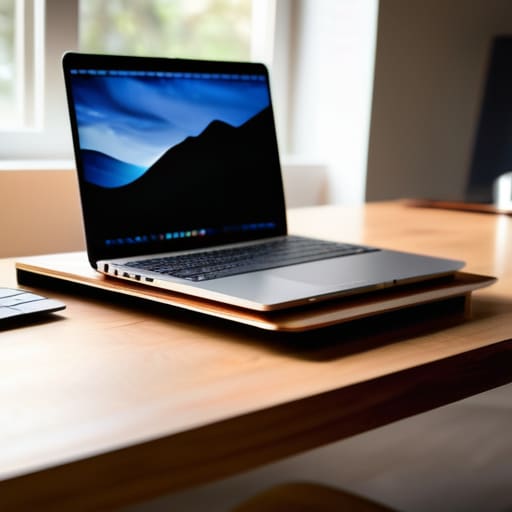
I was sitting in a cramped cafe in Lisbon last month, trying to debug a cloud deployment script, when I realized my neck was screaming at me. I had my gear spread out, but because I was working directly off my screen, I was hunched over like I was looking for lost coins on the floor. Most people think you need a massive, heavy-duty desk setup to stay healthy, but that’s a lie that keeps you tethered to a cubicle. The truth is, a decent laptop riser shouldn’t be some bulky piece of office furniture; it needs to be a minimalist tool that disappears into your bag and lets you maintain your posture whether you’re in a co-working space or a tiny studio apartment.
I’m not here to sell you on overpriced, aesthetic-only stands that fall apart the second you pack them in a backpack. I want to talk about gear that actually works for a mobile workflow. In this guide, I’m breaking down exactly what to look for in a riser so you can protect your spine without sacrificing your portability. No fluff, no marketing hype—just the practical stuff that helps you stay focused on the code, not the ache in your shoulders.
Table of Contents
Achieving Perfect Eye Level Screen Alignment

The biggest mistake I see when people set up a temporary workstation is treating their laptop like a permanent fixture on a flat table. When you’re staring down at a screen for hours, your neck starts to do this subtle, progressive slouch that eventually leads to a massive headache. Achieving proper eye level screen alignment isn’t just about comfort; it’s about preventing cervical spine strain before it becomes a chronic issue that ruins your focus.
I usually aim to have the top third of my screen sitting right at eye level. If you’re working from a cafe or a hotel, this is where a solid piece of gear makes the difference between a productive session and a literal pain in the neck. Instead of hunching over, I use an adjustable stand to lift the display, which forces my spine into a much more natural position. It’s a small tweak to your ergonomic desk setup, but once you stop fighting your own body, you’ll realize how much more mental energy you actually have left for the work itself.
Seamlessly Integrating Adjustable Laptop Elevation
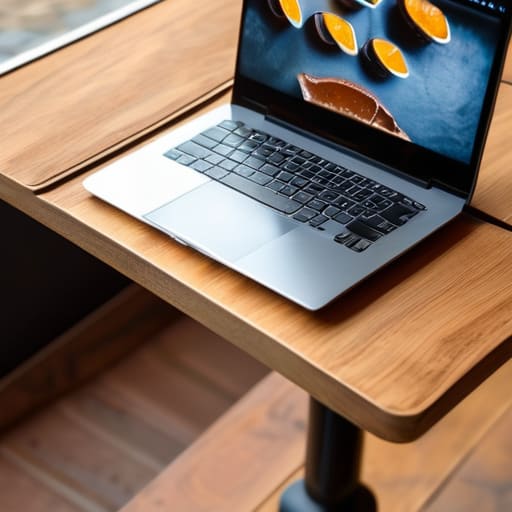
The real challenge isn’t just finding something to prop your screen up; it’s finding a solution that actually fits into a mobile workflow. If I’m working from a tiny cafe table in Lisbon or a cramped Airbnb in Berlin, I can’t be lugging around a heavy, permanent piece of equipment. I need something that facilitates adjustable laptop elevation without adding bulk to my tech pouch. The goal is to find a piece that bridges the gap between a makeshift pile of books and a professional, permanent workstation.
A good piece of gear should feel like an extension of your kit, not a chore to pack away. When you’re constantly shifting environments, your focus should stay on the code or the configuration, not on whether your neck is starting to ache. Integrating a lightweight, foldable solution into your ergonomic desk setup is a game changer for long-term health. It’s about minimizing friction between your ideas and your execution, ensuring that your physical comfort never becomes a bottleneck for your productivity.
Making It Work in the Real World
- Prioritize portability over everything else. If you’re moving between cafes or Airbnbs, a bulky aluminum slab is just dead weight in your backpack. Look for something foldable or slim enough to slide into a laptop sleeve without adding an extra layer of bulk.
- Check the stability before you commit. There is nothing worse than typing on a shaky riser while trying to hit a deadline on mediocre hotel Wi-Fi. If the base doesn’t feel grounded, your focus is going to tank every time you hit a heavy keystroke.
- Don’t forget about airflow. I’ve seen some sleek-looking stands that basically turn your laptop into a space heater because they block the vents. Make sure your riser has an open design so your fans aren’t screaming at you mid-workflow.
- Match the riser to your peripheral setup. If you’re using a mechanical keyboard, you need a riser that creates enough clearance for your gear. A riser that forces your keyboard into a weird angle is just another friction point you don’t need.
- Think about the “grab and go” factor. A good riser should be something you can set up in under ten seconds. If it requires a toolkit or a complex assembly, it’s not a tool—it’s a chore, and it’s going to end up sitting in your closet instead of your setup.
The Bottom Line for Your Setup
Stop settling for neck strain; a solid riser is the simplest way to keep your screen at eye level so you can actually focus on the code instead of your posture.
Prioritize portability—if your riser is too bulky to toss in your tech bag, it’s just dead weight that’s going to keep you tethered to a single desk.
Look for tools that disappear into your workflow; the best elevation gear is the kind you set up in seconds and forget about while you’re in the zone.
## The Invisible Tool
“A good riser isn’t about adding more gear to your bag; it’s about removing the physical friction between you and your screen so you can actually stay in the zone, whether you’re in a co-working space or a cafe with spotty Wi-Fi.”
Elias Vandermeer
Final Thoughts on Elevating Your Workflow

At the end of the day, a laptop riser isn’t just another piece of plastic or aluminum cluttering your bag; it’s a fundamental tool for maintaining your physical longevity. We’ve talked about why eye-level alignment matters and how an adjustable setup lets you transition from a dedicated desk to a cramped cafe table without the usual neck strain. Whether you go with a heavy-duty aluminum stand for your home base or a lightweight, foldable version for when you’re moving between cities, the goal remains the same: minimizing friction. When your hardware is positioned correctly, you stop thinking about your posture and start thinking about the code, the configuration, or the project in front of you. A good riser ensures your physical setup is completely invisible to your focus.
Don’t fall into the trap of thinking you need a massive, permanent office to be productive. The world is your workspace, provided you bring the right tools to support it. Investing in a quality riser is a small step toward building a truly mobile and resilient professional life. It’s about reclaiming your ability to work from anywhere without paying for it with back pain later. Build a setup that moves with you, stays out of your way, and lets you focus on the craft, not the discomfort. Stay mobile, stay focused, and keep your gear as streamlined as your workflow.
Frequently Asked Questions
How do I find a riser that won't wobble when I'm working on a shaky cafe table?
Look, there’s nothing worse than trying to hit a deadline while your screen is doing a jittery dance because of a cheap, spindly stand. If you’re working on cafe tables, skip the lightweight plastic stuff. You need something with a weighted aluminum base or a wide footprint. Look for “non-slip silicone padding” on the bottom and the contact points—that’s what actually grips the table and keeps your gear steady when the person next to you bumps the surface.
Is it worth getting a heavy metal stand, or should I stick to something foldable for my nomad setup?
If you’re moving as much as I am, skip the heavy metal slab. A massive stand is great for a permanent desk, but it’s a nightmare when you’re trying to pack a bag in a cramped hostel or a cafe. Go with something foldable and lightweight. You want gear that disappears into your tech pouch. If it’s too heavy to carry every single day, it’s just dead weight slowing you down.
Can I actually use a mechanical keyboard comfortably with a riser, or does it mess up my typing angle?
Honestly, that’s the biggest concern I had when I started building my portable kits. If you use a riser to lift the laptop, you can’t type on the laptop’s built-in keys comfortably—your wrists will be at a terrible angle. But that’s exactly why I carry a compact mechanical keyboard. Use the riser for the screen, and keep your keyboard on the desk surface. It actually fixes your ergonomics rather than ruining them.




