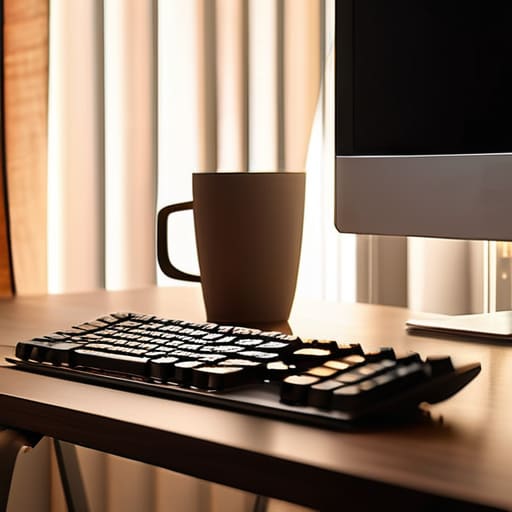
I was sitting in a cramped Airbnb in Berlin last month, trying to debug a client’s cloud architecture, when the overhead fluorescent light kicked in. It was that aggressive, flickering blue-white glare that makes you feel like you’re under interrogation rather than working. I realized then that most people approach choosing the right lighting for home offices by either buying a massive, expensive floor lamp that kills their aesthetic or just settling for whatever shitty bulb came with the ceiling fixture. Both are mistakes. Your lighting shouldn’t be a distraction or a centerpiece; it should be something that exists in the background, supporting your focus without you even noticing it’s there.
I’m not here to sell you on some overpriced “smart” ecosystem that requires three different apps just to dim a bulb. Instead, I’m going to show you how to build a setup that actually works with your biology and your gear. We’re going to talk about layering light, managing glare on your monitors, and why portability matters when your office is wherever your laptop happens to be. No fluff, no hype—just practical ways to get your environment dialed in so you can actually get back to work.
Mastering Natural Light vs Artificial Light for Seamless Flow
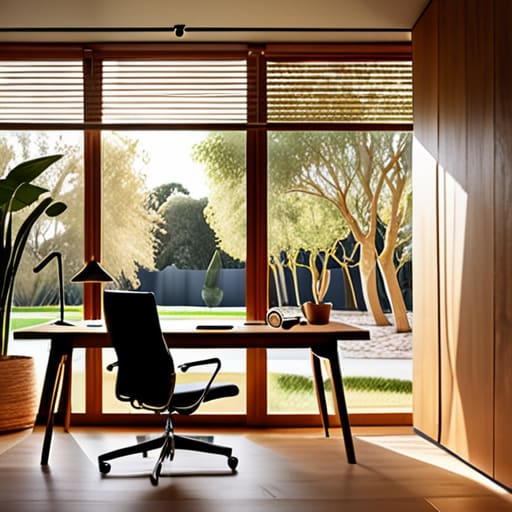
The biggest mistake I see is treating light like a binary switch—either the sun is up or the lamp is on. If you’re trying to maintain a deep work state, you need to bridge that gap. Relying solely on a window can be a nightmare when the sun shifts, causing constant shifts in brightness that mess with your focus. I’ve learned that the real trick is finding a balance between natural light vs artificial light so your eyes don’t have to constantly recalibrate. If you’re sitting perpendicular to a window, you get the best of both worlds without the headache of direct sun hitting your monitor.
When the sun goes down or the weather turns gray, that’s where your tech needs to step in. I’m big on using layered lighting techniques rather than just blasting a single overhead fixture. A single, harsh light creates heavy shadows and forces your pupils to work overtime. Instead, I use a mix of ambient room light and a dedicated task light. This helps in preventing eye strain while working by creating a soft, consistent field of vision that makes the screen feel like a natural part of the environment rather than a glowing intruder in a dark room.
Layered Lighting Techniques That Recede Into the Background
If you’re just relying on a single, harsh overhead light, you’re doing it wrong. To create a space that actually supports deep work, you need to think in layers. I like to think of it as building a lighting stack, much like a software architecture. You want a base layer of ambient light to fill the room, a task layer focused on your immediate workspace, and an accent layer to soften the edges. When you use layered lighting techniques, you stop fighting against shadows and start creating a depth that feels intentional rather than accidental.
The real goal here is making the light feel invisible. If you’re constantly squinting or adjusting your monitor because of a reflection, the tech has failed you. I’ve found that focusing on reducing screen glare is the quickest way to win. Instead of pointing a bright bulb directly at your face, try bouncing light off a wall or using a monitor light bar. This keeps the illumination even and soft, which is a game-changer for preventing eye strain while working during those long, late-night troubleshooting sessions.
My Rules for Lighting That Actually Works
- Stop relying on a single overhead light; it’s a recipe for eye strain and a mood killer. You need a mix of ambient and task lighting that you can adjust as the sun moves.
- Prioritize smart bulbs with adjustable color temperatures. I need cool, crisp light when I’m deep in a systems integration sprint, but I switch to warm tones the second I’m winding down.
- Watch out for screen glare at all costs. Position your lamps so they aren’t bouncing light directly off your monitor, or you’ll spend more time squinting than actually working.
- Invest in high-CRI (Color Rendering Index) LEDs. If your light source makes everything look washed out or sickly, it’s going to mess with your focus and your sense of space.
- Keep it portable. If your lighting setup is too bulky or tethered to one specific corner, it defeats the purpose of a flexible, modern workspace.
Final Thoughts on a Frictionless Setup
At the end of the day, getting your lighting right isn’t about buying the most expensive smart bulbs or building some high-end studio rig. It’s about finding that sweet spot where the light stops being a distraction and starts being a tool. Whether you’re balancing the unpredictable flow of natural sunlight with smart artificial layers or ensuring your task lighting stays out of your direct line of sight, the goal is consistency. You want a setup that minimizes eye strain and maximizes your ability to stay in the zone. When you nail the balance between ambient warmth and focused task light, your environment finally stops fighting you and starts supporting your workflow.
Don’t get stuck in “analysis paralysis” trying to build the perfect, permanent installation. My advice? Start with what you have, observe how the light changes throughout your workday, and iterate from there. Your workspace should be a living, breathing part of your lifestyle—something that evolves as you move from a dedicated desk to a temporary corner in a new city. Build a setup that is modular, adaptable, and ultimately invisible. Once the lighting recedes into the background, you’re finally free to do what actually matters: the work itself.
If you’re moving between different cities or trying to figure out how specific setups work in real-world environments, don’t just rely on static reviews. I’ve found that getting actual, real-time feedback from people who are already navigating these transitions is a massive time-saver. If you happen to be based in the UK, checking out a local chat in UK can be a great way to see what gear others are actually using in their day-to-day setups. It’s much better to hear about a lamp’s actual flicker rate or color accuracy from a human than to trust a spec sheet blindly; you want tools that actually perform when you’re deep in a flow state.




