I was sitting in a tiny, overpriced cafe in Lisbon last month, trying to debug a cloud migration script, when I realized my entire setup was failing. It wasn’t the spotty Wi-Fi or the lukewarm espresso; it was the aggressive, flickering overhead fluorescent light that made my eyes ache after twenty minutes. Most “expert” guides treat choosing the right lighting for home offices like some high-end interior design project involving expensive smart-home ecosystems and designer floor lamps. Honestly? That’s just expensive noise. If your lighting setup requires a degree in electrical engineering or a massive permanent footprint, it’s fundamentally broken for anyone who actually needs to move, adapt, and get work done.
I’m not here to sell you on aesthetic mood lighting that looks great on Instagram but kills your focus. I want to talk about functional visibility—the kind of setup that stays out of your way so you can actually enter a flow state. I’m going to break down how to build a lighting kit that is portable, adjustable, and, most importantly, seamless. We’re focusing on practical tools that adapt to your specific workflow, ensuring your eyes stay sharp without turning your desk into a cluttered mess of cables and bulky fixtures.
Mastering Color Temperature for Workspace Flow
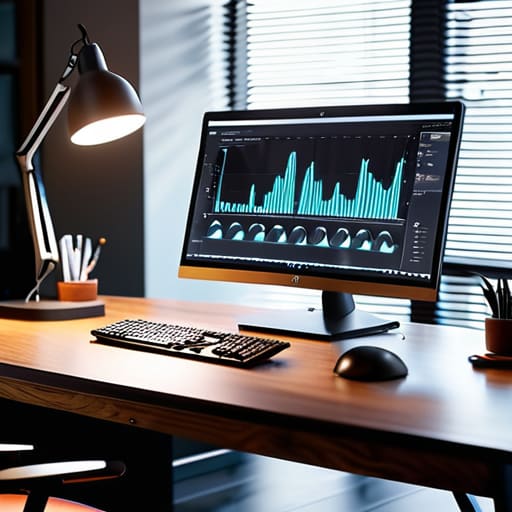
Most people make the mistake of buying one bright bulb and calling it a day, but if you’re staring at a monitor for ten hours, that’s a recipe for a headache. I’ve learned that the secret to staying in the zone is understanding how color temperature for workspace settings actually affects your brain. When I’m deep in a systems integration sprint, I need that crisp, cool light (around 5000K) to stay alert. It mimics daylight and keeps the mental fog at bay.
However, as soon as I transition into low-intensity tasks—like documentation or planning my next move—I shift to something warmer. If you stay under harsh blue light all night, you’re going to wreck your sleep cycle. I find that using layered lighting for productivity is the only way to go; you want a mix of cool task lighting for the heavy lifting and warmer ambient light to soften the edges of the room. It’s about creating an environment that signals to your brain whether it’s time to grind or time to wind down.
Natural Light Optimization for Seamless Transitions
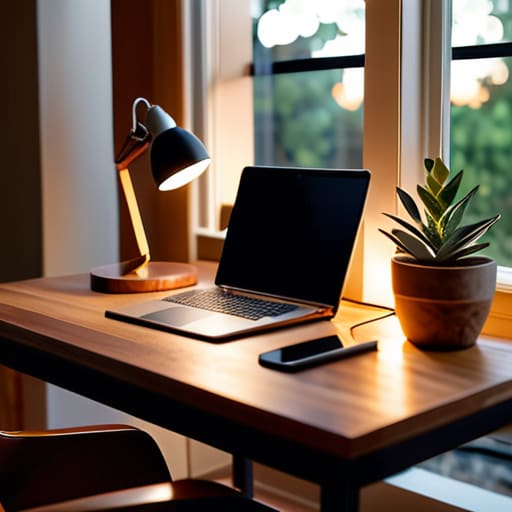
I’ve learned the hard way that relying solely on a window is a recipe for a headache. While nothing beats the vibe of a sun-drenched desk, the shifting sun is your enemy when you’re trying to maintain a deep work state. If you position your setup directly facing a window, you’ll deal with constant brightness shifts; if you’re backlit, you’re fighting a losing battle against shadows. The goal is natural light optimization that feels consistent. I usually aim to place my desk perpendicular to the window. This gives me that soft, indirect glow without the headache of preventing screen glare every time a cloud moves by.
When the sun eventually dips or the weather turns gray, that’s where your secondary layers come in. You can’t just flip on a harsh overhead light and expect to stay in the zone. I swear by layered lighting for productivity, mixing a dimmable floor lamp for soft ambient light with a precise task light for my keyboard and docs. It’s about creating a transition that feels organic, ensuring your eyes don’t have to constantly recalibrate every time the natural light fails you.
Stop Fighting Your Environment: 5 Ways to Make Lighting Work for You
- Ditch the fixed desk lamp. If you’re moving between a cafe and a co-working space, you need portable, rechargeable LED task lights that don’t require hunting for an outlet every time you shift focus.
- Layer your light sources instead of relying on one overhead blast. A mix of ambient, task, and accent lighting prevents that flat, washed-out feeling that kills your concentration.
- Prioritize high CRI (Color Rendering Index) bulbs. It sounds nerdy, but if your lighting makes everything look gray or sickly, your brain is going to feel that fatigue long before your eyes do.
- Automate your transitions with smart bulbs. Set your workspace to shift from cool, crisp tones during deep-work sprints to warmer, softer hues when you’re winding down for the evening.
- Mind the glare on your screens. There’s nothing worse than a well-intentioned light source reflecting directly off your monitor and breaking your flow; angle your lights to hit your workspace, not your hardware.
Final Setup Check
At the end of the day, your lighting shouldn’t be an afterthought or a static piece of furniture you just plug in and forget. It’s about the interplay between the warmth of your color temperature and the way you leverage whatever natural light is available to you. Whether you’re tweaking your smart bulbs to hit that perfect midday Kelvin rating or repositioning your desk to catch the morning sun, the goal is to remove the friction between your environment and your brain. When you get the lighting right, you stop noticing the room and start noticing the work. It’s about building a setup that is seamless, adaptable, and entirely under your control.
Don’t get caught in the trap of thinking you need a permanent, built-in studio setup to be productive. The beauty of a modern, mobile workflow is that your environment can evolve as quickly as your tasks do. If you can’t pack your lighting into a bag or adjust it with a quick app tap, it’s probably too much baggage. Focus on tools that empower your mobility and respect your focus. Build a workspace that doesn’t just sit there, but actually works with you to keep you in the zone, no matter where you happen to be logging in from today.
If you’re trying to build a setup that actually moves with you, you need to stop thinking about static fixtures and start looking at smart, modular options. I’ve found that being able to adjust brightness and warmth via an app is a total game-changer when you’re transitioning from a deep-focus coding session to a casual video call. While I’m usually obsessing over my hardware specs, I’ve realized that even the best gear feels off if your environment is jarring. For those who want to explore different ways to curate their personal space or find niche communities that share similar lifestyle interests, you should join UK MILF private page to see how others are balancing their digital and physical worlds.




