
I was sitting in a cramped cafe in Porto last month, trying to push through a complex cloud migration script, when that familiar, dull ache started creeping up my forearm. It’s that specific, biting tension that tells you your gear is working against you, not for you. I used to think I could just power through the discomfort with a standard mouse, but that’s a lie we tell ourselves to avoid changing our habits. Switching to a vertical mouse wasn’t about following some ergonomic trend or buying more plastic junk; it was about removing a physical barrier between my brain and my code.
I’m not here to sell you on some overpriced, RGB-lit gaming peripheral that promises to change your life. Instead, I want to talk about how a proper vertical mouse actually integrates into a mobile, high-performance workflow. I’ll be sharing my honest, field-tested take on what matters—like grip stability and portablity—so you can stop managing pain and start focusing on the work. No hype, just the practical reality of making your tools invisible.
Table of Contents
Achieving a Neutral Wrist Position Anywhere

The real problem with a standard mouse is the “pronated” position—that awkward, flat-on-the-table way your hand sits that forces your forearm bones to cross over each other. When I’m working out of a cramped cafe in Lisbon or a tiny Airbnb in Montenegro, I notice my wrist starts aching after just an hour of tweaking cloud configurations. That’s because you aren’t in a neutral wrist position; you’re essentially twisting your anatomy to fit the hardware. Switching to a vertical design lets your hand settle into a natural “handshake” grip, which is the gold standard for hand posture ergonomics.
By letting your hand rest at that natural angle, you’re doing more than just getting comfortable; you’re actively reducing forearm muscle tension that builds up during long sessions. I’ve found that once I stop fighting my own anatomy, the physical distractions just… disappear. It’s about preventing repetitive strain injury before it actually becomes a problem that forces you to take a week off. If your gear is making you focus on your pain instead of your code, your setup is failing you.
Seamless Ergonomic Computer Peripherals for Digital Nomads
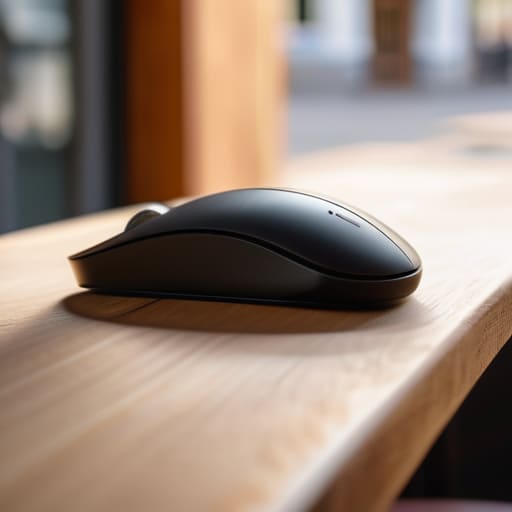
When you’re working out of a cafe in Lisbon or a cramped Airbnb in Chiang Mai, your gear needs to be more than just functional; it needs to be protective. Most standard mice force your palm flat against the desk, which is a recipe for disaster when you’re pulling long hours on a deadline. I’ve found that investing in high-quality ergonomic computer peripherals is the only way to stay mobile without paying for it later in physical pain. It’s about finding that balance between a slim profile that fits in my tech pouch and a shape that actually respects my anatomy.
If you’re serious about a long-term freelance career, you have to prioritize preventing repetitive strain injury before the tingling in your fingers even starts. I don’t have the luxury of a permanent, custom-built workstation, so I rely on tools that promote a neutral wrist position regardless of whether I’m on a wooden bistro table or a hotel desk. It’s not about being high-maintenance; it’s about ensuring my setup doesn’t become a bottleneck to my actual work.
Five Ways to Actually Make a Vertical Mouse Work for You
- Don’t expect instant magic; your muscle memory is going to fight you for the first few days, so give it a week before you decide it’s a gimmick.
- Pair it with a portable mousepad because trying to use a vertical mouse on a coffee shop table or a bedsheet is a recipe for jittery tracking and frustration.
- Keep your forearm relaxed, not just your wrist; the whole point is to stop that “claw” tension, so let your arm settle into a natural handshake position.
- Check your DPI settings immediately, since the different grip angle usually means you’ll need to adjust how much you move your hand to get across the screen.
- Match your mouse size to your hand scale; if you’re traveling light, don’t grab a massive ergonomic brick that feels like a workout just to move a cursor.
The Bottom Line for Your Mobile Setup
Stop treating ergonomics as an afterthought; a vertical mouse isn’t a luxury, it’s a necessity if you want to keep working without constant wrist fatigue.
Prioritize gear that fits your lifestyle, meaning your mouse needs to be as portable and reliable as the cloud tools you use every day.
The goal is to make your hardware invisible so you can stop worrying about your physical discomfort and actually get into a flow state.
The Invisible Upgrade
“If you’re spending half your workday thinking about wrist strain or adjusting your grip, your gear is failing you. A vertical mouse isn’t some niche ergonomic luxury; it’s about making the hardware disappear so you can actually stay in the flow.”
Elias Vandermeer
The Final Setup Check

At the end of the day, switching to a vertical mouse isn’t about chasing some niche ergonomic trend; it’s about removing a physical barrier between you and your work. We’ve talked about how it fixes your wrist alignment, how it fits into a minimalist mobile kit, and why it’s a non-negotiable for anyone spending ten hours a day navigating cloud interfaces. If you’re constantly managing numbing wrist pain or repetitive strain, you aren’t actually working—you’re just managing a physical limitation. Investing in the right peripheral means you can stop thinking about your hardware and start focusing on the actual output.
My philosophy has always been that your gear should be invisible. When your tools work exactly how your body expects them to, they disappear, leaving you with nothing but a clear headspace and a seamless workflow. Don’t let a sub-par setup dictate where you can work or how long you can stay productive. Whether you’re sitting in a quiet cafe in Lisbon or a cramped corner of a library, make sure your kit is working for you, not against you. Build a setup that scales with your life, and the rest will follow.
Frequently Asked Questions
Will switching to a vertical mouse mess with my muscle memory and slow down my workflow while I'm learning?
Look, I’ll be real: there’s a learning curve. For the first few days, your precision might feel a bit off, and you’ll probably find yourself reaching for the “old” way out of habit. It’s a temporary friction. But once that muscle memory resets, you won’t even notice the mouse is there. That’s the goal—the gear should become invisible so you can just stay in the flow. Stick with it; the payoff is worth the hiccup.
Are there any lightweight vertical mice that won't take up too much space in my tech pouch when I'm traveling?
Honestly, the struggle is real. Most vertical mice are absolute bricks, which is a nightmare when you’re trying to keep your tech pouch slim. If you’re traveling, look into the Logitech Lift—it’s designed for smaller hands and is way more compact than the MX Vertical. Alternatively, check out some of the smaller ergonomic clones on Amazon. Just make sure they aren’t so bulky that they force your bag to bulge. Keep it light, keep it mobile.
Can I actually use a vertical mouse effectively on a plane tray table or a cramped cafe desk?
Honestly, it’s a struggle at first. If you’re working off a cramped cafe table or a tiny plane tray, a bulky vertical mouse can feel like an anchor. But here’s the trick: look for a “compact” or “travel” vertical model rather than the massive ergonomic ones meant for a home desk. It takes a few days to recalibrate your muscle memory, but once you do, you won’t go back to that awkward claw grip.




