I was sitting in a cramped cafe in Lisbon last month, staring at a tangled mess of proprietary dongles and a “smart” lighting system that refused to sync with my laptop because the local Wi-Fi was too unstable. It hit me then: most people treat smart home office integration like a luxury hobby, buying expensive, shiny gadgets that actually create more friction instead of less. We’ve been sold this lie that a high-end setup requires a room full of blinking LEDs and specialized hardware that locks you into a single ecosystem. If your gear requires a manual just to keep your lights on while you’re trying to push code, it isn’t smart—it’s just bloated overhead.
I’m not here to sell you on a lifestyle aesthetic or a shopping list of overpriced tech. My goal is to show you how to build an invisible infrastructure—a setup that prioritizes cloud-based tools and seamless connectivity so your workspace adapts to you, no matter where you’re plugging in. I’ll be sharing the practical, no-nonsense workflows I use to ensure my environment stays functional, portable, and, most importantly, completely out of my way.
Table of Contents
Building Your Iot Office Ecosystem for Zero Friction

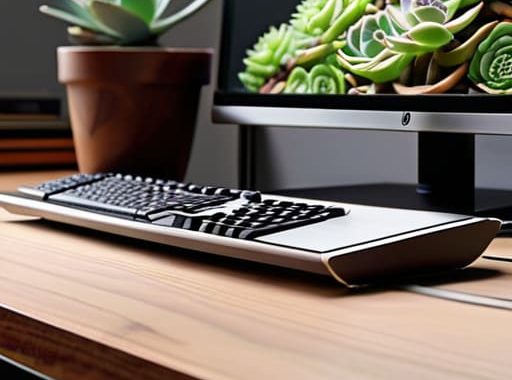
When I’m setting up in a new rental or a temporary co-working spot, I don’t want to spend an hour fiddling with light switches or hunting for power outlets. The goal is to build an IoT office ecosystem that feels like an extension of my brain. I start with a few high-quality smart plugs; they’re the backbone of a reliable smart plug office setup. I use them to automate my peripheral gear—my monitor, my lamp, even my coffee warmer. This way, one command or a single scheduled routine brings my entire station to life without me touching a single physical switch.
It’s not about having a bunch of shiny gadgets for the sake of it; it’s about reducing the cognitive load. I focus on automated workspace settings that handle the mundane stuff. For instance, I have my lighting transition from a cool, daylight temperature for deep focus to a warmer hue when my lo-fi playlist kicks in for wrap-up time. If your tech requires constant manual tweaking, it’s not working for you—it’s working against you. The tech should just be there, invisible and ready.
Automated Workspace Settings That Anticipate Your Next Move

The goal isn’t just to have gadgets; it’s to make sure they aren’t actually making you work harder. I’ve found that the best automated workspace settings are the ones you forget exist. For me, it starts with a single command that triggers my “deep work” mode. As soon as I hit that macro, my smart lights shift to a cool 5000K temperature to keep me sharp, my noise-canceling speakers kick in with my lo-fi playlist, and my smart plug office setup cuts power to my peripheral monitors to prevent that annoying standby glow. It’s about removing the micro-decisions that drain your mental battery before you’ve even finished your first cup of coffee.
Beyond just lighting and power, true smart desk ergonomics come from automation that respects your physical health. I use sensors to track my posture and lighting levels, ensuring my setup adjusts as the natural light shifts throughout the day. If the sun goes down, the environment shifts automatically to prevent eye strain. When you treat your office like a living, responsive system rather than a collection of static tools, you stop managing your space and start actually using it.
My Non-Negotiables for a Frictionless Setup
- Prioritize local control over cloud-dependent gadgets. If your desk lights or smart plugs require a round-trip to a server in another country just to turn on, you’re building a house of cards. Stick to protocols like Zigbee or Matter so your gear stays functional even when the Wi-Fi gets spotty.
- Centralize your command center. Don’t scatter five different apps across your phone to manage your environment. Use a single dashboard—whether it’s Home Assistant or a streamlined tablet setup—so you aren’t hunting for controls when you’re trying to hit a flow state.
- Automate your lighting based on the time of day, not just a schedule. I use smart bulbs that shift from cool, high-energy tones in the morning to warmer, low-blue-light hues in the evening. It helps signal to my brain that the workday is winding down without me having to touch a single switch.
- Invest in smart power management. I have my secondary monitors and peripherals plugged into smart strips that automatically cut power when I’m not at my desk. It’s not just about saving a bit of electricity; it’s about reducing the “phantom” electronic noise and keeping my setup clean.
- Treat your network as the foundation, not an afterthought. You can have all the smart integration in the world, but if you’re running it all on a consumer-grade router that chokes under load, your “smart” office is just a headache. Segment your IoT devices onto their own VLAN so they don’t eat up the bandwidth you need for your actual work.
The Bottom Line: Building for Mobility and Focus
Stop treating your office like a fixed location; if your smart integration isn’t cloud-based and accessible from a cafe or a co-working space, it’s not a setup, it’s an anchor.
Aim for “invisible” tech—your lighting, climate, and connectivity should adjust in the background so you can stay in deep work without manually tweaking your environment.
Prioritize reliability over gadgetry; a seamless ecosystem is built on stable, interoperable tools that actually work together, not a collection of shiny apps that break the moment your Wi-Fi fluctuates.
## The Goal of Integration
“A smart office shouldn’t feel like a science experiment; it should feel like your environment just knows what you need before you even reach for a switch. If you’re spending more time managing your tech than actually using it, you haven’t built a system—you’ve just built a distraction.”
Elias Vandermeer
The Invisible Edge
At the end of the day, smart home office integration isn’t about collecting every shiny new gadget on the market or turning your desk into a sci-fi movie set. It’s about the quiet efficiency of an ecosystem that just works. We’ve talked about building an IoT foundation that eliminates friction and setting up automations that handle the mental load of adjusting your environment. When your lighting, connectivity, and hardware all sync up through the cloud, you stop managing your tools and start actually using them. The goal is to reach a state of zero-latency workflow, where the tech fades into the background and leaves you alone with your deep work.
Don’t get caught up in the complexity for the sake of it. If a piece of tech doesn’t make your setup more portable or your focus more sustainable, it’s just digital clutter. I’ve learned through a lot of trial and error—and a fair amount of cable management frustration—that the best setups are the ones that move with you. Whether you’re working from a fixed desk or a temporary spot in a new city, your digital infrastructure should be your constant. Build something that adapts to your life, keeps you focused, and ultimately, sets you free to work from anywhere.
Frequently Asked Questions
How do I keep my IoT devices from killing my bandwidth when I'm trying to push heavy cloud workloads?
The quickest way to fix this is through network segmentation. Don’t let your smart bulbs and sensors fight your workstation for the same lane. Set up a dedicated IoT VLAN on your router to isolate all those low-bandwidth devices. This keeps your primary SSID clear for the heavy lifting—like pushing Docker images or syncing large cloud volumes—without a smart plug suddenly hogging your priority bandwidth during a critical deployment.
What's the best way to ensure my smart setup stays secure if I'm frequently switching between different Wi-Fi networks?
If you’re jumping between cafes or coworking spots like I do, you can’t rely on “public” Wi-Fi for your gear. It’s a massive vulnerability. I always run a dedicated hardware VPN at the router level if possible, but for most, a solid Tailscale setup is the move. It creates a private, encrypted mesh network that follows you everywhere. It makes your remote gear feel like it’s still sitting on your home LAN, no matter where you land.
Is it actually worth investing in dedicated smart hubs, or can I just manage everything through a single cloud-based dashboard?
Honestly, if you’re chasing a seamless setup, skip the dedicated hubs unless you’re running heavy local automation. For most of us, a single cloud-based dashboard is plenty. I’ve found that layering everything through one interface keeps the friction low. If I have to jump between four different apps just to dim my lights and check my server status, the “smart” part has already failed. Keep it centralized, keep it cloud-first, and stay mobile.