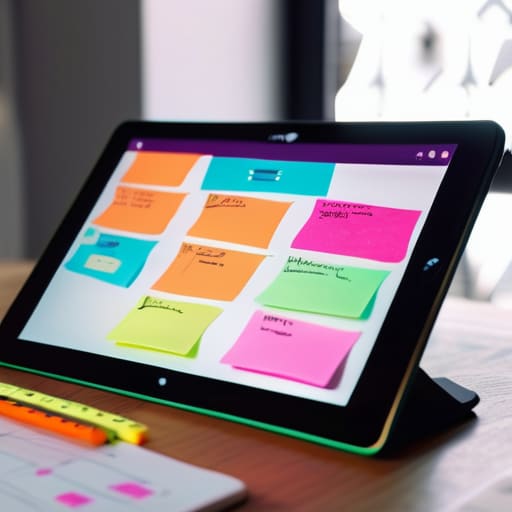
I’ve spent the last three years working out of coffee shops and tiny Airbnbs, and if there’s one thing I’ve learned, it’s that your ideas shouldn’t be tethered to a physical desk. There is nothing more frustrating than having a breakthrough during a brainstorm, only to realize you can’t easily map it out because you’re stuck with a standard, linear document. When you’re moving between cities, you need virtual whiteboard tools that actually keep up with your brain’s chaotic flow, rather than forcing you to conform to a rigid, stationary workflow. If your digital workspace isn’t as mobile as you are, it’s essentially just dead weight.
In this post, I’m breaking down five specific tools that have survived my “mediocre Wi-Fi” stress tests. I’m not interested in bloated enterprise software that requires a PhD to navigate; I’m looking for seamless, cloud-based solutions that feel almost invisible while you work. You’re going to learn which platforms offer the best stability for remote collaboration and, more importantly, which ones actually help you maintain your focus without the technical friction. Let’s get into it.
Table of Contents
Miro: The Heavyweight Champion

If you’re working on massive, multi-layered projects that involve more than just a few sticky notes, Miro is pretty much the industry standard for a reason. It’s got this almost infinite canvas feel that makes it perfect for mapping out complex system architectures or long-term product roadmaps. I’ve used it while sitting in coffee shops across Europe, and the way it handles massive amounts of data without completely choking my browser is actually impressive.
FigJam: For the Design-First Crowd
Since I spend a lot of time looking at UI/UX layouts, FigJam is a tool I find myself gravitating toward when the vibe is more about creative flow than rigid documentation. It’s built by the Figma team, so it feels incredibly intuitive and snappy. If you’re already living in the Figma ecosystem, the transition to a brainstorming session in FigJam is basically seamless, which is exactly how a tool should behave.
Mural: Enterprise-Grade Collaboration
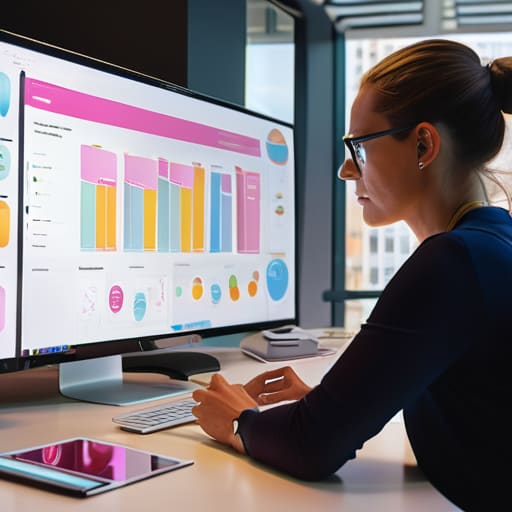
Mural is what I call the “grown-up” version of a digital whiteboard. It’s clearly built with large, distributed teams in mind, focusing heavily on structured facilitation. If you’re the person leading a workshop for twenty people across three different time zones, Mural provides the guardrails you need to keep the session from turning into total chaos.
Lucidspark: The Logic-Driven Choice
I tend to lean toward Lucidspark when my brain is in “logic mode.” It’s part of the Lucid suite, and you can tell it was designed for people who care about the relationship between data points. It’s not just about throwing shapes on a screen; it’s about building a visual representation of how things actually connect and function.
Apple Freeform: The Minimalist’s Secret Weapon
Sometimes, you don’t need a massive, subscription-heavy platform; you just need a blank space that works. If you’re already deep in the Apple ecosystem, Freeform is surprisingly capable for quick, low-friction sketching. I often pull this up on my iPad when I’m traveling and just need to jot down a quick diagram or a rough concept without waiting for a heavy web app to load.
The Bottom Line
If your digital whiteboard isn’t cloud-native and accessible from a laptop in a cafe, it’s just more digital clutter holding you back.
Prioritize seamless integration over flashy features; the best tool is the one that stays out of your way while you’re actually trying to build something.
Stop tying your creativity to a specific desk—build a workflow that lets you brainstorm anywhere, regardless of how mediocre the Wi-Fi is.
## The End of the Static Workspace
If your brainstorming session requires you to be sitting at a specific desk in a specific room, your workflow is already broken. A real virtual whiteboard isn’t just a digital canvas; it’s the freedom to move from a cafe to a co-working space without losing a single thread of your idea.
Elias Vandermeer
Finding Your Flow
At the end of the day, picking a virtual whiteboard isn’t about finding the tool with the most bells and whistles; it’s about finding the one that actually gets out of your way. Whether you’re leaning into the infinite canvas of Miro for heavy-duty systems mapping or keeping it lightweight and snappy with something like FigJam for quick brainstorms, the goal is the same: frictionless collaboration. You don’t want to spend twenty minutes fighting a clunky UI when you should be solving a problem. The right tool should feel like an extension of your thought process, staying synced across your devices so you can jump from a cafe in Lisbon to a quiet library in Tokyo without losing a single stroke of your digital ink.
My advice? Stop overthinking the “perfect” stack and just start building. Your setup is a living thing that should evolve as your projects—and your locations—change. Don’t let the fear of a messy digital canvas keep you tethered to a static, traditional way of working. Once you move your ideas into a truly cloud-native environment, you’ll realize how much mental space you actually regain. Build a workflow that moves with you, stays lightweight, and lets you focus on the work that actually matters. Your best ideas shouldn’t be trapped by your desk.
Frequently Asked Questions
How do I keep my brainstorms from getting messy when I'm switching between a laptop and a tablet on the go?
The trick is staying platform-agnostic. If you’re tethered to a tool that only plays nice with a mouse and keyboard, you’re going to hit a wall the second you pick up your tablet. I stick to cloud-native apps with solid stylus support. That way, I can map out complex logic on my iPad while grabbing coffee, then jump back to my laptop to refine the technical details without losing a single stroke. Keep the sync seamless, or don’t bother.
Are these tools actually going to work when I'm stuck on a cafe's spotty Wi-Fi, or will I lose my progress?
That’s the million-dollar question when you’re working out of a cafe. Honestly, it depends on the tool’s offline capabilities. Most of these cloud-based whiteboards rely on a constant heartbeat to sync. If your connection drops, you might see a spinning wheel of death. I always check if a tool has a local cache or “offline mode” before I commit. If it doesn’t, keep your heavy lifting for when you’re on a stable connection.
Do I really need a paid subscription for these, or is there a solid free version that won't gatekeep the basic features?
Look, I get it. Nobody wants another monthly subscription eating into their freelance margins. For most of these, you can definitely get by on the free tiers if you’re working solo or in a small pod. The free versions usually handle the core sketching and infinite canvas stuff just fine. You only really hit the paywall when you need heavy-duty admin controls or massive file storage. Start free, stay free until the workflow actually breaks.




