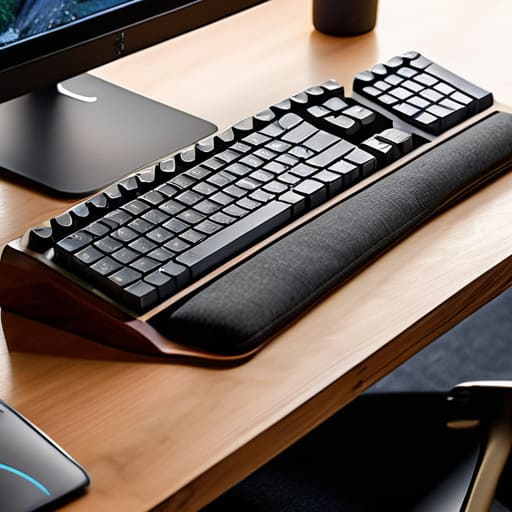
I was sitting in a cramped cafe in Lisbon last month, trying to push through a complex cloud migration script, when that familiar, sharp ache flared up in my forearm. I had been working on my custom 65% build for three hours straight, and my setup—while aesthetically clean—was missing one crucial element. Most people think you need to drop $100 on some ergonomic “solution” that looks like a medical device to save your joints, but the truth is that most keyboard wrist rests on the market are just overhyped, bulky pieces of foam that clutter your desk and kill your portability. If a piece of gear doesn’t actually disappear into your workflow, it’s just more friction you don’t need.
I’m not here to sell you on some overpriced gel cushion that’s going to sweat against your skin after a week. Instead, I want to talk about finding tools that actually integrate into a mobile, high-performance lifestyle. I’ve tested everything from minimalist wood slabs to ultra-slim memory foam to see what survives a life on the move. I’m going to show you how to pick keyboard wrist rests that provide genuine, invisible support without turning your compact desk into a cluttered mess.
Table of Contents
Achieving Optimal Wrist Alignment Without the Bulk

When I’m working out of a cafe or a cramped Airbnb, the last thing I want is a massive, chunky piece of plastic cluttering my workspace. I need something that supports my hands without turning my desk into a permanent construction site. Achieving optimal wrist alignment is less about finding the biggest cushion and more about finding the right height relative to your specific board. If you’re using a high-profile mechanical keyboard, a thin, low-profile support is usually the way to go to keep your tendons from screaming after a long session.
The real debate usually boils down to gel vs foam wrist rests, and honestly, it depends on your typing style. I personally prefer a firm foam; it doesn’t bottom out under pressure, which is crucial when you’re deep in a flow state. Gel can feel great for the first twenty minutes, but it often lacks the structural integrity needed for long-term support. If you’re serious about preventing repetitive strain injury while maintaining a mobile, minimalist kit, look for something slim and high-density. It should feel like an extension of your desk, not an obstacle.
Preventing Repetitive Strain Injury in Mobile Workflows

When you’re bouncing between cafes or working from a cramped Airbnb, your setup usually takes a hit. It’s easy to justify a subpar angle because “it’s just for a few hours,” but that’s exactly how chronic issues start. If you’re serious about preventing repetitive strain injury, you can’t treat your physical health as an afterthought. I’ve learned the hard way that even the best cloud-based workflow won’t matter if your hands are too inflamed to type.
The trick is finding a balance between support and portability. I used to think anything soft was fine, but there’s a massive difference between gel vs foam wrist rests when you’re looking for long-term stability. Gel tends to hold its shape better during intense coding sessions, while foam is lighter for the nomad life. Ultimately, the goal is to maintain optimal wrist alignment regardless of whether you’re at a dedicated desk or a tiny bistro table. Don’t let a lack of proper support become a permanent bottleneck in your career.
My Rules for Picking a Rest That Actually Works
- Prioritize low-profile designs. If your wrist rest is a massive, chunky block, it’s going to throw off your entire ergonomic angle, especially when you’re working on a coffee shop table that isn’t perfectly level.
- Go for materials that breathe. I’ve learned the hard way that cheap foam or solid silicone traps heat. You want something like high-density memory foam or even a slim gel layer that doesn’t make your hands sweat after an hour of deep work.
- Think about portability over everything. If it doesn’t slide easily into your tech pouch or laptop sleeve, it’s just extra weight you’re carrying for no reason. A dedicated, slim rest is a tool; a bulky one is just luggage.
- Match the height to your specific board. Since I switch between different mechanical keyboards, I’ve realized there is no “one size fits all.” A rest that works for a low-profile membrane board will feel completely wrong under a heavy, high-profile custom build.
- Look for “set it and forget it” textures. You don’t want a surface that’s so grippy it feels like it’s pulling at your skin, but you also don’t want something so slick that your wrists slide off mid-sentence. Aim for a matte, seamless finish.
The Bottom Line for Your Mobile Setup
Prioritize low-profile, slim designs that don’t add unnecessary weight to your tech bag; if it’s too bulky to toss in your backpack, it’s not a tool, it’s a burden.
Look for materials that feel natural under your skin—avoid cheap, sweaty plastics in favor of something that lets you stay in the zone without distraction.
Don’t treat a wrist rest as an afterthought; it’s a fundamental part of your ergonomics that keeps your workflow sustainable when you’re working from a cafe or a temporary desk.
The Invisible Essential
“A good wrist rest shouldn’t feel like a piece of hardware you’re lugging around; it should be so seamless that it just disappears, leaving you with nothing but the flow.”
Elias Vandermeer
Finding Your Flow

At the end of the day, choosing a wrist rest isn’t about buying more gear; it’s about removing the friction between your hands and your code. We’ve looked at how to maintain alignment without turning your portable setup into a bulky mess, and why prioritizing ergonomics is the only way to keep a mobile workflow sustainable. Whether you opt for a slim foam pad that slides into your tech pouch or a custom-built wooden piece for your stationary desk, the goal remains the same: minimizing physical distraction. If you’re constantly adjusting your posture or feeling that dull ache in your tendons, your tools aren’t serving you—they’re actively working against your ability to focus.
Don’t let your hardware dictate your limits. A truly professional setup is one that feels like an extension of your own body, allowing you to sink into deep work regardless of whether you’re in a quiet cafe or a temporary co-working space. Invest in the small details that protect your long-term health, because your career is a marathon, not a sprint. Build a setup that supports your ambition and stays out of your way, so you can spend less time managing discomfort and more time actually building things that matter.
Frequently Asked Questions
How do I find a wrist rest that actually fits in my tech pouch without adding unnecessary weight to my carry?
Look, if you’re anything like me, every gram in your tech pouch matters. Forget those massive, chunky foam blocks; they’re dead weight. I look for slim, high-density silicone or even felt-based rests that fold flat. If it doesn’t slide into a side pocket of your organizer without bulging, it’s not worth the space. Aim for something low-profile that prioritizes material density over sheer volume. Keep it thin, keep it light, and keep moving.
Is it better to go with a firm foam support or something more squishy like gel when I'm working from a cafe?
If you’re working from a cafe, go with firm foam. Gel feels great for the first twenty minutes, but once it warms up, it loses its structure and starts feeling mushy, which actually messes with your alignment. A high-density foam rest stays consistent regardless of the ambient temperature or how long you’ve been grinding. It’s more predictable, takes up less space in your tech pouch, and keeps your wrists steady on those uneven cafe tables.
Can I use a wrist rest with a compact or 65% mechanical keyboard, or do they only work with full-sized setups?
Absolutely. In fact, I’d argue they’re even more essential for compact boards. When you’re running a 65% or a 60% layout, your hands are naturally closer to the edge of the desk, which can actually increase strain if you aren’t careful. You just need to be intentional about the size. Look for slim, low-profile rests that match the shallower depth of your board so you don’t create a weird angle that breaks your flow.




