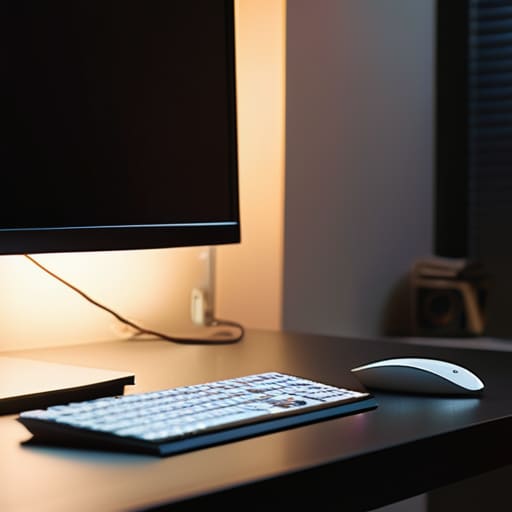
I was sitting in a cramped, dimly lit cafe in Lisbon last month, trying to debug a cloud configuration script on a patchy Wi-Fi connection. The only light in the corner was a harsh, flickering overhead bulb that turned my screen into a mirror of glare and shadows. I could feel the strain behind my eyes within twenty minutes, that familiar, dull ache that tells you your setup is failing you. Most people think they need a $500 designer lamp to fix this, but they’re missing the point. It’s not about luxury; it’s about how proper backlighting can actually eliminate the visual friction that kills your deep work sessions.
I’m not here to sell you on some overpriced RGB setup that looks like a gaming basement. Instead, I want to talk about how you can use subtle, functional light to create a seamless transition between your eyes and your monitor. I’ll be sharing the exact, minimalist approach I use to keep my eyes fresh while working from anywhere, focusing on tools that are portable, effective, and—most importantly—invisible once they’re turned on.
Table of Contents
- Reduce Eye Strain With Backlight for Seamless Focus
- Mastering Indirect Lighting Techniques to Eliminate Friction
- Pro-Level Backlighting: Small Tweaks for a High-Performance Setup
- The Bottom Line on Frictionless Lighting
- The Invisible Utility of Light
- Final Thoughts on a Frictionless Setup
- Frequently Asked Questions
Reduce Eye Strain With Backlight for Seamless Focus
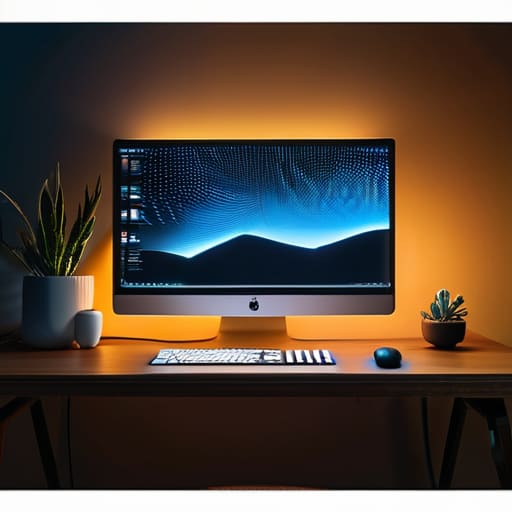
If you’ve ever spent six hours straight debugging code in a dark room, you know that specific, dull ache behind your eyes. It’s not just fatigue; it’s the harsh contrast between a glowing monitor and a pitch-black wall forcing your pupils to constantly readjust. To fix this, I always prioritize an ambient room lighting setup that softens those edges. By adding a light source behind your monitor, you create a buffer zone that bridges the gap between the screen’s intensity and the darkness of the room.
The goal isn’t to turn your desk into a neon light show, but to use indirect lighting techniques to stabilize your visual field. I prefer using LED strips or specialized bars that cast a soft glow against the wall rather than pointing directly at my face. When you manage to reduce eye strain with backlight properly, the screen feels like it’s floating in space rather than piercing through the dark. It makes the transition from deep work to a quick break much smoother, keeping your focus sharp even when the sun goes down.
Mastering Indirect Lighting Techniques to Eliminate Friction
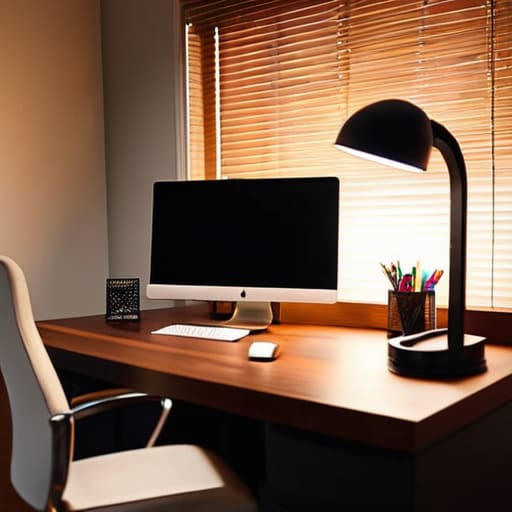
The biggest mistake I see people make is pointing a bright light source directly at their face or their screen. That’s not lighting; that’s an interrogation. If you want to actually stay in the zone, you need to focus on indirect lighting techniques that bounce light off the walls or the desk surface instead of hitting your eyes head-on. I always aim for a soft, even glow that fills the space behind my monitor. This creates a layer of depth that makes the screen feel less like a glowing rectangle in a dark void and more like a natural part of your environment.
When I’m setting up a new spot—whether it’s a temporary desk in a cafe or my permanent home office—I lean heavily into smart lighting integration. Using a strip to create diffused light effects allows you to control the intensity based on the time of day. If you’re working late, you want something warm and low-key; if you’re deep in a system migration, you might want something a bit crisper. The goal is to eliminate that harsh contrast that kills your focus.
Pro-Level Backlighting: Small Tweaks for a High-Performance Setup
- Match your color temperature to the time of day; use warmer tones in the evening to keep your circadian rhythm from getting wrecked by blue light.
- Avoid direct glare at all costs—if your backlight is hitting your monitor directly, you’re just creating more visual noise to fight through.
- Invest in a smart controller so you can automate your lighting scenes, letting you switch from “deep work” mode to “casual browsing” without breaking your flow.
- Keep the intensity subtle; the goal is to create a soft halo around your gear, not to turn your desk into a neon nightclub that kills your focus.
- Test your setup under different lighting conditions, because a backlight that looks great in my apartment might be useless in a bright cafe with terrible Wi-Fi.
The Bottom Line on Frictionless Lighting
Stop fighting your eyes; use soft backlighting to bridge the gap between your screen and the room so you can stay in flow longer.
Avoid direct glare at all costs—aim for indirect, diffused light that integrates into your setup without becoming a distraction.
Treat your lighting as a portable tool, not a permanent fixture, ensuring your workspace remains adaptable no matter where you’re working from.
The Invisible Utility of Light
“A good backlight isn’t about making your desk look pretty for a photo; it’s about removing the visual friction that pulls you out of your flow. If you’re squinting at your monitor because the room is too dark, your setup is failing you.”
Elias Vandermeer
Final Thoughts on a Frictionless Setup
At the end of the day, backlighting isn’t just some aesthetic choice you see on a high-end setup tour; it’s a functional necessity for anyone trying to maintain a deep flow state. By reducing the harsh contrast between your screen and a dark room, and by utilizing indirect light to soften your environment, you’re essentially removing the physical friction that causes eye fatigue and mental burnout. Whether you’re working from a cramped studio apartment or a cafe with questionable lighting, these small adjustments to your visual environment ensure that your gear supports your productivity rather than draining it. It’s about making the technology invisible and seamless so you can actually get the job done.
I’ve learned through a lot of trial and error—and plenty of late nights in different time zones—that your environment dictates your output. You can have the fastest cloud setup and the most efficient workflow in the world, but if you’re fighting against a workspace that physically exhausts you, you’ve already lost the battle. Don’t settle for a setup that holds you back. Invest the time into perfecting your lighting and your layout, because when your tools finally get out of your way, that’s when the real work begins. Build a space that moves with you, and never let your environment limit your potential.
Frequently Asked Questions
How do I balance backlight intensity so it doesn't end up being a distraction during deep work sessions?
The key is finding the “sweet spot” where the light supports your vision without competing with your monitor. I always aim for a glow that’s just one or two steps brighter than your screen’s ambient light. If the backlight feels like a spotlight, it’s too high. I usually use a dimmable LED strip or a smart bulb so I can dial it back when I’m hitting a flow state and need zero distractions.
Is it worth investing in a dedicated monitor light bar, or can I just get away with some cheap LED strips behind the desk?
Honestly, it depends on your priority: precision or vibe. If you’re doing deep work for hours, get the light bar. It illuminates your desk surface without hitting your screen, which is a game-changer for eye strain. Cheap LED strips are great for that low-key ambient glow, but they won’t help with task visibility. If you’re serious about a seamless setup, the light bar is the better investment for actual productivity.
How do I manage color temperature settings to make sure the light isn't wrecking my circadian rhythm when I'm working late?
If you’re grinding late, you have to ditch the cool, blue-heavy light. It tricks your brain into thinking it’s noon, which is a recipe for insomnia once you finally close your laptop. I usually switch my smart bulbs to a warm, amber hue—think sunset, not midday sun—once the sun goes down. It lowers the friction between my work session and my actual sleep schedule. Keep it warm, keep it dim, and protect your rhythm.




