I was sitting in a cramped café in Lisbon last month, trying to troubleshoot a client’s cloud migration, when my call dropped for the third time. The problem wasn’t the coffee or the mediocre Wi-Fi; it was my reliance on a bloated, heavy-duty software suite that demanded more bandwidth than the local router could ever dream of providing. Most people think high-end remote meeting technology requires a dedicated home office and a fiber-optic connection, but that’s a complete lie. If your tools are so heavy that they break the moment you step away from your desk, they aren’t tools—they’re anchors.
I’m not here to sell you on some enterprise-grade ecosystem that requires a three-week onboarding process. Instead, I want to show you how to build a lean, truly portable stack that actually works in the real world. I’ve spent years testing how different setups hold up when you’re jumping between coworking spaces and transit hubs, and I’m going to share the exact configurations I use to stay productive. We’re going to focus on seamless, cloud-based solutions that prioritize stability and speed over flashy, useless features.
Table of Contents
- High Definition Webcams for Business Making Presence Feel Natural
- Noise Canceling Microphone Technology That Removes the Friction
- Stop Fighting Your Gear: 5 Ways to Make Remote Meetings Actually Work
- The Bottom Line: Build for Mobility
- ## The Invisible Edge
- The Bottom Line
- Frequently Asked Questions
High Definition Webcams for Business Making Presence Feel Natural

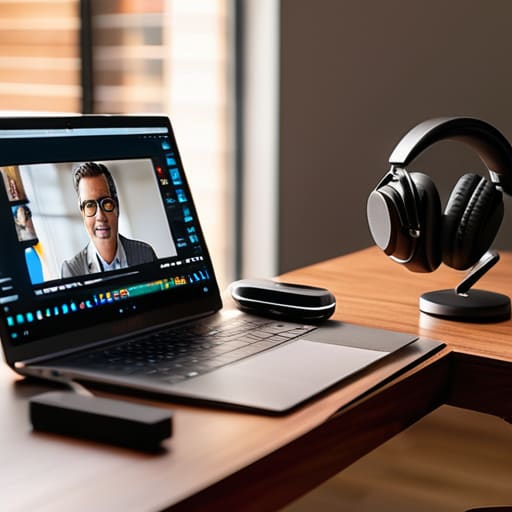
If you’re still staring into a grainy, 720p lens that makes you look like a pixelated ghost, you’re doing it wrong. When I’m working out of a temporary setup in a new city, my video quality is often the only thing that establishes professional credibility. Investing in high-definition webcams for business isn’t about vanity; it’s about reducing the cognitive load on the people you’re talking to. When the image is crisp, people focus on your ideas instead of trying to decipher your facial expressions through a digital haze.
It’s not just about the glass, though. A decent camera needs to play nice with your existing ecosystem. I look for seamless video conferencing integration so I’m not wasting ten minutes of a sprint sync fighting with drivers or software overlays. If the tech feels heavy or clunky, it breaks my flow. You want a setup where you just hit ‘join’ and the hardware feels like an extension of your actual presence, not a barrier between you and your team.
Noise Canceling Microphone Technology That Removes the Friction

If you’ve ever tried to lead a high-stakes sprint from a coffee shop or a noisy Airbnb, you know that audio is the first thing to break. You can have the best high-definition webcams for business, but if your clients are hearing a leaf blower or a roommate’s TV in the background, your professionalism evaporates instantly. I’ve learned the hard way that audio clarity is the foundation of presence. When you can’t hear someone, or they can’t hear you, the entire flow of the meeting hits a wall.
This is where investing in solid noise-canceling microphone technology becomes non-negotiable. I don’t mean those cheap plastic headsets that pick up every click of my mechanical keyboard; I mean hardware and software that can actually distinguish my voice from the ambient chaos of a non-office environment. For anyone building out hybrid workspace solutions, the goal is to make the tech invisible. You want tools that filter out the friction so the conversation feels like it’s happening in the same room, regardless of where your desk happens to be today.
Stop Fighting Your Gear: 5 Ways to Make Remote Meetings Actually Work
- Prioritize bandwidth over resolution. I’ve learned the hard way that a 4K webcam is useless if your connection is jittery; focus on tools with smart bitrate adaptation so your call doesn’t drop the second someone else in the house starts streaming.
- Build a “go-bag” for your tech. If your meeting tools are tethered to a specific desk, you aren’t truly mobile; keep a dedicated pouch with your lightweight mic, a compact webcam, and a reliable travel router so you can turn any cafe into a professional studio.
- Invest in software-based noise suppression. Even with a decent mic, background noise is inevitable when you’re moving around; use AI-driven noise cancellation tools to strip out the hum of a coffee shop or a fan so your voice stays the focus.
- Optimize your lighting for portability. Don’t rely on overhead office lights that wash you out; a small, USB-powered LED ring light or a portable key light is a game changer for maintaining a professional presence when you’re working from a hotel or a co-working space.
- Sync your meeting stack to the cloud. Avoid the headache of local file transfers by ensuring your meeting platform integrates directly with your cloud storage; if you have to download and re-upload everything, you’re just creating friction where there should be flow.
The Bottom Line: Build for Mobility
Stop investing in gear that requires a dedicated desk; if your meeting tech can’t handle a coffee shop’s Wi-Fi or a cramped hotel desk, it’s a liability to your workflow.
Prioritize audio and visual clarity to eliminate the “friction” of digital communication—when your tools are seamless, you actually focus on the conversation instead of the tech.
Treat your remote setup as a modular system that adapts to your environment, ensuring your professional presence stays consistent no matter where you’re logging in from.
## The Invisible Edge
“If you’re spending half your meeting troubleshooting a laggy connection or fighting a noisy background, you aren’t actually working—you’re just managing tech. The best meeting tools are the ones you forget are even running.”
Elias Vandermeer
The Bottom Line
At the end of the day, remote meeting technology isn’t about buying the most expensive gear on the market; it’s about removing the friction between you and the person on the other side of the screen. Whether you’re investing in a crisp webcam to maintain a professional presence or a solid noise-canceling mic to kill the background hum of a busy cafe, the goal is the same: seamless communication. If you’re constantly apologizing for your audio or squinting at a grainy feed, you aren’t actually working—you’re just fighting your tools. When your tech finally becomes invisible, you can actually get back to the work that matters.
I’ve learned through a lot of different cities and questionable Wi-Fi connections that your setup should be an asset, not a liability. Don’t let a clunky, tethered workflow dictate where you can or cannot be productive. Build a toolkit that is as mobile and adaptable as your lifestyle demands. Once you stop managing your hardware and start leveraging it, you’ll realize that true professional freedom isn’t about having a massive office—it’s about having the right stack to carry with you anywhere in the world.
Frequently Asked Questions
How do I balance high-quality audio and video without my laptop fans sounding like a jet engine?
The secret is offloading the heavy lifting. If your laptop is screaming, you’re likely running everything locally. Switch to cloud-based processing for your video encoding and use dedicated hardware for your audio. A decent external DAC/amp handles the sound processing so your CPU doesn’t have to, and using a lightweight, browser-based meeting client instead of a bloated desktop app can save your thermal headroom. Keep the load off the silicon, and the fans will stay silent.
What’s the best way to keep my connection stable when I’m working from a cafe with spotty Wi-Fi?
Honestly, don’t trust the cafe’s Wi-Fi with your life. If you’re jumping into a meeting, a dedicated mobile hotspot is your best friend—it’s way more stable than a public network. I also keep a travel router in my bag to create my own private subnet. If things get really sketchy, keep your video off for a minute while you stabilize. It’s better to look like a grainy square than to drop out entirely.
Are there any lightweight, cloud-based meeting tools that won't kill my battery life during a long session?
Honestly, if you’re running heavy desktop clients, you’re basically asking your laptop to die mid-meeting. I try to stick to browser-based tools whenever possible. Google Meet is the gold standard here—it’s incredibly lightweight and runs smoothly right in a tab without the massive resource drain of a standalone app. As long as you aren’t running fifty other Chrome extensions, it keeps the battery from tanking while you’re working from a cafe.