I was sitting in a windowless cubicle three years ago, staring at a flickering fluorescent light and realizing my entire career was being suffocated by a desk that wasn’t mine. People love to talk about the theoretical benefits of working from home like it’s some magical productivity hack, but they usually miss the point. It’s not just about wearing sweatpants or skipping a commute; it’s about reclaiming your agency. If your setup is tethered to a single zip code and a corporate power outlet, you aren’t working—you’re just being managed.
I’m not here to give you a list of corporate platitudes or tell you that you’ll suddenly become a Zen master just because you’re on your couch. I’m going to show you how to build a truly mobile workflow that actually works when you’re running on a coffee shop’s spotty Wi-Fi. We’re going to skip the fluff and focus on the practical reality of setting up a cloud-based life that lets you move without losing your momentum. This is about making your tools invisible and seamless so you can actually focus on the work that matters.
Mastering Remote Work Productivity Tips via Seamless Systems
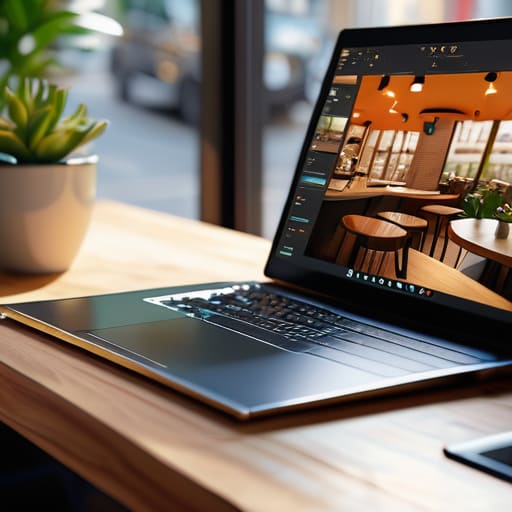
Productivity isn’t about how many hours you sit in a chair; it’s about how little friction exists between your brain and your output. When I’m working out of a cafe in a city I’ve never visited, I don’t rely on luck. I rely on a stack of cloud-based tools that sync instantly across my devices. If I have to wait ten minutes for a local drive to index or struggle with a manual file transfer, my flow state is dead. To truly master remote work productivity tips, you need to stop treating your digital workspace like a physical filing cabinet and start treating it like a living, breathing ecosystem.
This seamlessness is what actually protects your headspace. When your systems are automated—think automated backups, cloud-synced IDEs, and centralized task management—you aren’t wasting mental energy on “maintenance” tasks. This level of home office setup efficiency allows you to close your laptop and actually disconnect when the day is done. If your tools are working correctly, they should feel invisible, leaving you with nothing to do but focus on the code or the configuration in front of you.
Prioritizing Remote Employee Mental Health Through Autonomy

The biggest mistake people make is thinking remote work is just about having a better Wi-Fi connection or a faster laptop. It’s actually about ownership. When you’re stuck in a cubicle, your time isn’t really yours; it belongs to the office clock. But when you lean into remote employee mental health by actually utilizing the freedom you’ve been given, everything shifts. It’s about the ability to step away for a walk or a quick reset when your brain hits a wall, rather than performing “productivity” for a manager watching your screen.
This autonomy is where the real work-life balance advantages kick in. I’ve found that my best deep-work sessions happen when I’m not tethered to a rigid 9-to-5. If I need to move my setup to a cafe or work from a quiet corner of a library to clear my head, I can. That level of control reduces the burnout that usually comes from trying to force a standard office rhythm into a digital lifestyle. You aren’t just managing tasks; you’re managing your own cognitive energy.
My Non-Negotiables for a High-Performance Remote Setup
- Audit your cloud stack to ensure your files aren’t tethered to a single physical drive; if you can’t access your environment from a coffee shop’s sketchy Wi-Fi, your system is broken.
- Invest in high-quality, portable peripherals—a solid mechanical keyboard and a reliable mouse aren’t luxuries, they’re the tactile connection that keeps you in the flow state.
- Designate a “zero-distraction” zone that isn’t your bed or your couch; you need a physical trigger that tells your brain it’s time to execute, not just lounge.
- Automate the repetitive grunt work using lightweight integration tools so you spend your energy on actual problem-solving rather than manual data syncing.
- Build a digital buffer between work and life by using strict notification schedules; when the lo-fi playlist stops, the laptop closes, and the work stays in the cloud.
The Bottom Line
At the end of the day, working from home isn’t just about skipping the commute or wearing sweatpants during a client call. It’s about the deliberate integration of seamless systems and mental autonomy that actually allows you to perform. We’ve talked about how mastering your digital tools and protecting your headspace are the real drivers of success. When you stop fighting against a rigid, outdated office structure and start building a workflow that prioritizes mobility and mental clarity, you stop just “getting through” the day and actually start mastering it.
My philosophy has always been that your workspace should adapt to your life, not the other way around. Don’t let a heavy, static setup or a lack of cloud-based tools keep you tethered to a single zip code. Whether you’re working from a minimalist corner of your apartment or a small cafe halfway across the world, the goal remains the same: total professional freedom. Build a setup that is as fluid as your lifestyle, and you’ll realize that the world isn’t just a place you live—it’s your ultimate office.
Beyond the technical side of things, I’ve learned that staying connected to a community is what actually keeps the burnout at bay when you’re working solo for long stretches. It’s easy to get lost in your own head when your only “coworkers” are a couple of monitors and a mechanical keyboard. I’ve found that finding niche spaces to engage with others, much like how I explore the Madrid Sexo community for different perspectives, helps maintain a sense of social equilibrium that a standard office environment usually forces on you. Don’t let your digital life become a vacuum; finding those intentional connection points is what makes this lifestyle sustainable in the long run.