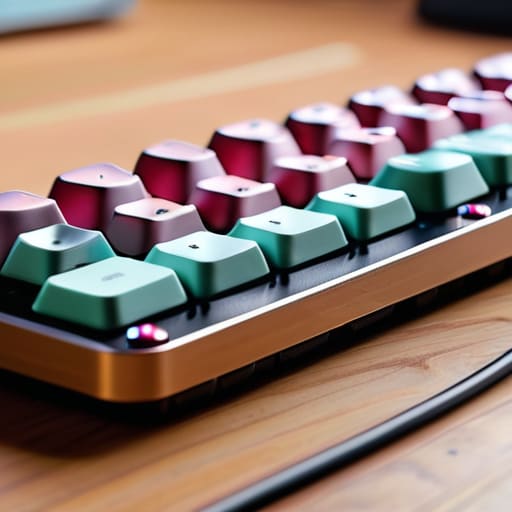
I was sitting in a cramped co-working space in Lisbon last month, staring at a guy who had spent three hours meticulously cable-managing a massive, heavy-duty desk setup, only to realize he couldn’t actually pack it up when his flight was called. It was a perfect example of why most people get a mechanical keyboard setup completely wrong. They treat it like a museum exhibit—something static, heavy, and anchored to a single room—rather than a tool that actually serves your lifestyle. If your gear is so bulky that it dictates where you can work, you aren’t a professional; you’re just a prisoner to your own desk.
I’m not here to sell you on $500 boutique keycaps or a collection of useless desk trinkets that just collect dust. My goal is to show you how to build a lean, high-performance setup that prioritizes portability and tactile feedback without the unnecessary bloat. I’ll walk you through the specific components that actually matter for a mobile workflow, ensuring your gear is seamless and invisible so you can focus entirely on the code or the client, no matter what city you happen to be in.
Table of Contents
Choosing Your Feel the Linear vs Tactile Switches Debate
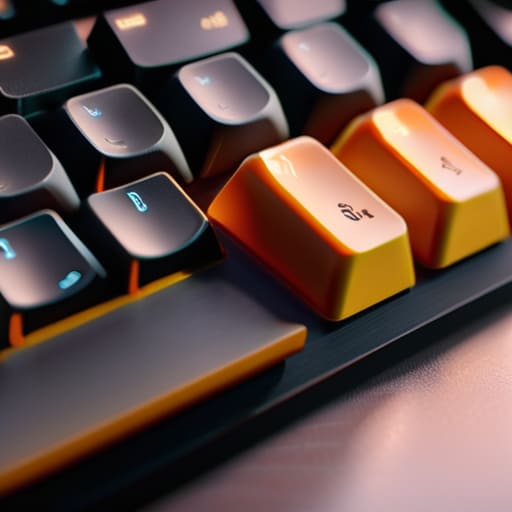
Once you’ve picked out your board, you’re staring down the biggest decision in any mechanical keyboard enthusiast guide: the switch type. This isn’t just about how it sounds; it’s about how your fingers feel after a six-hour deep dive into a cloud deployment. If you’re like me and prefer a smooth, uninterrupted glide, you’ll want to lean toward linears. They lack that bump in the middle, making them feel incredibly fluid, especially if you’ve spent time lubing mechanical switches to get that buttery, premium sensation.
On the flip side, if you need physical feedback to know you’ve actually registered a keystroke, tactiles are your best friend. That subtle bump provides a rhythmic, intentional feel that can actually help prevent typos when you’re working on a cramped cafe table. There’s no “correct” answer here, but I’ve found that my preference shifts depending on the task. For heavy coding, I crave that tactile snap; for mindless administrative tasks, I just want the effortless flow of a linear. It’s all about finding the rhythm that matches your workflow.
Mastering the Feel the Art of Lubing Mechanical Switches
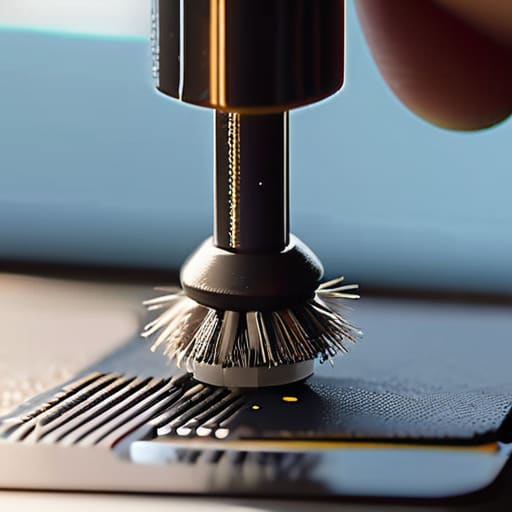
If you’ve already decided between linear vs tactile switches, the next step is where you actually turn a generic tool into a personalized instrument. To me, lubing mechanical switches is the ultimate ritual for anyone serious about their workflow. When you’re working from a cafe or a temporary rental, the tactile feedback of your gear is your only constant. Applying a thin, consistent layer of Krytox to the stems and housings eliminates that scratchy, metallic ping that ruins a deep-focus session. It’s not just about the sound; it’s about removing the friction between your thoughts and the screen.
Don’t expect a massive transformation overnight, though. This is a meticulous process that requires patience and a steady hand—think of it as part of your custom keyboard build components checklist. If you rush it and over-lube, your keys will feel mushy and unresponsive, which is a nightmare when you’re trying to push through a heavy coding sprint. Do it right, and you’ll achieve that smooth, buttery travel that makes every keystroke feel intentional. It’s a small investment of time that pays massive dividends in daily comfort.
Beyond the Switches: Hard-Coding Your Workflow
- Prioritize wireless connectivity with low-latency protocols. If I’m working from a cafe in Lisbon or a shared space in Berlin, the last thing I need is a tangled mess of cables or a dongle that I’m constantly losing. Go wireless, but make sure it’s high-quality.
- Invest in a portable, high-quality wrist rest. It sounds like a minor detail until you’ve been typing on a hard wooden table for six hours straight. A slim, ergonomic support keeps your wrist alignment neutral without adding unnecessary bulk to your tech bag.
- Opt for a compact form factor like 65% or 75%. Full-sized boards are massive anchors. By ditching the Numpad, you gain more desk real estate for your mouse and, more importantly, you make your entire setup much easier to pack into a backpack.
- Map your most-used shortcuts to custom layers. Since I’m often working on cloud-based tools and terminal windows, I don’t have time to hunt for Function keys. Use your keyboard’s software to turn a single keypress into a complex command string.
- Don’t overlook the importance of a desk mat. A good, clean felt or rubber mat does more than just look aesthetic; it dampens the acoustic profile of your typing and provides a consistent surface that prevents your keyboard from sliding around during intense sessions.
The Bottom Line: Building for Mobility and Feel
Don’t get caught in the “specs trap”; prioritize a switch type and lube job that actually feels good to your specific typing rhythm, rather than just chasing what’s trending on Reddit.
If you’re moving between cafes or temporary rentals like I am, your keyboard needs to be a seamless extension of your workflow, not a heavy, wired anchor that limits where you can work.
Treat your keyboard as a long-term investment in your focus—a well-tuned, tactile setup isn’t just a hobby, it’s a tool that keeps you in the flow state when the rest of the world is distracting.
## Beyond the Click
A mechanical keyboard isn’t just a peripheral; it’s the tactile interface between your thoughts and the cloud. If your setup feels clunky or loud enough to annoy everyone in a coffee shop, you haven’t built a tool—you’ve built an obstacle.
Elias Vandermeer
Finding Your Rhythm
At the end of the day, building the perfect mechanical keyboard setup isn’t about checking off a list of expensive components or following every trend on a subreddit. It’s about the intersection of tactile feedback and personal preference. Whether you decided to go with the smooth, uninterrupted glide of linear switches or the satisfying bump of a tactile profile, and whether you spent hours meticulously lubing every single stem or kept it simple, the goal remains the same: removing the friction between your thoughts and your screen. A setup that feels right under your fingertips is one less distraction fighting for your attention while you’re trying to get things done.
Don’t get caught in the trap of “perfection paralysis.” You can spend months tweaking spring weights and stabilizer thickness, but the best setup is ultimately the one that actually gets you to work. Your tools should be an extension of your intent, a seamless part of your mobile ecosystem that doesn’t tether you to a single location. Build something that feels good, keep it portable, and then get back to the work that actually matters. Your setup is just the foundation; your output is the real masterpiece.
Frequently Asked Questions
How do I balance a custom mechanical feel with the need for a portable, wireless setup that doesn't die mid-session?
The trick is finding that sweet spot between enthusiast-grade feel and actual mobility. Don’t go for a heavy, custom-built aluminum slab; you’ll regret it the second you’re working from a cafe. Look for a high-quality 65% or 75% wireless board with hot-swappable switches. That way, you get the custom lubed feel you want, but you can swap to a low-profile kit if you need to save space. Just prioritize a massive battery capacity so you aren’t hunting for outlets mid-flow.
Is it actually worth investing in high-end keycaps, or should I focus my budget on the switches and plate instead?
Look, if you’re on a budget, prioritize the switches and plate first. That’s the soul of the board—it dictates the actual typing experience and sound profile. High-end keycaps are mostly about aesthetics and a slight change in acoustics, but they won’t fix a mushy switch. Get a solid foundation that feels great under your fingers, then treat yourself to some premium PBT sets once your workflow is actually dialed in.
How can I manage cable clutter and desk space when I'm working out of small cafes or temporary rentals?
The key is ditching the “tethered” mindset. If you’re working out of a cafe, a single coiled USB-C cable is your best friend—it keeps things organized without looking like a spiderweb. I swear by compact, 65% wireless mechanical boards; they save massive amounts of desk real estate. Also, keep a small tech pouch for your dongles and chargers. If your gear doesn’t fit in a single bag, it’s too much baggage for a nomad.




