I was sitting in a cramped cafe in Lisbon last month, trying to troubleshoot a client’s cloud migration on a spotty connection, when I watched a guy across the room attempt a high-stakes pitch. He had a massive, expensive ring light and a professional-grade mic, but he was positioned in a way that made him look like a ghost in a dark basement, all while his background noise was a chaotic symphony of espresso machines and shouting baristas. It reminded me that most people think zoom etiquette is about buying the most expensive gear to look “corporate.” In reality, that’s just expensive clutter that doesn’t actually solve the problem of being present and professional.
I’m not here to tell you to go out and buy a studio setup or follow some outdated handbook of “dos and don’ts” written by people who have never worked from a backpack. Instead, I want to share the practical, low-friction habits I’ve developed to ensure my digital presence stays seamless, no matter how mediocre the Wi-Fi is. We’re going to focus on intentional minimalism—how to master the tech and the environment so you can stop worrying about your frame and start actually connecting with your team.
Table of Contents
- Seamless Digital Communication Etiquette for the Mobile Professional
- Optimizing Online Meeting Audio Quality on the Move
- Five Ways to Keep Your Presence Professional Without the Permanent Office
- The Bottom Line for Your Mobile Workflow
- ## The Invisible Infrastructure of Respect
- Final Thoughts on Staying Seamless
- Frequently Asked Questions
Seamless Digital Communication Etiquette for the Mobile Professional

Seamless Digital Communication Etiquette for the Mobile Professional
When I’m working from a cafe in a city I can barely pronounce, I’ve learned that my technical setup is my first impression. It’s not just about looking professional; it’s about ensuring your presence doesn’t feel like a series of glitches. One of the biggest pillars of remote meeting professionalism is managing your environment before you even hit “Join.” If you’re on a public network, use a VPN and ensure your online meeting audio quality is crisp by using a dedicated mic or a solid headset. There is nothing that kills a flow faster than a client struggling to hear you over the hum of an espresso machine.
Beyond the hardware, true digital communication etiquette comes down to how you handle the lag. If your bandwidth is struggling, don’t try to fight it by keeping your video on high-def; switch to audio-only or turn off your camera to save the connection. It’s much better to be a clear voice than a frozen, pixelated image. Being proactive about your technical limitations shows you value the other person’s time as much as your own.
Optimizing Online Meeting Audio Quality on the Move
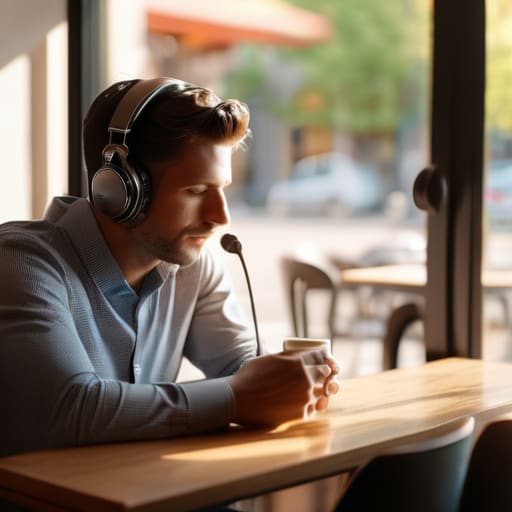
If you’re working from a cafe in Lisbon or a transit hub in Berlin, your biggest enemy isn’t the Wi-Fi—it’s the background noise. There is nothing that kills your credibility faster than a client struggling to hear you over the hiss of an espresso machine. To maintain high remote meeting professionalism, you have to treat your audio as seriously as your connection. I’ve learned the hard way that built-in laptop mics are a trap; they pick up everything from your keyboard clicks to the person sitting three tables away. Investing in a decent pair of noise-canceling headphones with a dedicated mic is non-negotiable.
Beyond the hardware, you need to master the software side of online meeting audio quality. Most platforms have built-in noise suppression settings, but don’t just leave them on default. If you’re in a particularly loud environment, I usually crank the suppression levels to max, even if it makes my voice sound a bit more “processed.” It’s a small trade-off, but clarity always beats naturalism when you’re trying to convey complex technical info. Always do a quick mic check before the call starts; it’s better to catch a muffled signal early than to spend the first ten minutes of a meeting apologizing for it.
Five Ways to Keep Your Presence Professional Without the Permanent Office
- Master your lighting before you join. I’ve learned the hard way that sitting with a window directly behind you turns you into a dark silhouette. Aim for soft, front-facing light so people actually see your expressions, not just your shadow.
- Own your background, but keep it clean. Whether you’re in a cafe or a temporary rental, a cluttered background is a distraction. If you can’t control the mess, use a subtle blur rather than one of those fake, distracting virtual landscapes that lag your CPU.
- Learn the silent mute dance. If you’re working from a spot with unpredictable ambient noise—like a train station or a busy bistro—stay on mute by default. Only unmute when you have the floor; it saves everyone from the headache of background chaos.
- Respect the bandwidth limit. If you know you’re on a shaky connection, turn off your incoming video. It sounds counterintuitive, but prioritizing audio stability ensures you actually follow the conversation instead of lagging out mid-sentence.
- Be intentional with your eye contact. It feels weird, but looking directly at the camera lens instead of your own face on the screen makes a massive difference in how engaged you seem. It’s the digital equivalent of actually looking someone in the eye.
The Bottom Line for Your Mobile Workflow
Treat your tech like an invisible layer; if you’re constantly apologizing for your connection or your background, your setup is failing you, not your professionalism.
Prioritize audio and lighting stability over everything else—people can forgive a grainy webcam, but they won’t tolerate a chaotic audio feed that breaks their focus.
Build a “go-bag” mentality into your digital presence by ensuring your cloud tools and hardware are optimized for the worst Wi-Fi you’re likely to encounter.
## The Invisible Infrastructure of Respect
“Zoom etiquette isn’t about following a set of rigid rules; it’s about managing your technical friction so that your presence is felt, not your hardware. If you’re spending the whole call fighting your connection or your lighting, you’re not actually in the room—you’re just a distraction.”
Elias Vandermeer
Final Thoughts on Staying Seamless

At the end of the day, mastering Zoom etiquette isn’t about following a rigid set of corporate rules; it’s about reducing the friction between you and the person on the other side of the screen. Whether you’re managing your background noise, optimizing your audio for a café environment, or ensuring your digital presence remains professional despite a nomadic lifestyle, the goal is the same: make the technology disappear. When your setup is seamless, your expertise takes center stage, and your clients won’t even realize you’re working from a tiny apartment in Lisbon or a co-working space in Berlin. Don’t let a technical hiccup or a messy environment break the professional illusion you’ve worked so hard to build.
Moving away from the traditional office model gives us incredible freedom, but that freedom requires a higher level of personal discipline. We have to be our own IT department and our own etiquette coaches. Remember, your setup should serve your workflow, not hinder it. As you continue to build your mobile stack and refine your digital presence, keep pushing for that perfect balance of portability and performance. You aren’t just showing up to a video call; you are demonstrating that you can deliver high-level results from anywhere in the world. Keep your tools invisible, your connection stable, and your focus sharp.
Frequently Asked Questions
How do I handle sudden, unpredictable Wi-Fi drops without looking like I've just vanished mid-sentence?
The “vanishing act” is the ultimate momentum killer. If your connection starts acting up, don’t wait for the freeze to happen—pivot immediately. Use a mobile hotspot as a standby; having it pre-configured on your phone saves precious seconds. If you feel the lag, drop a quick message in the chat: “Connection’s shaky, switching to backup.” It keeps you in control of the narrative so you don’t just look like a glitchy ghost.
Is it actually professional to use a blurred background, or does it look like I'm trying too hard to hide a messy cafe setup?
Look, I’ve sat in plenty of cramped cafes with nothing but a tiny corner of a table to call my office. Using a blurred background isn’t about hiding shame; it’s about managing bandwidth and reducing visual noise. If your background is a chaotic blur of people walking by, it’s a distraction. A subtle blur keeps the focus on you and your screen, making the tech invisible so the conversation can actually happen.
What’s the best way to signal I'm stepping away for a second when I don't have a permanent office space to retreat to?
Since I’m rarely in the same room twice, I don’t rely on physical cues like a closed door. Instead, I lean on digital signals. I keep a dedicated “Status” message in Slack or Teams that actually says something useful, like “Stepping away—back in 5.” If I’m mid-call, I use the “Raise Hand” feature or a quick chat message to signal a brief pause. It’s about being intentional so your absence doesn’t look like a connection drop.




