
I was sitting in a cramped, overpriced cafe in Lisbon last month, staring at a spinning loading icon while my local drive refused to sync a critical project file. The Wi-Fi was mediocre at best, and my entire productivity was tethered to a single piece of hardware sitting back in my apartment. That’s the moment it hit me: if your entire professional life depends on being physically present at a specific desk, you aren’t actually free; you’re just on a very long leash. Most people treat a cloud based workflow like some expensive enterprise luxury, but it’s actually the only way to stop being a slave to your hardware.
I’m not here to sell you on some bloated, high-priced software suite that promises to “revolutionize your synergy.” We both know that’s corporate nonsense. Instead, I want to show you how to build a setup that is actually portable and resilient. I’m going to break down the specific tools and architectural shifts I use to keep my systems seamless, whether I’m working from a high-end studio or a spotty connection in a small-town library. No fluff, just the practical setups that let you focus on the work, not the infrastructure.
Table of Contents
Ditch the Desk Building Scalable Digital Infrastructure
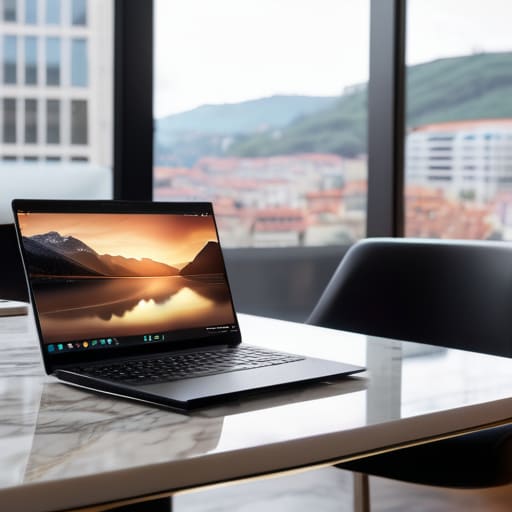
If you’re still relying on local drives or hardware that lives under a desk, you aren’t building a career; you’re building a cage. To actually move freely, you need to treat your entire operational stack as a piece of scalable digital infrastructure. This means moving away from the “save to desktop” mentality and leaning into environments where your data and tools are accessible from a coffee shop in Lisbon just as easily as a high-speed setup in Berlin. When your systems are decentralized, your productivity isn’t tied to a physical location or a specific piece of hardware.
The goal is to reach a point where your tools feel invisible. By integrating cloud-native application workflows, you ensure that as your client list grows, your setup doesn’t buckle under the weight. You shouldn’t be spending your time troubleshooting local server lag or syncing massive files via USB; you should be leveraging automated systems that handle the heavy lifting in the background. If your setup can’t scale up instantly when a project hits a fever pitch, it’s not a professional environment—it’s just a hobby.
Seamless Saas Workflow Management for Infinite Mobility

If you’re still relying on local installs or heavy, proprietary software that requires a specific machine to run, you’re essentially tethering yourself to a single zip code. For me, the goal is to make my tech stack feel like an extension of my brain, not a heavy backpack. This is where SaaS workflow management becomes a game changer. When your entire stack—from project tracking to version control—lives in the browser, the difference between working from a high-end studio or a coffee shop in Portugal becomes negligible. You aren’t just “using apps”; you’re building a modular ecosystem that survives a spotty Wi-Fi connection.
The real magic happens when you stop manually moving files and start leaning into cloud-native application workflows. I’ve found that the most efficient setups are the ones where data flows between tools without me having to act as the manual bridge. When your tools actually talk to each other, you stop fighting the software and start actually doing the work. It’s about creating a system that is lightweight enough to carry in a backpack but powerful enough to handle enterprise-level complexity.
My Non-Negotiables for a Frictionless Cloud Setup
- Prioritize “Offline-First” Syncing. I’ve been stuck in a cafe with zero bars of signal more times than I can count. If your cloud tools don’t allow you to keep working locally and then sync once you’re back on decent Wi-Fi, they’re going to fail you when you actually need them.
- Audit Your SaaS Stack for Redundancy. More isn’t better; it’s just more noise. I keep my toolkit lean. If two different apps are trying to solve the same problem, pick the one with the best API and kill the other. A bloated stack is just digital clutter that slows down your mental flow.
- Automate the Boring Stuff with Middleware. Don’t waste your brainpower manually moving data from a form to a spreadsheet to a task manager. Use something like Zapier or Make to glue your tools together so the data moves itself while you’re actually focusing on the high-level work.
- Master Your Security Protocol. Living out of a backpack means I’m constantly on public networks. If you aren’t using a hardware security key and a solid VPN, your entire cloud-based life is one bad handshake away from being compromised. Treat your credentials like your most expensive hardware.
- Centralize Your Documentation. There is nothing worse than trying to troubleshoot a system error while traveling and realizing your setup notes are buried in a local folder on a laptop you left at the last Airbnb. Keep your SOPs and configuration logs in a cloud-native workspace so they’re accessible from any device, anywhere.
The Minimalist's Blueprint for Cloud Freedom
Stop building around hardware; build around access. If your entire workflow isn’t accessible from a laptop on a shaky cafe Wi-Fi, it’s a liability, not an asset.
Prioritize tool invisibility. The best SaaS stack is the one you don’t have to think about—tools should automate the friction so you can stay in your flow state.
Scalability is your safety net. Use cloud-based infrastructure that grows with your client list so you never have to pause your life to upgrade a physical server.
The Death of the Fixed Workspace
If your entire professional life depends on being physically tethered to a specific machine or a specific desk, you aren’t actually free—you’re just a high-level employee waiting for a desk job. True efficiency means your workflow lives in the cloud, making your location nothing more than a background detail.
Elias Vandermeer
The Freedom to Build Anywhere

At the end of the day, moving to a cloud-based workflow isn’t just about picking a new set of tools or upgrading your SaaS stack. It’s about stripping away the physical and digital friction that keeps you tethered to a single location. We’ve covered how to build scalable infrastructure that doesn’t care if you’re in a high-end studio or a cramped cafe with spotty Wi-Fi, and how to manage that mobility through seamless integration. When your systems are truly decentralized, you stop managing hardware and start actually managing your output. If your setup requires a specific power outlet or a local server to function, you aren’t working mobile—you’re just on a very long leash.
My goal has always been to prove that professional excellence isn’t tied to a zip code. As you start migrating your processes and auditing your current tech stack, don’t just look for convenience; look for autonomy. Build a digital environment that is as fluid and adaptable as you are. The moment your tools become invisible is the moment you truly find your flow. Stop building shrines to your desk and start building a portable powerhouse that lets you work from anywhere in the world without missing a single beat.
Frequently Asked Questions
How do I keep my connection stable enough to actually work when I'm stuck on spotty cafe Wi-Fi?
Look, I’ve been there—staring at a spinning loading icon while my lo-fi track loops for the tenth time. First, stop relying on the cafe’s open Wi-Fi for anything critical; it’s a security nightmare and usually trash. Get a decent travel router or a dedicated hotspot. If you’re stuck, use a VPN to stabilize the routing and keep your heavy lifting in the cloud so your local machine isn’t doing the heavy lifting.
What’s the best way to manage security without making my setup a total nightmare to log into every time?
Look, I get it. Nothing kills my flow faster than a clunky login process every time I switch from a cafe in Lisbon to a co-working space in Tokyo. The trick is to stop treating security like a chore and start using a hardware-based password manager like Bitwarden paired with a YubiKey. It’s a single, physical touch rather than a dozen annoying prompts. It keeps my cloud stack locked down without turning my workflow into a headache.
At what point does moving everything to the cloud become more of a headache than it's worth for a solo freelancer?
It’s a valid concern. You hit the wall when the “complexity tax” outweighs your actual output. If you’re spending more time troubleshooting API integrations or managing subscription bloat than actually billing clients, you’ve over-engineered your life. For a solo dev, the sweet spot is “lean and connected.” If a tool requires a dedicated manual just to sync with your other stack, it’s not a tool anymore—it’s a second job. Keep it simple.




