I was sitting in a dimly lit cafe in Porto last month, trying to finish a systems integration sprint, when the glare from my screen started feeling like a physical weight against my eyes. I had this massive, expensive desk lamp clamped to my table, but instead of helping, it was just creating a chaotic mess of reflections and shadows that broke my focus. Most people think you need a high-end, studio-grade lighting rig to fix eye strain, but honestly, most of those over-engineered monitor backlight solutions are just expensive distractions that clutter your workspace.
I’m not here to sell you on some RGB-heavy gimmick that turns your desk into a gaming lounge. My goal is to show you how to implement subtle, effective monitor backlight solutions that actually serve a purpose: reducing eye fatigue and making your screen feel like it’s floating in the space. I’ll be sharing the specific, minimalist setups I use while traveling—gear that is portable, seamless, and stays out of your way so you can actually get back into your flow.
Table of Contents
Reducing Digital Eye Strain Without Breaking Your Flow
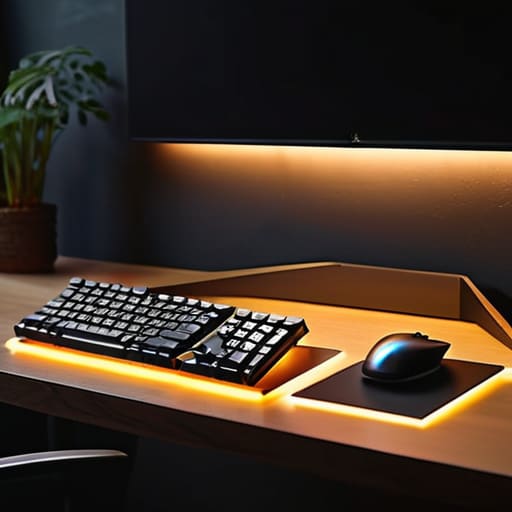
If you’ve ever spent eight hours straight deep in a codebase or a system architecture diagram, you know that specific, dull ache behind your eyes. It’s not just fatigue; it’s your eyes struggling to adjust to the massive jump in brightness between your screen and the dark wall behind it. I’ve found that implementing a simple LED bias lighting setup is the easiest way to bridge that gap. By washing the wall behind your monitor with a soft, consistent glow, you stop your pupils from constantly dilating and contracting every time you glance away from your work.
It’s not just about comfort, though—it’s about maintaining your focus. When you’re trying to stay in the zone, the last thing you need is a harsh reflection or a sudden headache. Focusing on improving screen contrast through subtle ambient light helps your eyes relax without distracting you from the task at hand. I try to keep my light levels low and diffused; if you can actually see the light source, it’s too bright. The goal is to make the lighting feel like a natural extension of your environment, rather than an extra piece of gear you have to manage.
Improving Screen Contrast Through Seamless Ambient Light
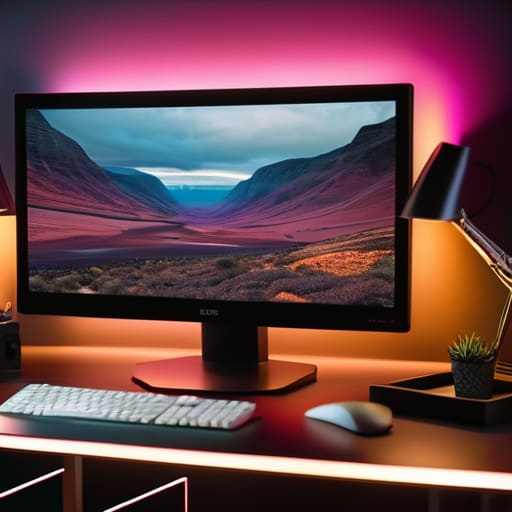
If you’ve ever worked in a dim room with a bright screen, you know that jarring feeling where the monitor feels like a flashlight pointed at your face. It’s not just annoying; it messes with your perception of what you’re actually seeing. By implementing a simple LED bias lighting setup behind your screen, you’re essentially creating a buffer zone of light. This stabilizes the perceived brightness of the display, which is a massive win for improving screen contrast without having to crank your monitor settings to a level that kills your eyes.
For me, it’s all about that subtle balance. When the light behind the panel matches the intensity of the screen, the edges of the display seem to melt into the wall. This makes the blacks look deeper and the colors pop more naturally. It’s a low-effort way of improving screen contrast that actually makes your digital workspace feel more premium and less like a makeshift setup. When the lighting is seamless, you stop noticing the hardware and start focusing entirely on the code or the design in front of you.
My Rules for a Setup That Doesn't Fight Your Eyes
- Stick to indirect light. You want the glow to hit the wall behind your monitor, not reflect off the screen itself. If you see a glare, your setup is failing you.
- Match the color temperature to your circadian rhythm. Use warmer, amber tones when I’m working late on a system migration, and switch to cooler whites during the day to keep the focus sharp.
- Go for smart, dimmable LEDs. If your backlight doesn’t have granular brightness control, it’s useless. You need to be able to dial it down to almost nothing when the room gets dark.
- Keep it portable. Since I’m constantly moving between Airbnbs and cafes, I only use USB-powered strips or slim light bars that fit easily into my tech pouch.
- Automate the transition. I use smart plugs or software-controlled strips so the lighting adjusts automatically based on the time of day. You shouldn’t have to fiddle with settings once you’ve started a deep work session.
The Bottom Line
Stop fighting your environment; use backlighting to bridge the gap between your screen and the room so your eyes don’t have to do all the heavy lifting.
Prioritize gear that integrates quietly—if your lighting setup feels like a “feature” rather than a seamless part of your workspace, it’s too much.
Think about portability; whether you’re in a cafe or a temporary rental, your lighting solution should be as mobile and cloud-ready as the rest of your stack.
## The Goal of a Clean Setup
“If you’re constantly adjusting your brightness or squinting because your room is too dark, your gear is failing you. A good backlight shouldn’t feel like a ‘feature’ you’re using; it should just be there, making the screen feel like a natural part of the room so you can actually stay in the zone.”
Elias Vandermeer
Final Thoughts on Seamless Lighting
At the end of the day, a good monitor backlight solution isn’t about adding more “stuff” to your desk; it’s about removing the friction between you and your screen. We’ve looked at how the right lighting can kill eye strain before it starts and how subtle ambient glow can actually make your contrast pop without looking like a neon gaming rig. Whether you’re tweaking a cloud deployment from a cafe or settling into your home setup, your gear should serve you, not the other way around. The goal is to find that sweet spot where the light feels natural, the glare disappears, and your focus remains entirely on the task at hand.
I’ve learned through a lot of late-night troubleshooting sessions that the best tech is the kind you forget is even there. Don’t overcomplicate it with flashy RGB controllers if all you really need is a soft, consistent glow that adapts to your environment. Your setup is a living thing that needs to evolve as you move through different spaces and projects. Build a workspace that is truly portable and intuitive, so when you finally sit down to work, the only thing that matters is the code or the configuration in front of you. Keep it minimal, keep it seamless, and just get to work.
Frequently Asked Questions
Do I actually need a dedicated backlight, or is just turning up my room lights enough to stop the eye strain?
Look, if you’re just blasting your overhead lights, you’re probably creating more glare than actual comfort. It’s too harsh. A dedicated backlight works because it creates a soft, diffused glow behind the screen, reducing the massive contrast jump between your monitor and a dark wall. It’s about balance, not just brightness. If you want to actually stay in the zone without your eyes feeling like sandpaper by 5 PM, go for the backlight.
How do I manage the cable clutter if I'm trying to keep a minimalist, portable setup?
If you’re moving as much as I am, cable management isn’t about fancy trays; it’s about reducing the footprint. I stick to high-quality, braided USB-C cables that handle power and data in one go—less bulk, fewer wires. I also keep a small tech pouch with labeled, short-length adapters so I’m not untangling a bird’s nest every time I find a new cafe. Keep it modular, keep it short, and keep it out of sight.
Will a backlight setup mess with my color accuracy when I'm doing precise systems work or editing?
Honestly, if you’re doing color-critical work, you have to be careful. A cheap, bright LED strip behind your monitor can cause light bleed that messes with your perception of contrast and black levels. If you’re editing or doing precise systems work, stick to a bias lighting setup that’s dimmable. You want just enough light to reduce eye strain without washing out the screen. Keep the intensity low and the color temperature neutral to keep things accurate.