I was sitting in a cramped cafe in Porto last month, trying to debug a client’s cloud architecture while my lo-fi playlist hummed in my ears, when a guy at the next table joined a call. He spent the first five minutes fighting his microphone, shuffling papers like he was in a library, and letting every single background notification chime through his speakers. It was a perfect, chaotic example of how bad zoom meeting etiquette can completely derail a professional vibe. Most people think being “professional” on camera means wearing a suit or having a studio-grade lighting rig, but that’s just performative nonsense that doesn’t actually help you get work done.
I’m not here to tell you how to curate a fake, polished life for the camera. Instead, I want to share the practical, low-friction habits I use to stay sharp while working from anywhere. We’re going to strip away the fluff and focus on how to manage your digital presence so it stays invisible and seamless. I’ll show you how to master the technical and social nuances of video calls so you can stop worrying about your setup and start focusing on the actual mission.
Table of Contents
Professional Webcam Setup Tips for Seamless Presence

Since I’m constantly moving between Airbnbs and co-working spaces, I’ve learned that your video quality says more about your reliability than your actual words. You don’t need a studio-grade DSLR, but you do need to master the basics of professional webcam setup tips to avoid looking like a grainy ghost in a dark room. First, stop relying on overhead lighting; it creates harsh shadows that make you look exhausted. If you’re in a new spot, grab a cheap ring light or just position yourself facing a window. Natural light is the best way to maintain virtual meeting professionalism without breaking your minimalist gear kit.
Next, let’s talk about camera positioning. Most people have their laptops sitting on a desk, which means your clients are basically staring up your nose. It’s awkward and kills your authority. I always use a compact, lightweight tripod to get my camera at eye level. This small adjustment is one of those essential video conferencing best practices that makes a massive difference in how you’re perceived. When your eye line is level with the lens, you actually look like you’re engaged in the conversation rather than just staring at a screen.
Minimizing Background Noise in Calls for Total Focus
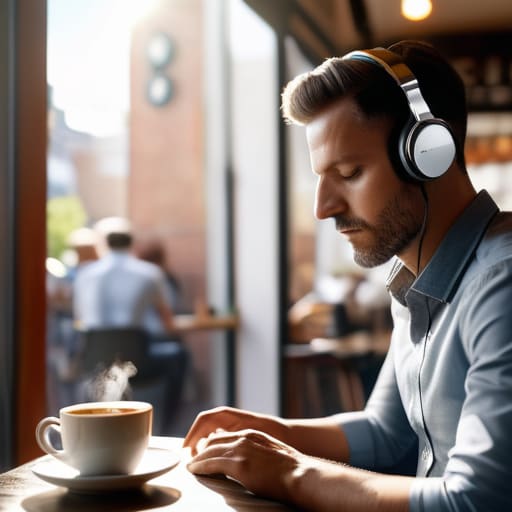
Nothing kills my focus faster than a sudden burst of static or a neighbor’s leaf blower cutting through a crucial point. When I’m working from a cafe or a temporary rental, I treat audio as a top priority for virtual meeting professionalism. You can have the most expensive 4K camera in the world, but if you sound like you’re underwater or stuck in a wind tunnel, the visual quality won’t save you. I always lean heavily on software-based noise suppression; tools like Krisp or even the built-in AI noise cancellation in Discord or Zoom are absolute lifesavers when you can’t control your physical environment.
Beyond the software, your physical setup matters. If you’re using a built-in laptop mic, you’re basically inviting every click of your mechanical keyboard into the call. Investing in a dedicated cardioid microphone or even a decent pair of noise-canceling headphones is one of those small upgrades that yield massive returns. Part of mastering remote work communication skills is simply being aware of your acoustic footprint. If you can’t find a silent corner, at least ensure your mic is positioned to catch your voice while ignoring the chaos around you.
The Unwritten Rules of Digital Presence
- Master the mute button before you even speak. There is nothing that kills a deep-work vibe faster than the sound of someone typing on a mechanical keyboard or a distant espresso machine. If you aren’t actively talking, stay on mute.
- Treat your camera like eye contact. It feels weird at first, but stop looking at your own face on the screen and start looking directly into the lens. It makes a massive difference in how much people actually feel you’re present in the conversation.
- Be intentional with your lighting. I’ve learned the hard way that sitting with a bright window behind you turns you into a dark silhouette. Aim for soft, front-facing light so people can actually see your expressions without squinting.
- Respect the digital bandwidth. If you’re joining from a cafe or a spot with sketchy Wi-Fi, turn off your video if the audio starts lagging. A choppy video is annoying, but a stuttering audio stream makes a meeting impossible to follow.
- Own your environment. If you’re working from a transient space, keep your background clean and uncluttered. You don’t need a studio, but a minimalist, non-distracting backdrop helps keep the focus on the actual work, not your messy hotel desk.
The Bottom Line for Staying Fluid
Prioritize your audio and lighting above all else; people will forgive a grainy camera, but they won’t tolerate bad sound or a dark, cave-like vibe.
Keep your tech stack lightweight and cloud-dependent so you can jump from a cafe to a co-working space without your workflow breaking.
Treat your digital presence as an extension of your workspace—if your setup is cluttered or distracting, it’s actively working against your professionalism.
## The Invisible Tech Rule
“Zoom etiquette isn’t about following a rigid handbook; it’s about making sure your tech is so seamless and your environment so controlled that the tools disappear, leaving nothing between you and the actual work.”
Elias Vandermeer
Final Thoughts on Staying Sharp
At the end of the day, mastering Zoom etiquette isn’t about following a rigid set of corporate rules; it’s about removing the friction between you and your client. Whether you’re dialing in from a cafe in Lisbon or a temporary desk in a quiet suburb, your goal is to make your tech disappear. By optimizing your lighting, keeping your audio clean, and managing your digital environment, you ensure that the conversation remains the focus, not your unreliable Wi-Fi or a cluttered background. When your setup is seamless, you stop worrying about how you look and start focusing on the actual value you’re bringing to the table.
Being a mobile professional means your office is wherever you decide to open your laptop. Don’t let a lack of traditional structure become an excuse for sloppy digital presence. Instead, view every call as an opportunity to prove that a nomadic lifestyle doesn’t mean a compromise in professionalism. Build a toolkit that is portable, cloud-based, and always ready to perform. Once you nail these basics, you’ll realize that your workspace isn’t defined by four walls, but by the intentionality you bring to every single connection you make.
Frequently Asked Questions
How do I handle professional etiquette when I'm working from a loud cafe or a shared hostel space?
When you’re stuck in a loud cafe or a hostel common room, your priority is damage control. First, invest in decent noise-canceling headphones; they’re non-negotiable for your sanity and your client’s ears. Second, keep your camera off if the background is chaotic—it’s better to be a black box than a distraction. If you must be on video, use a blur filter. Most importantly, communicate the situation upfront. A quick “Hey, I’m in a public space today” goes a long way.
Is it actually okay to keep my camera off during long syncs, or does that make me look disengaged?
Look, I get it. After two hours of staring at a grid of faces, your brain starts to melt. If it’s a massive, passive sync where you’re just listening, turning the camera off is fine—it actually helps me focus on the audio without getting “Zoom fatigue.” But if you’re actively contributing or it’s a small team, keep it on. If you go dark, just drop a quick “Camera off to save bandwidth/focus” in the chat so people know you haven’t vanished.
What's the best way to manage screen sharing without accidentally exposing my personal files or messy desktop?
Honestly, the best move is to stop sharing your entire desktop. It’s a recipe for disaster—one accidental click and everyone sees your messy “Downloads” folder or a private tab. Instead, just share the specific application window you actually need. If you’re presenting a deck, share just the presentation app. I also keep a dedicated “Work” user profile on my machine; it keeps my personal files completely invisible and my workspace clean.