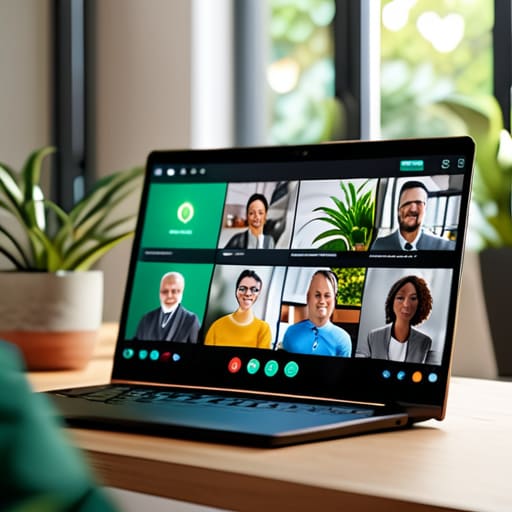
I was sitting in a cramped cafe in Lisbon last month, trying to push a critical update through a spotty local connection, when my Slack exploded with forty-two unread notifications. It wasn’t a crisis; it was just a team drowning in a sea of “quick syncs” and redundant pings that had nothing to do with the actual task at hand. Most people think they need more tools or more meetings to fix this, but that’s a lie. The truth is, most companies are actually sabotaging themselves with noise, completely ignoring what effective communication strategies for virtual teams should actually look like in the real world.
I’m not here to sell you on some expensive, enterprise-grade software suite that promises to “revolutionize your workflow.” I’ve spent enough time in the trenches of remote systems integration to know that complexity is the enemy of focus. In this post, I’m going to break down the lean, cloud-first frameworks I use to keep my own projects moving without the constant digital friction. We’re going to talk about building a communication flow that is actually invisible, so you can stop managing notifications and start doing the work you actually care about.
Mastering Asynchronous Communication Best Practices for Fluidity

The biggest mistake I see is teams treating every single message like an emergency. If you’re constantly pinging people for instant replies, you aren’t collaborating; you’re just interrupting. To actually get things done, you need to lean into asynchronous communication best practices. This means moving away from the “always-on” expectation and instead focusing on high-context updates. When I’m working from a cafe in a city with spotty Wi-Fi, I don’t want to be tethered to a live chat. I need to leave a detailed brief, walk away, and know that when I reconnect, the progress is waiting for me.
To make this work, you have to master the art of the “complete message.” Don’t just say “Hey, you there?”—that’s a productivity killer. Instead, provide the context, the files, and the specific question in one go. Using the right remote team collaboration tools—like Notion for documentation or Loom for quick video walkthroughs—helps bridge the gap without requiring everyone to be online at the same time. It’s about building a system of record that stays steady, even when your team is scattered across different time zones.
Overcoming Digital Communication Barriers With Invisible Workflows
The biggest killer of focus isn’t a bad Wi-Fi connection; it’s the friction caused by poorly integrated tools. When your team is constantly jumping between five different apps just to confirm a single task, you aren’t working—you’re just managing software. To actually succeed at overcoming digital communication barriers, you have to aim for what I call “invisible workflows.” This means setting up your stack so that information flows naturally through your existing environment without requiring a manual for every single interaction.
I’ve found that the best way to achieve this is by prioritizing tools that act as a single source of truth. Instead of chasing updates through endless Slack threads, lean on remote team collaboration tools that centralize documentation and real-time updates in one place. When your workflow is integrated, the tech fades into the background, leaving you with nothing but the work itself. If you have to stop and think about where a piece of information lives, your system is broken. Keep it streamlined, keep it cloud-based, and keep it moving.
Stop the Noise: 5 Ways to Cut Through the Digital Static
- Kill the “quick sync” habit. If a conversation can be handled in a well-structured Notion page or a Loom video, don’t drag everyone into a meeting. Meetings are the ultimate productivity killer when you’re working across different time zones.
- Standardize your stack, but keep it lightweight. I’ve seen teams drown in five different chat apps. Pick one for real-time, one for documentation, and one for deep work. If the tool feels heavy or clunky, it’s going to create friction you don’t need.
- Embrace radical transparency in your status updates. Since I can’t just look over someone’s shoulder in a physical office, I rely on clear, public progress logs. It stops the “what are you working on?” ping-pong that breaks your flow state.
- Write for clarity, not for length. When you’re communicating via text, ambiguity is your enemy. Use bullet points, bold the most important actions, and be direct. Your teammates shouldn’t have to play detective to figure out what you need from them.
- Build a “virtual watercooler” that actually works. You don’t need a scheduled 30-minute social call that everyone dreads; just create a low-pressure space—a specific Slack channel or a casual Discord thread—where the team can actually be human without it feeling like a chore.
Cutting Through the Noise
At the end of the day, effective virtual communication isn’t about adding more Slack channels or scheduling more Zoom calls; it’s about stripping away the friction. We’ve talked about mastering asynchronous workflows and building those invisible digital layers that keep a team moving without constant interruptions. If your communication strategy requires you to be glued to a screen 24/7 just to stay in the loop, you haven’t built a system—you’ve built a cage. The goal is to leverage cloud-based tools that work for you, ensuring that information flows naturally whether you’re in a high-speed office or a small cafe with patchy Wi-Fi.
Stop trying to replicate the traditional office experience in a digital space. It’s a losing battle that only leads to burnout and fragmented focus. Instead, lean into the freedom that remote work actually offers by building a culture rooted in intentionality and trust. When your tools are seamless and your communication is purposeful, the “where” and “how” of your work stop being obstacles and start becoming your greatest advantages. Build a setup that moves with you, stays out of your way, and lets you focus on what actually matters: the work itself.
At the end of the day, if your tech stack is fighting you, your team is fighting you. I’ve learned the hard way that trying to force a rigid communication structure onto a distributed team is a recipe for burnout. You need to find tools that act as a silent backbone for your projects, rather than another distraction you have to manage. If you’re looking to refine how you manage these digital connections, checking out resources like w4men online can actually give you some solid perspective on navigating complex social and professional dynamics in a modern, interconnected world. It’s all about reducing the friction between your ideas and the people executing them.