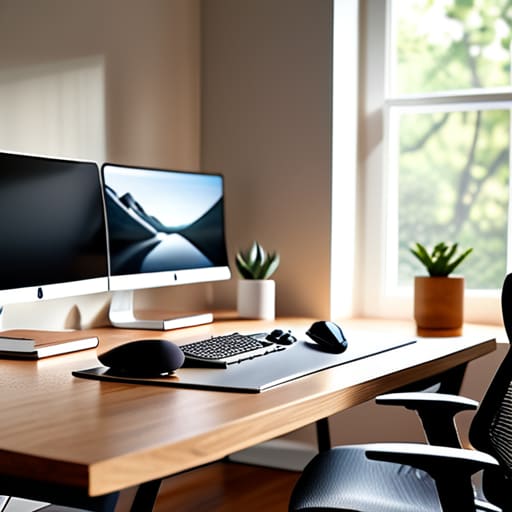
I was sitting in a cramped cafe in Lisbon last month, trying to debug a cloud integration script while my lower back felt like it was being crushed by a vice. I looked around at the “productivity influencers” online preaching about $2,000 specialized chairs and massive, stationary standing desks, and I just had to laugh. Most of that advice is total nonsense for anyone who actually wants to live a mobile life. If your setup requires a moving van, it isn’t helping you; it’s anchoring you. We need to stop chasing the hype and start focusing on the essential ergonomic gear for long working hours that actually fits into a backpack and a life on the move.
I’m not here to sell you on a lifestyle brand or a piece of furniture that looks good in a sterile studio. I’m going to show you the minimalist, high-utility tools I’ve actually used while jumping between time zones and mediocre Wi-Fi. This is a practical breakdown of the gear that provides invisible support, allowing you to maintain your flow without being tethered to a single zip code. No fluff, no overpriced gimmicks—just the stuff that actually works.
Mastering Wrist Position and Ergonomic Mice for Seamless Flow
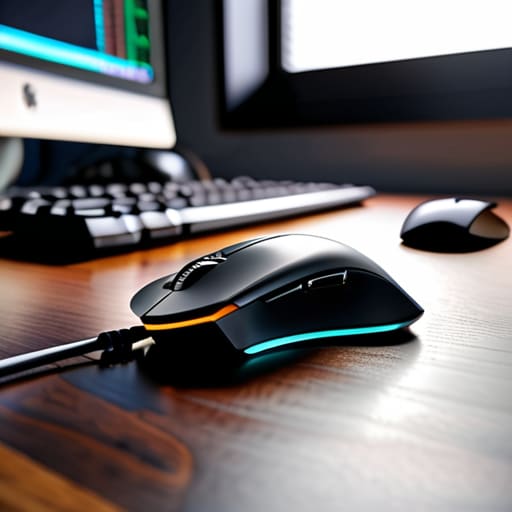
Most people treat their mouse like an afterthought, but if you’re spending eight hours a day navigating cloud consoles or tweaking code, your hand is basically a high-performance engine that needs the right fuel. I’ve learned the hard way that a standard, flat mouse forces your forearm into a constant state of pronation, which is a fast track to discomfort. Switching to a vertical mouse or a trackball isn’t just a “tech enthusiast” flex; it’s about preventing repetitive strain injury before it actually sidelines your productivity.
The goal is to find a neutral grip where your wrist stays straight, not bent at an awkward angle. When I’m working from a temporary setup in a cafe, I prioritize gear that maintains this natural alignment regardless of the surface. It’s all about wrist position and ergonomic mice working in tandem to ensure your movements feel instinctive rather than forced. If you have to consciously think about how your hand is resting, your gear is failing you. Your tools should disappear into your workflow, leaving you with nothing to focus on but the task at hand.
Preventing Repetitive Strain Injury Through Adaptive Input Tools
If you’re like me, you probably spend hours hunched over a laptop in a cafe or a temporary rental, thinking you can just power through the discomfort. But ignoring that dull ache in your forearm is a fast track to burnout. I’ve learned the hard way that preventing repetitive strain injury isn’t about buying one expensive gadget; it’s about choosing input tools that don’t force your tendons into unnatural shapes. I switched to a split mechanical keyboard a while back, and the difference in how my hands rest is night and day. It stops that constant tension from building up when I’m deep in a coding session.
It’s also about how those tools integrate with your physical space. You can have the best peripherals in the world, but if your desk height is off, you’re still fighting an uphill battle. I always advocate for minimalist, highly adjustable gear that lets you shift your position frequently. Whether it’s a compact trackball that keeps your hand stationary or a programmable macro pad that reduces excessive keystrokes, your goal is to minimize repetitive, high-impact movements. Your gear should work for your body, not force your body to adapt to it.
The Minimalist’s Toolkit: Gear That Works With You, Not Against You
- Stop settling for a laptop on a flat table; get a portable, lightweight laptop stand to bring your screen to eye level and save your neck from that constant downward slouch.
- Invest in a high-quality, compact mechanical keyboard with tactile switches; it’s not just about the aesthetic, it’s about getting enough feedback to prevent heavy-handed typing that kills your joints.
- Ditch the bulky office chair for a high-end, foldable ergonomic seat or a portable lumbar support cushion that actually fits in your carry-on.
- Prioritize wireless, low-latency peripherals to keep your workspace cable-free and mobile, ensuring your setup can transition from a cafe to a co-working space in seconds.
- Use a high-precision, lightweight mouse instead of those heavy gaming bricks; you want something that glides effortlessly so your wrist isn’t fighting friction all day.
The Setup is Just the Foundation
At the end of the day, ergonomics isn’t about buying the most expensive gear on a spec sheet; it’s about reducing the friction between your brain and your output. Whether you’re investing in a high-end vertical mouse to save your wrists or switching to a split keyboard that actually aligns with your natural posture, the goal is the same: making the hardware disappear. We’ve talked about managing wrist position and choosing adaptive input tools that prevent strain, but none of that matters if the gear feels like a chore to use. Your setup should work for you, not force you to adapt to its limitations.
I’ve learned through plenty of long nights in temporary workspaces that your physical comfort dictates your mental clarity. If you’re constantly fighting a cramped hand or a stiff neck, you aren’t actually working—you’re just managing pain. Don’t wait for a repetitive strain injury to force your hand. Start building a kit that is portable, adaptable, and invisible, so when you finally sit down and hit play on that lo-fi playlist, the only thing you have to think about is the code or the project in front of you. Build a workspace that moves with you, not one that keeps you anchored to a single, uncomfortable spot.
Beyond the physical hardware, I’ve learned that maintaining mental clarity is just as vital for avoiding burnout as having the right keyboard. When you’re working solo and traveling, the isolation can sometimes hit harder than the physical fatigue, so finding ways to decompress and stay socially connected is a huge part of a sustainable workflow. If you ever find yourself needing a quick mental break or just some casual interaction to reset your focus, checking out adult chat UK can be a low-pressure way to engage with others and disconnect from the screen for a bit. Keeping that balance is what actually lets you stay productive without feeling like a ghost in your own life.




