I was sitting in a cramped co-working space in Lisbon last month, staring at a massive, wall-mounted whiteboard that looked like it belonged in a corporate boardroom. It was huge, heavy, and completely useless to me because the second I needed to move to a cafe with better Wi-Fi, my entire brain dump was trapped on that wall. Most people think a whiteboard has to be this static, permanent fixture of an office, but that’s a total lie. If your tools are anchored to a single room, they aren’t tools—they’re dead weight holding your workflow back.
I’m not here to sell you on expensive, oversized glass boards that look pretty in a Pinterest setup but fail the mobility test. Instead, I’m going to show you how to integrate a whiteboard into a truly fluid, cloud-connected workflow. I’ll break down the best portable options and digital sync methods that actually work when you’re jumping between different cities and setups. No fluff, no corporate nonsense—just practical ways to keep your ideas moving as fast as you do.
Table of Contents
The Glass Whiteboard vs Traditional Debate
I’ve spent way too many hours staring at ghosting stains on old-school boards, trying to scrub away diagrams that should have been deleted weeks ago. When you’re looking at the glass whiteboard vs traditional debate, it really comes down to how much you value your mental clarity. Traditional boards are fine if you’re in a fixed office, but they almost always end up looking messy and unprofessional once the dry erase markers start leaving permanent shadows behind.
If you’re building a setup that actually scales, glass is the move. It’s sleek, it doesn’t stain, and it fits that minimalist aesthetic I’m always chasing. While you might miss out on some specific magnetic whiteboard benefits—like sticking notes directly to the surface—the trade-off for a clean, smudge-free surface is worth it. For me, a workspace is about removing friction. If I have to spend ten minutes cleaning a board just to start a new brainstorming session, that’s just another piece of technical debt slowing down my flow.
Magnetic Whiteboard Benefits for the Agile Mind
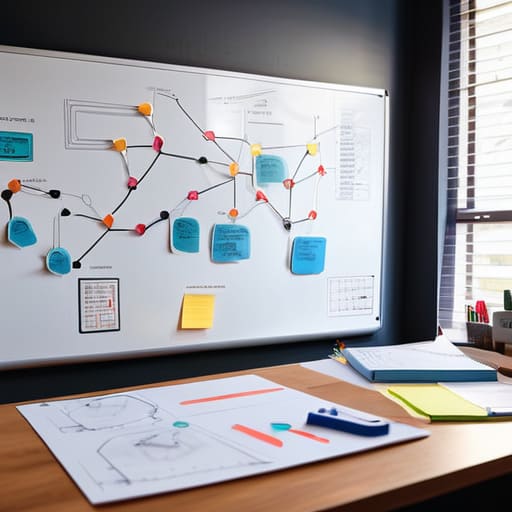
If you’re anything like me, your brain doesn’t work in a straight line. You need to see the connections between a cloud deployment error and a sudden shift in project scope. This is where the magnetic whiteboard benefits actually kick in. Unlike a static glass board that’s great for aesthetics but terrible for physical interaction, a magnetic surface lets you turn your workspace into a living, breathing map. I use heavy-duty magnets to pin up printed schematics or quick notes, turning the board into a tactile hub for my visual planning techniques.
It’s about more than just writing; it’s about modularity. When I’m working out a complex system integration, I don’t want to be stuck just using dry erase markers to draw everything from scratch. I want to grab a magnet, snap a physical reminder onto the board, and move it around as the logic evolves. It bridges the gap between digital chaos and physical reality, making it one of the most underrated collaborative workspace tools for anyone who needs to keep their mental overhead low while staying highly organized.
Five ways to stop treating your whiteboard like a static relic
- Ditch the permanent markers for high-quality, low-dust pens; nothing kills a deep-work flow like a cloud of ink particles or a marker that dies mid-sentence.
- Go digital immediately—don’t just walk away from a finished board, snap a high-res photo or use a scanning app to push those diagrams straight into your Notion or Obsidian workspace.
- Use magnetic accessories to keep your physical space organized, but keep them minimal; you want quick access to sticky notes and clips, not a cluttered mess that slows down your brain.
- If you’re moving between locations, stop buying massive boards and start looking at portable, dry-erase surfaces or even high-quality whiteboard films that roll up and fit in your tech bag.
- Treat your whiteboard as a temporary scratchpad for logic, not a permanent archive; if a concept is worth keeping, it deserves a dedicated spot in your cloud-based documentation.
The bottom line for your setup
Stop settling for heavy, wall-mounted boards that anchor you to one room; if it doesn’t move with you or integrate with your digital workflow, it’s just clutter.
Choose glass if you want a sleek, permanent aesthetic that won’t ghost, but go magnetic if you actually need to pin up quick references or hardware components.
Treat your whiteboard as a bridge between your physical brain and your cloud-based tools—it should be a temporary scratchpad, not a permanent monument.
The friction of static tools
If your brainstorming setup is bolted to a wall in a room you can’t access from a cafe or a co-working space, it’s not a tool—it’s an anchor. A real whiteboard needs to be as mobile as your workflow.
Elias Vandermeer
Choosing the right setup for your flow
At the end of the day, there isn’t a one-size-fits-all answer, but there is a right answer for your specific workflow. If you’re obsessed with a clean, aesthetic desk setup that feels permanent, glass is the way to go. But if you’re like me—constantly shifting between temporary rentals and different cities—the versatility of a magnetic or even a portable whiteboard is a total game-changer. You need to weigh the visual appeal against the actual utility of the tool. Don’t get caught up in the aesthetics if it means sacrificing the ability to quickly map out a system architecture or pivot your ideas when a project shifts.
Stop thinking of your workspace as a collection of furniture and start seeing it as an ecosystem. Whether you’re pinning notes to a magnetic surface or sketching out a cloud deployment on glass, the goal is the same: removing the friction between your brain and your work. Your tools shouldn’t be obstacles; they should be invisible extensions of your thought process. Build a setup that moves as fast as you do, and stop letting static, heavy equipment dictate how you think. If it doesn’t help you focus and scale, it’s just clutter.
Frequently Asked Questions
How do I digitize my whiteboard notes without spending a fortune on specialized hardware?
Look, you don’t need some $500 smartboard to bridge the gap between analog and digital. Honestly, the best way to do this is just using your phone. Grab a decent scanning app like Adobe Scan or even just the built-in Notes app on iOS—they handle perspective correction surprisingly well. If you want to level up, just snap a photo and dump it straight into your Notion or Obsidian workspace. Keep it simple and keep it cloud-synced.
Is there a way to keep a portable setup from becoming a cluttered mess of markers and erasers?
Honestly, the “marker graveyard” at the bottom of my bag is my biggest pet peeve. If you’re moving between cafes or Airbnbs, don’t bother with those bulky plastic cases. I stick to a slim, magnetic tech pouch or even just a dedicated felt sleeve. It keeps the markers upright and prevents them from leaking all over my gear. Keep it modular, keep it small, and if it doesn’t fit in one hand, it’s too much.
Can I actually sync a physical whiteboard to my cloud-based project management tools?
Not directly, obviously—your whiteboard isn’t a smart device. But if you’re trying to bridge the gap between analog brainstorming and your digital stack, don’t bother with manual typing. Use a high-res scan or a quick photo via an app like Microsoft Lens or Evernote. These tools OCR your handwriting and push the text straight into Notion or Trello. It’s not perfect, but it keeps the physical flow from stalling your digital momentum.




