I was sitting in a cramped cafe in Lisbon last month, staring at a spinning loading icon while my local software tried to sync a massive project file over a spotty Wi-Fi connection. It was one of those moments where you realize your “professional” setup is actually just an expensive anchor. Most people think they need a $4,000 workstation and a dedicated office to produce high-end work, but that’s a lie designed to keep you tethered to a desk. The truth is, if you aren’t leveraging cloud-based design tools to handle the heavy lifting, you aren’t working smart—you’re just working harder than you need to.
I’m not here to sell you on some shiny, overpriced subscription service that promises the world and delivers nothing but lag. I want to show you how to build a workflow that actually moves with you, whether you’re at a clean desk setup or a tiny table in a foreign city. I’ll be breaking down the specific cloud-based design tools that actually hold up under real-world pressure, focusing on seamless integration and portability. No fluff, no corporate jargon—just the practical setups that let you focus on the craft instead of the hardware.
Table of Contents
Embracing the Freedom of Cloud Native Creative Suites
The real shift happens when you stop thinking about “saving files” and start thinking about continuous flow. Transitioning to cloud-native creative suites means your heavy lifting isn’t tied to the local processing power of whatever laptop you happen to be using in a cafe in Lisbon. Instead, you’re leveraging massive server-side resources, which allows for much smoother performance when handling complex layers or high-res assets. It’s about removing the friction between having an idea and actually executing it.
For anyone working in a remote or hybrid capacity, the biggest win is the ability to facilitate real-time design collaboration without the usual version-control nightmare. I’ve spent way too many hours in my past life chasing down “Final_v2_ACTUALLY_FINAL.psd” files via email. Now, with distributed design teams, everyone is looking at the same live canvas. This level of centralized asset management ensures that no matter where your team is physically located, the source of truth remains singular and accessible. It turns a fragmented workflow into a single, cohesive ecosystem that actually moves at the speed of your thought.
Stop Losing Momentum to Local Hardware Constraints
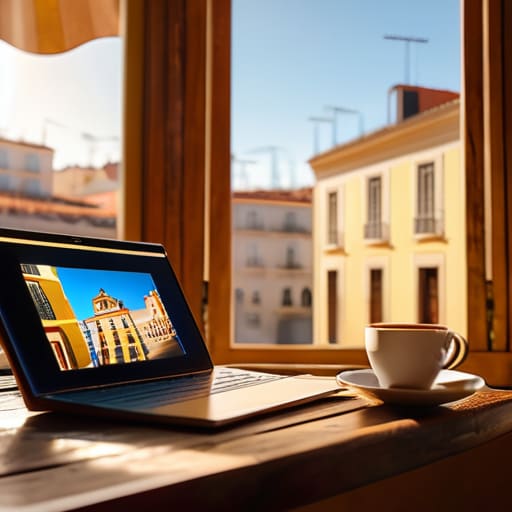
There’s nothing quite like the frustration of being mid-flow on a complex project, only to have your system hang because your local RAM decided it’s had enough. I’ve been there—stuck in a cramped cafe in Lisbon, watching a progress bar crawl while my laptop fans sound like a jet engine. When you rely solely on local hardware, you aren’t just working; you’re negotiating with your machine. You’re constantly managing thermal throttling and storage limits instead of actually creating.
By shifting the heavy lifting to the cloud, you bypass those physical bottlenecks entirely. Using browser-based graphic design platforms means the processing power isn’t tied to the silicon under your desk; it’s tied to the network. This shift allows for much smoother real-time design collaboration, where the friction of “sending files back and forth” simply vanishes. You stop worrying about whether your hardware can handle the next layer or the next render, and you start focusing on the output. It turns your setup from a rigid cage into a flexible, high-performance extension of your workflow.
How to Actually Make Cloud Tools Work for You
- Audit your bandwidth before you commit. There’s no point in using a heavy-duty cloud suite if you’re trying to work from a cafe with 2Mbps speeds; always have a lightweight, offline-capable backup ready for when the Wi-Fi inevitably fails.
- Prioritize version history over manual saving. One of the biggest perks of cloud-native tools is the ability to roll back mistakes instantly—stop wasting time creating “Final_v2_REAL_final.psd” files on your local drive.
- Build a “zero-friction” file structure. Since your assets live online, organize them by project and status rather than file type so you can jump between your laptop and a tablet without a mental reset.
- Master the collaborative handoff. Instead of exporting massive files to send to clients, use live sharing links. It keeps everyone on the same page and prevents the nightmare of working on outdated versions.
- Automate your asset syncing. Don’t manually upload every texture or icon; set up your cloud environment so that your libraries are globally accessible the second you log in, regardless of what device you’re using.
The Bottom Line
Stop tying your productivity to a single machine; if your tools aren’t accessible from any decent Wi-Fi connection, you aren’t truly mobile.
Prioritize cloud-native workflows to eliminate the friction of local hardware limits and the constant headache of manual file syncing.
Build a setup that prioritizes portability and seamless integration, so your environment adapts to your location rather than forcing you to stay put.
## The Death of the Desktop Anchor
“If your creative process is tethered to a specific workstation or a massive local drive, you aren’t actually free—you’re just an employee of your own hardware. True professional freedom means your tools are as mobile as your lifestyle, living in the cloud so they’re ready whenever you find a decent Wi-Fi signal.”
Elias Vandermeer
The Shift is Already Happening
At the end of the day, moving your design workflow to the cloud isn’t just about chasing a trend; it’s about removing the friction between your ideas and your output. We’ve talked about how cloud-native suites provide the collaboration you need, how they bypass the limitations of local hardware, and how they turn a mediocre Wi-Fi connection into a gateway rather than a barrier. When you stop worrying about whether your local machine can handle a heavy render or if your files are synced to a physical drive, you start focusing on what actually matters: the work itself. Transitioning to a cloud-first ecosystem means you are no longer tethered to a specific desk or a specific machine, allowing for a truly fluid workflow that moves as fast as you do.
I’ve spent enough time in transit to know that the best setups aren’t the ones with the most expensive components, but the ones that disappear when you start creating. Don’t let your gear become an anchor that keeps you stuck in one place. Whether you’re working from a quiet corner of a library or a cafe in a city you’ve never visited, your tools should be as mobile and adaptable as your lifestyle. Build a setup that scales with your ambition, not one that limits your reach. The future of professional creativity is lightweight, distributed, and entirely unattached.
Frequently Asked Questions
How do these tools actually handle massive files when I'm stuck on a shaky cafe Wi-Fi connection?
That’s the million-dollar question. Honestly, if you’re relying on a constant, high-speed stream, you’re going to have a bad time. The good ones use “delta syncing”—they only upload the specific changes you made, not the entire massive file. I usually look for tools with robust offline modes that cache your work locally and then quietly sync everything once I find a decent connection. It’s all about working in chunks, not one giant, fragile upload.
Is the subscription cost of a full cloud suite actually worth it compared to just owning a one-time license for local software?
Look, I get the hesitation. Paying monthly feels like a leak in your budget. But if you’re still tethered to a single machine, you’re paying for more than just software—you’re paying for a bottleneck. A one-time license is great until your laptop dies or you need to hop onto a different setup mid-project. For me, the subscription is basically insurance for my mobility. It keeps my workflow liquid, which is worth every cent.
How much of my actual creative control am I sacrificing for the sake of portability and seamless syncing?
Look, I get the hesitation. If you’re used to local workstations with massive GPU overhead, moving to the cloud feels like you’re trading power for convenience. But honestly? You aren’t sacrificing control; you’re just changing where the heavy lifting happens. As long as you’re choosing tools with low latency and robust versioning, the “loss” is mostly psychological. You still own the output. Don’t let the fear of losing a few niche local plugins keep you tethered to a desk.




