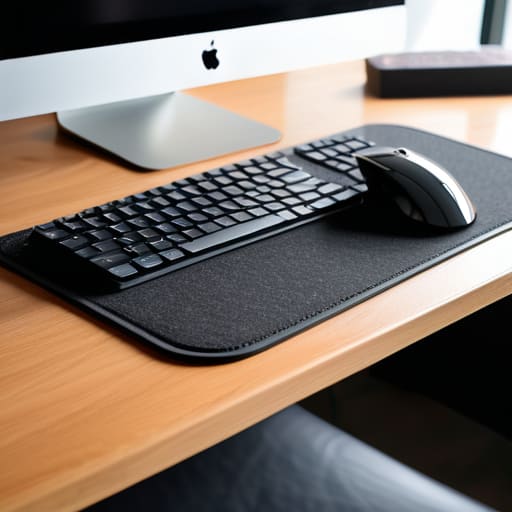
I was sitting in a cramped cafe in Lisbon last month, trying to finish a systems integration sprint on a tiny, splintered wooden table, when my wrist started throbbing. It wasn’t the caffeine or the mediocre Wi-Fi; it was the sheer, unyielding hardness of the surface beneath my hands. Most people think you need a $500 high-tech chair to fix your posture, but they’re ignoring the most basic point of contact. A cheap, poorly designed ergonomic desk mat can actually do more harm than good if it’s just a glorified piece of foam that lacks the right texture or support.
I’m not here to sell you on some “revolutionary” gadget that’s just marketing fluff. I’ve tested enough setups in different time zones to know what actually works when you’re actually trying to produce something. In this guide, I’m going to break down what a real ergonomic desk mat should do for your workflow—focusing on surface tension, wrist alignment, and portability. I’ll help you find a tool that stays completely invisible so you can stop thinking about your setup and start focusing on your code.
Table of Contents
Preventing Carpal Tunnel at Desk Through Seamless Support
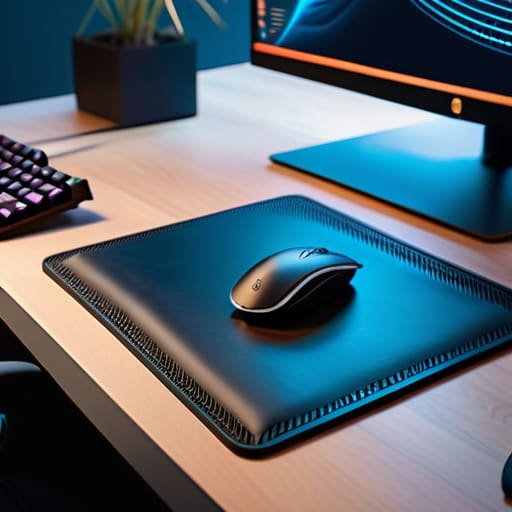
When I’m deep in a sprint, trying to optimize a cloud deployment, I don’t want to feel my hardware—I want to feel the flow. If your setup is forcing your wrists into awkward angles, you aren’t just dealing with discomfort; you’re looking at long-term damage. Preventing carpal tunnel at desk isn’t about buying a fancy, oversized ergonomic mouse, though. It’s about the surface you’re interacting with. A high-quality mat provides a consistent, cushioned foundation that keeps your forearm and wrist in a more neutral position compared to the hard, unforgiving edge of a standard desk.
I’ve found that the texture of your surface matters more than most people realize. When choosing between felt vs leather desk mats, you’re essentially choosing your tactile feedback. Felt offers a softer, more forgiving buffer that works great for long coding sessions, while leather feels more structured. Regardless of the material, the goal is to eliminate those micro-stresses. A good mat acts as a buffer, ensuring that even during a ten-hour stretch, your body isn’t fighting against the furniture.
Large Desk Pad Benefits for a Fluid Digital Workspace
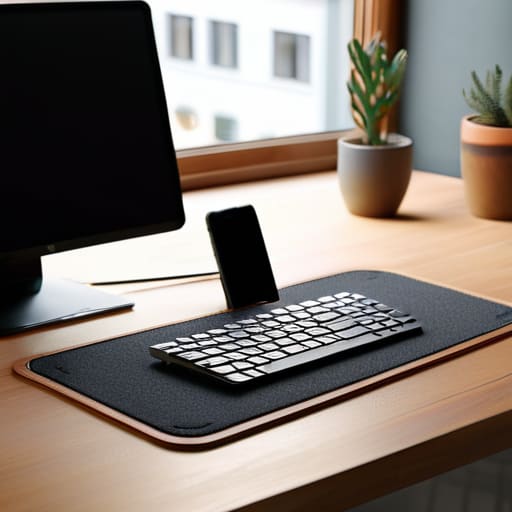
When I’m working from a tiny cafe table or a cramped rental in a new city, I realize how much a cramped workspace kills my momentum. This is where the large desk pad benefits actually kick in. Instead of having my keyboard, mouse, and phone scattered across a cluttered surface, a single large pad creates a defined “command center.” It anchors everything in place, turning a chaotic tabletop into a cohesive, intentional zone.
I’ve found that having that extra real estate is less about aesthetics and more about uninterrupted movement. When you’re navigating complex cloud architectures or just coding, you don’t want your mouse to suddenly hit the edge of a tiny pad and jerk your wrist. A wider surface ensures your movements stay fluid and natural. If you’re choosing between materials, the debate of felt vs leather desk mats usually comes down to your vibe: felt offers a soft, textured warmth that’s great for long sessions, while leather feels more streamlined and easier to wipe clean if you’re a coffee drinker. Either way, it’s a foundational piece for any minimalist office setup.
My Rules for Picking a Mat That Actually Works
- Go for something with a low-profile edge. If the border is too thick or raised, it’ll dig into your wrist every time you reach for your mouse, and that’s a fast track to discomfort.
- Prioritize texture over fluff. You want a surface that feels smooth under your palm but provides enough grip so your keyboard doesn’t slide around when you’re mid-sprint.
- Size matters for your workflow. If you’re moving between a laptop and an external mouse, get a mat wide enough that you aren’t constantly hitting the edge of your desk.
- Stick to neutral, matte materials. Glossy surfaces catch glare from overhead lights or windows, which is just an unnecessary distraction when you’re trying to stay in the zone.
- Think about portability if you’re like me. If you’re moving between cafes or Airbnbs, a mat that can roll up tightly without permanent creasing is a total game-changer for a mobile setup.
The Bottom Line: Making Your Setup Work for You
Don’t view a desk mat as just another accessory; treat it as a foundational layer that bridges the gap between your hardware and your physical comfort.
Prioritize a surface that offers consistent, low-friction movement so your mouse and keyboard don’t become obstacles during deep work sessions.
Aim for a minimalist, seamless design that reduces visual clutter, allowing your brain to focus on the code or the cloud architecture rather than your gear.
## The Invisible Foundation
“If you’re constantly adjusting your wrists or feeling the friction of a hard desk, your tools are failing you. A good mat isn’t about luxury; it’s about creating a surface so seamless that you actually forget it’s there, leaving nothing between you and your deep work.”
Elias Vandermeer
Final Thoughts on Your Workspace Flow
At the end of the day, an ergonomic desk mat isn’t just another piece of desk candy or a way to make your setup look good for a photo. It’s about creating a frictionless environment where your hardware and your body actually work together. Whether you’re looking to prevent long-term strain by supporting your wrists or you need that extra surface area to keep your mouse movements fluid during a heavy coding session, the right mat acts as a silent partner. It provides the stability and comfort required to stay in the zone, ensuring that your physical setup never becomes a distraction from the actual work you’re trying to accomplish.
I’ve learned through a lot of different setups—from cramped cafes to temporary home offices—that your tools should never be the thing that holds you back. A great workspace is one that adapts to you, allowing you to pick up exactly where you left off, no matter where you are. Don’t just settle for a standard desk; invest in the small, tactile details that enhance your focus and protect your longevity in this industry. Build a setup that feels seamless, stays out of your way, and ultimately empowers your freedom to work from anywhere.
Frequently Asked Questions
How do I choose a mat material that won't make my wrists sweat during long coding sessions?
If you’re grinding through long sessions, stay away from cheap faux leather or heavy rubber mats—they trap heat like a greenhouse. I usually stick to high-density felt or a tightly woven cloth surface. They breathe much better. If you’re in a warmer climate or just run hot while debugging, look for a mat with a natural fiber blend. It keeps things cool and prevents that annoying, sticky feeling when you’re deep in flow.
Is a massive desk pad actually worth the extra space, or does it just create more cable management headaches?
Honestly, it’s a trade-off, but I usually lean toward the larger pad. If you’re working with a minimalist, mobile setup, a massive mat can feel like it’s swallowing your desk and making cable management a nightmare. But if you want that seamless, fluid movement—especially if you’re using a high-precision mouse—the extra surface area is worth it. Just keep your cables routed tightly underneath so they don’t bunch up under the mat.
Can I actually use a desk mat with a mechanical keyboard without it affecting the typing feel or sound?
Honestly, it actually makes the experience better. If you’re into mechanical keyboards like I am, you know that “thock” is everything. A good desk mat acts as a dampener, absorbing those harsh vibrations that travel through your desk when you’re typing hard. It deepens the sound profile and makes the whole experience feel more premium and less hollow. Just avoid the super thin, cheap ones; go for something dense so it doesn’t feel mushy.




